91
2. Under “Trigger”, select Manual.
3. Under “Icon” select an icon and then select a color for the icon from the
displayed colors; the icon’s color will now change to the selected color.
4. Click “NEXT”; the ACTIONS screen is displayed
5. Go to Performing Actions to continue (page 100).
Schedule Rule
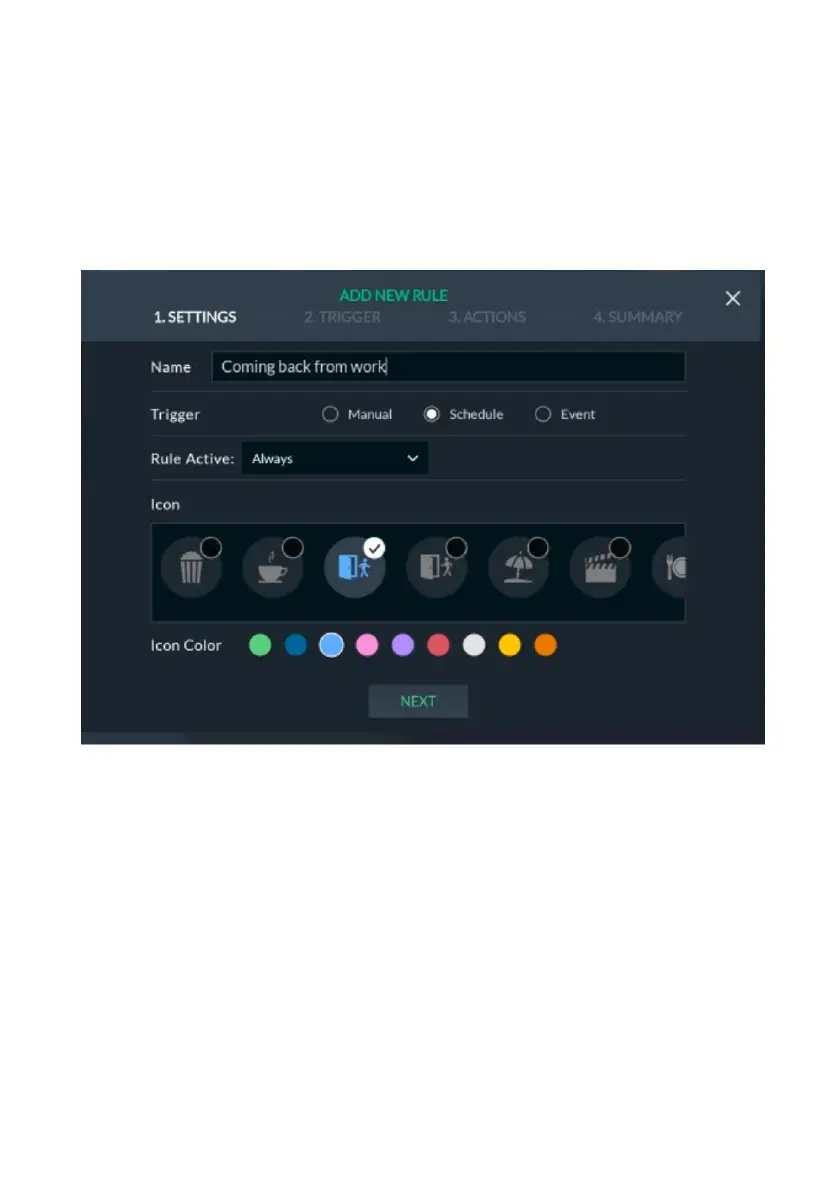
Figure 96: Schedule Rule Screen
1. In the “Name field”, enter a suitable name for the rule.
2. Under “Trigger”, select Schedule.
Rule Active defines the time period during which the rule will be active.
3. Select the Rule Active time period:
• Always (default) – the rule will operate weekly or monthly without limitation.
• On Vacation –the rule will operate only during vacation periods defined
in the Set Vacation screen (see Set Vacation, page 108).
• Always Except for Vacation – the rule will operate daily except for
vacation periods. For example, scheduled rules for turning on the heating
or water heater may operate daily but may not operate during the
vacation period.



 To Next Page