100
Performing Actions
Actions allow you to automatically arm/disarm selected partitions in different
modes. You can also activate smart home devices and utility outputs. In addition,
the time sequence of actions can be delayed from one action to the next.
To Arm/Disarm
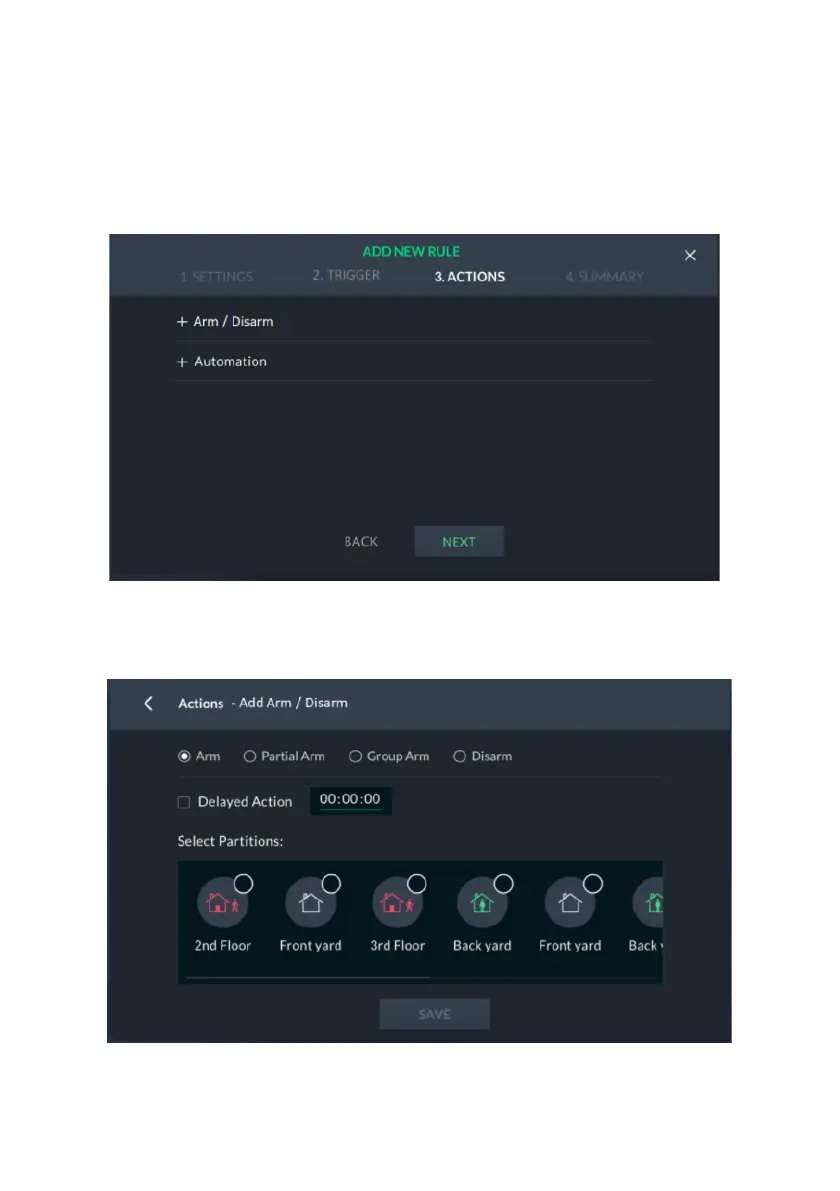
Figure 106: Add New Rule – Arm/Disarm Screen
1. From the “3.ACTIONS” tab, select “+ Arm / Disarm”; the following screen is
displayed.
Figure 107: Actions – Add Arm / Disarm Screen
2. Select between Arm, Partial Arm, Group and Disarm.



 To Next Page
 Loading...



