108
Set Vacation
A vacation is a schedule for automatic system arming/disarming for which you
assign vacation-specific criteria as needed, such as dates/times.
The start vacation will arm the system and will only be disarmed at the end of the
vacation schedule.
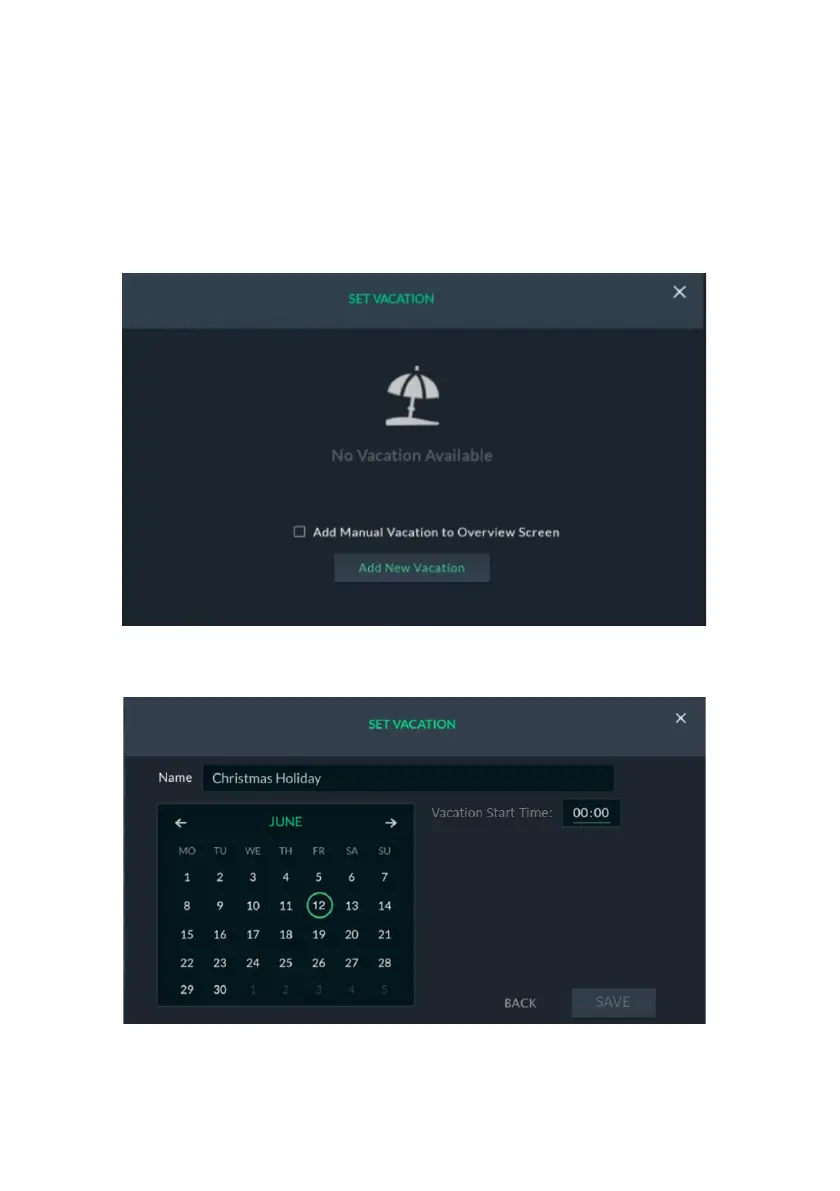
1. From the Rules screen above (see Figure 114: Rules Screen), click the
“Set Vacation” button; the following screen is displayed.
Figure 119: Set Vacation Screen
2. Click “Add New Vacation”; the following screen is displayed.
Figure 120: Set Start Date and Time
3. Select the vacation start date and the vacation start time.
4. Select the vacation end date and then set the vacation end time



 To Next Page
 Loading...



