110
EMERGENCY
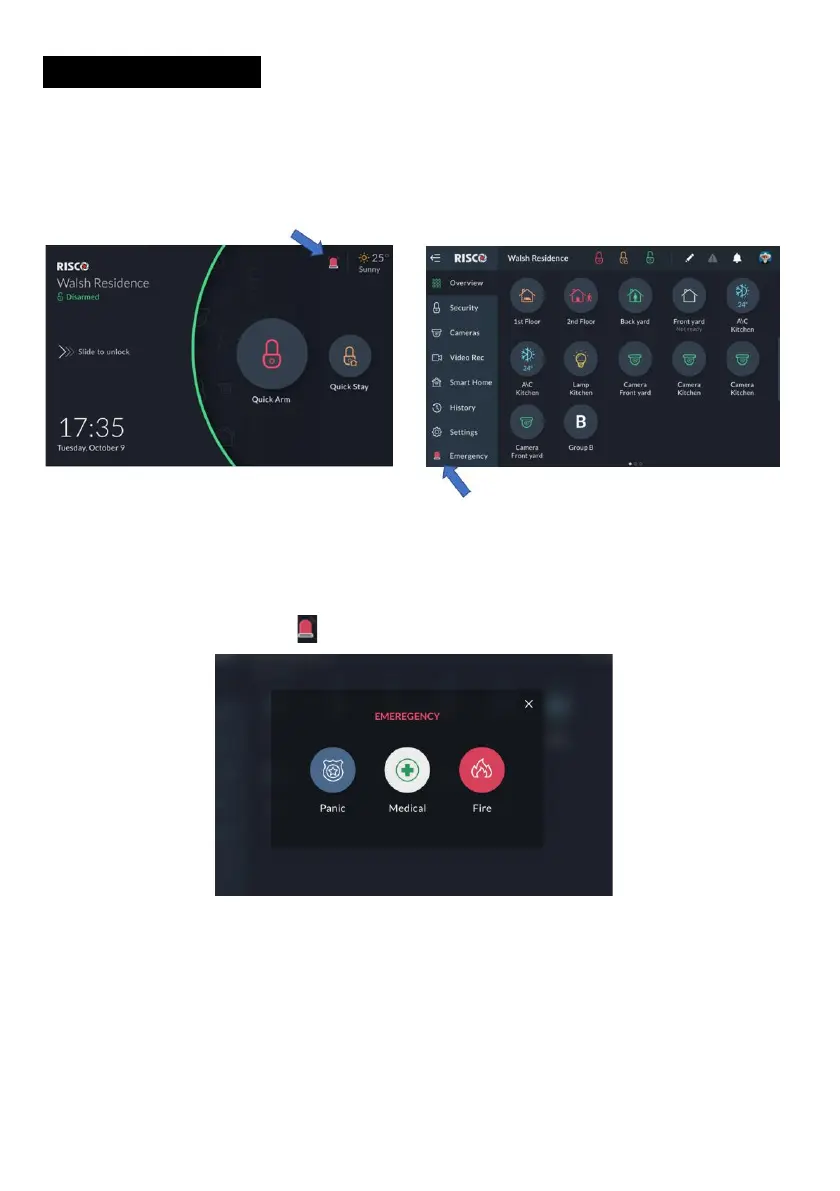
The Emergency button appears at the top of the Lock Screen, at the end of the Main
Menu.
Note: The Emergency button will appear on the screen only if Emergency Keys
was enabled by the installer in the panel.
Figure 123: Emergency Button Screen
Emergency Button Position in Lock Screen/Main Menu
Click the Emergency button ; the following screen is displayed.
Figure 124: Emergency Type Selection Screen
Emergency Type Selection
To activate Panic/Medical/Fire alert, click the corresponding two buttons
simultaneously for at least 2 seconds.


 To Next Page
 Loading...



