101
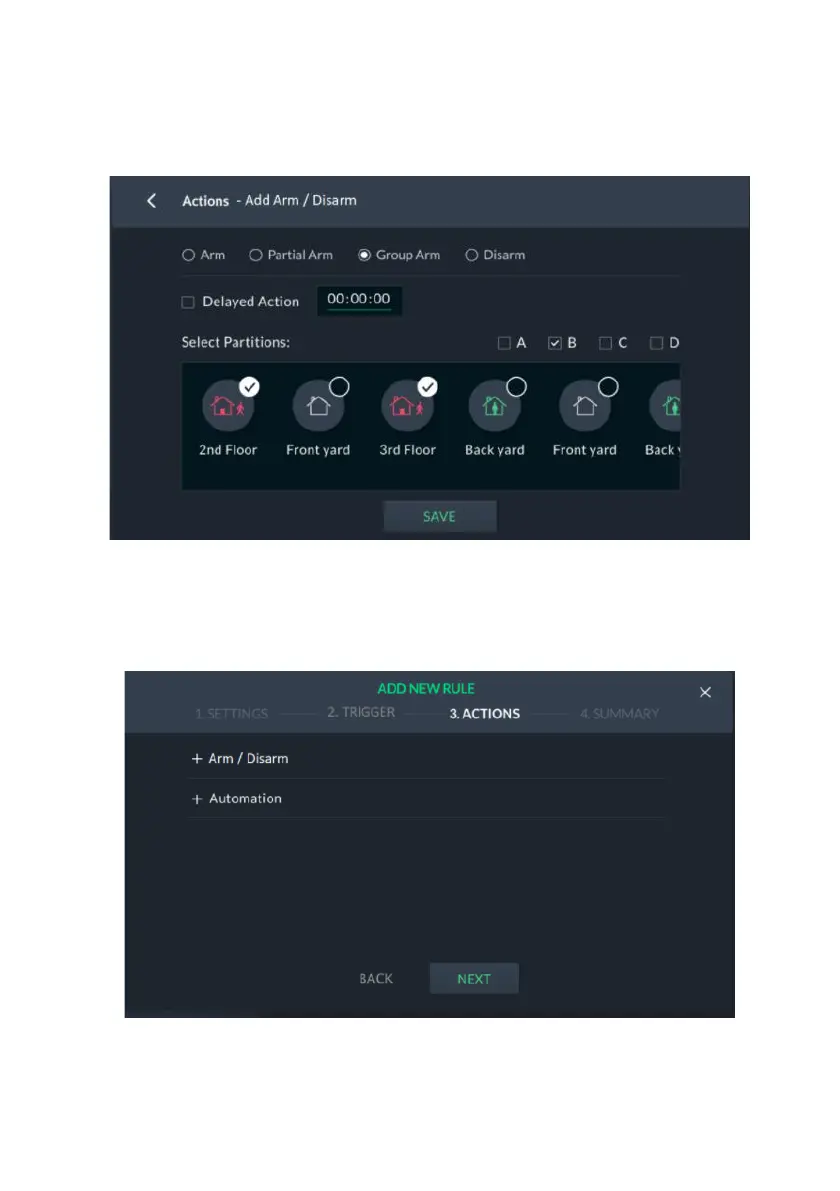
3. Select the Delayed Action checkbox to delay the action and then enter the delay
time in the provided field.
4. Select from the available partitions. If Group Arm was selected, also select the
Groups (A—D) to be armed per partition.
Figure 108: Actions – Add Arm / Disarm Group Selection Screen
5. Click the “SAVE” button; the “ACTIONS” opening screen is displayed and the
selected partitions are now actions.
To activate smart home devices:
Figure 109: Actions –Automation Screen
1. From the opening Actions screen, Select “+ Automation”.



 To Next Page
 Loading...



