102
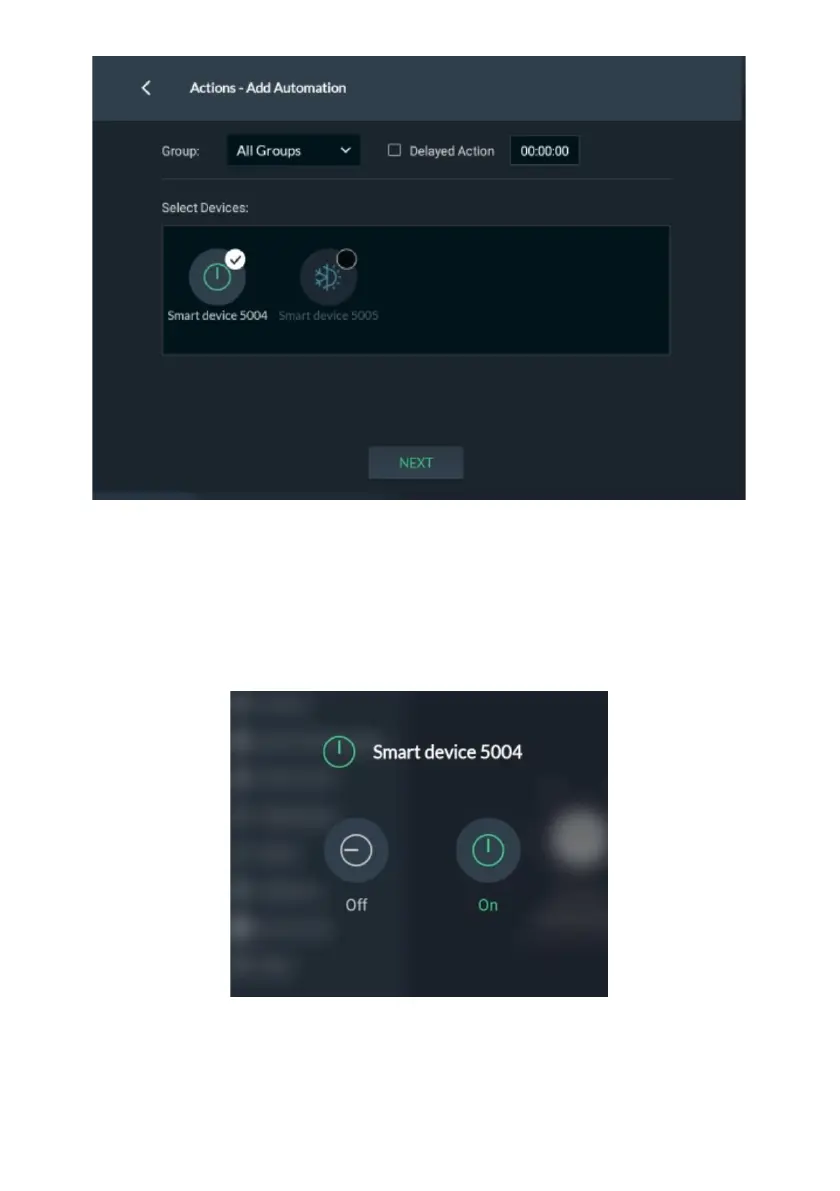
Figure 110: Actions – Automation Select Device Screen
2. Click the Group arrow and select the Group/Groups to apply the smart device
activation.
3. Select the Delayed Action checkbox to delay the smart device activation and
then enter the delay time in the provided field.
4. Select one of the available devices and then click “Next”.
Figure 111: Actions – Automation Device Screen
5. Activate/deactivate the device.


 To Next Page
 Loading...



