96
Monthly Schedule
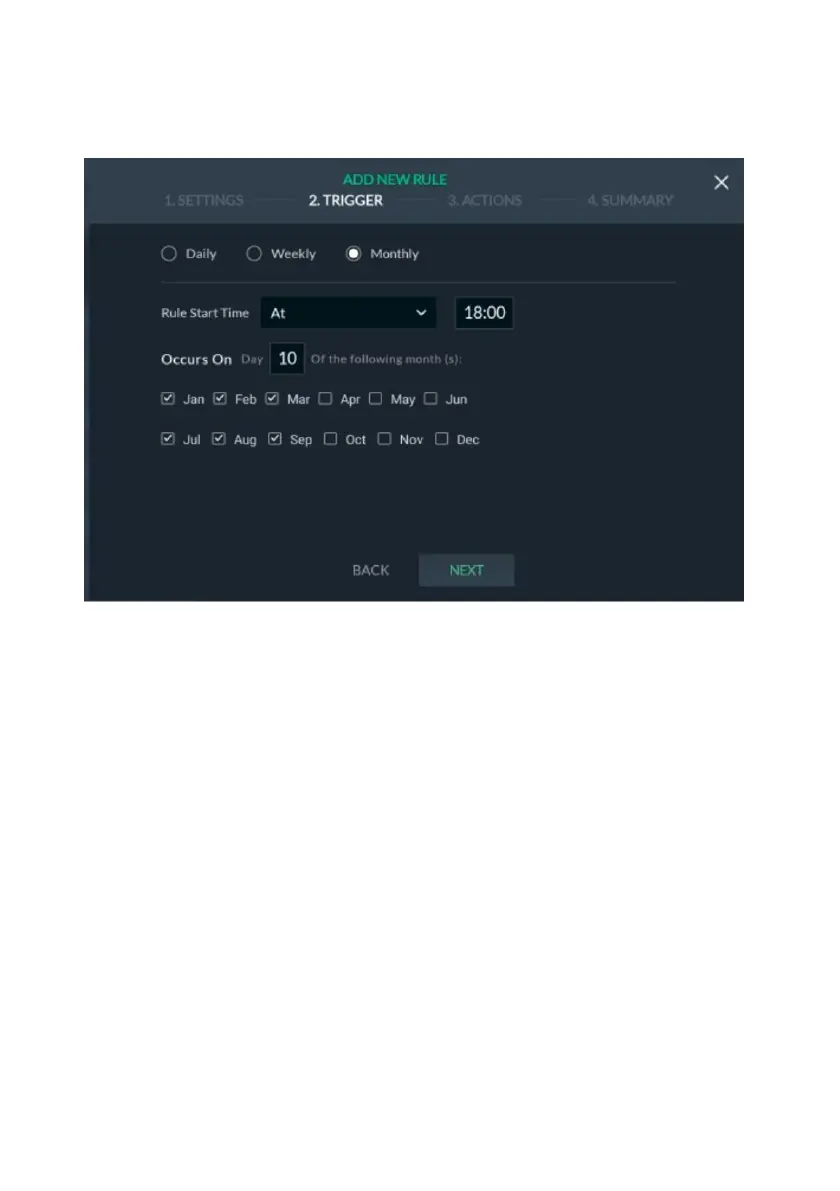
The monthly schedule allows the rule to be activated at a start time and date every
“x” number of months, as defined.
Figure 101: Defining Monthly Schedule Screen
1. Select Monthly.
2. Under “Rule start time”, click the drop-down list and select one of the available
options and then enter the rule start time in the provided field.
3. Select the day of the month for the rule to be activated.
4. Select the calendar month/s for the rule to be activated.
5. Click “Next”.
Go to Performing Actions to continue (page 100).


 To Next Page
 Loading...



