AX10 Palletizing Solution
3.7. Robot Configurations
NOTICE
To ensure the appropriate use of the Palletizing Solution, certain configurations found in the Safety
section must be performed.
3.7.1. Robot Limits
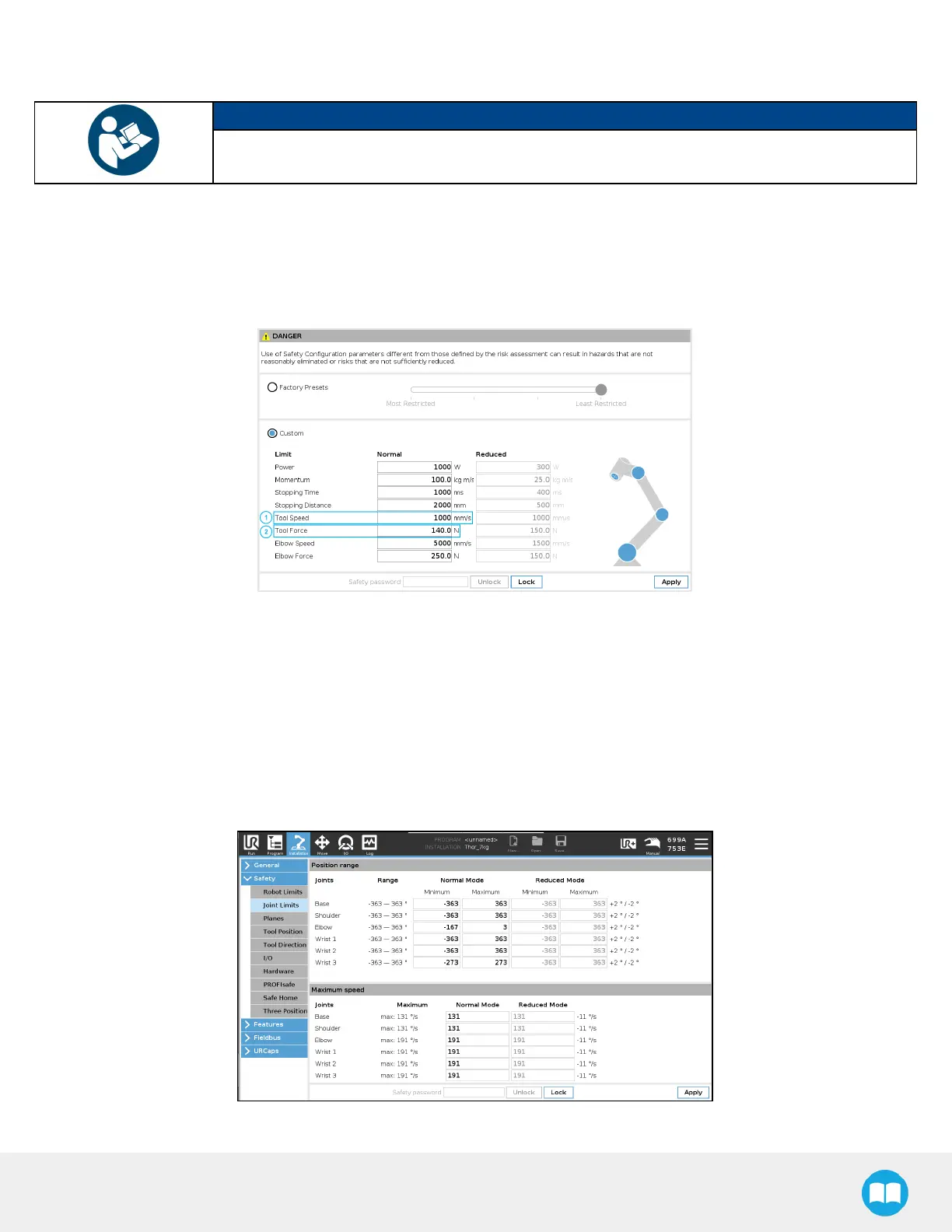
To ensure the effective operation of the Solution, Robot Limits should stay at the Least Restrictive setting. Tool speed (1) and tool
force (2) can be adjusted as required. Please note that adjusting these settings will reduce the Solution's cycle time.
3.7.2. Joint Limits
Joint limits must be configured.
1. Tap Installation→ Safety → Joint Limits
2. Unlock the section with the password and change the values.
l
The minimum and maximum values for the Elbow are -167° and 3°.
l
The minimum and maximum values for the Wrist #3 are -273° and 273°.
69



 To Next Page