AX10 Palletizing Solution
5.3. Command Window
5.3.1. Palletizer Node
1. Tap Program > URCaps > Palletizer to add a Palletizer node in the robot program.
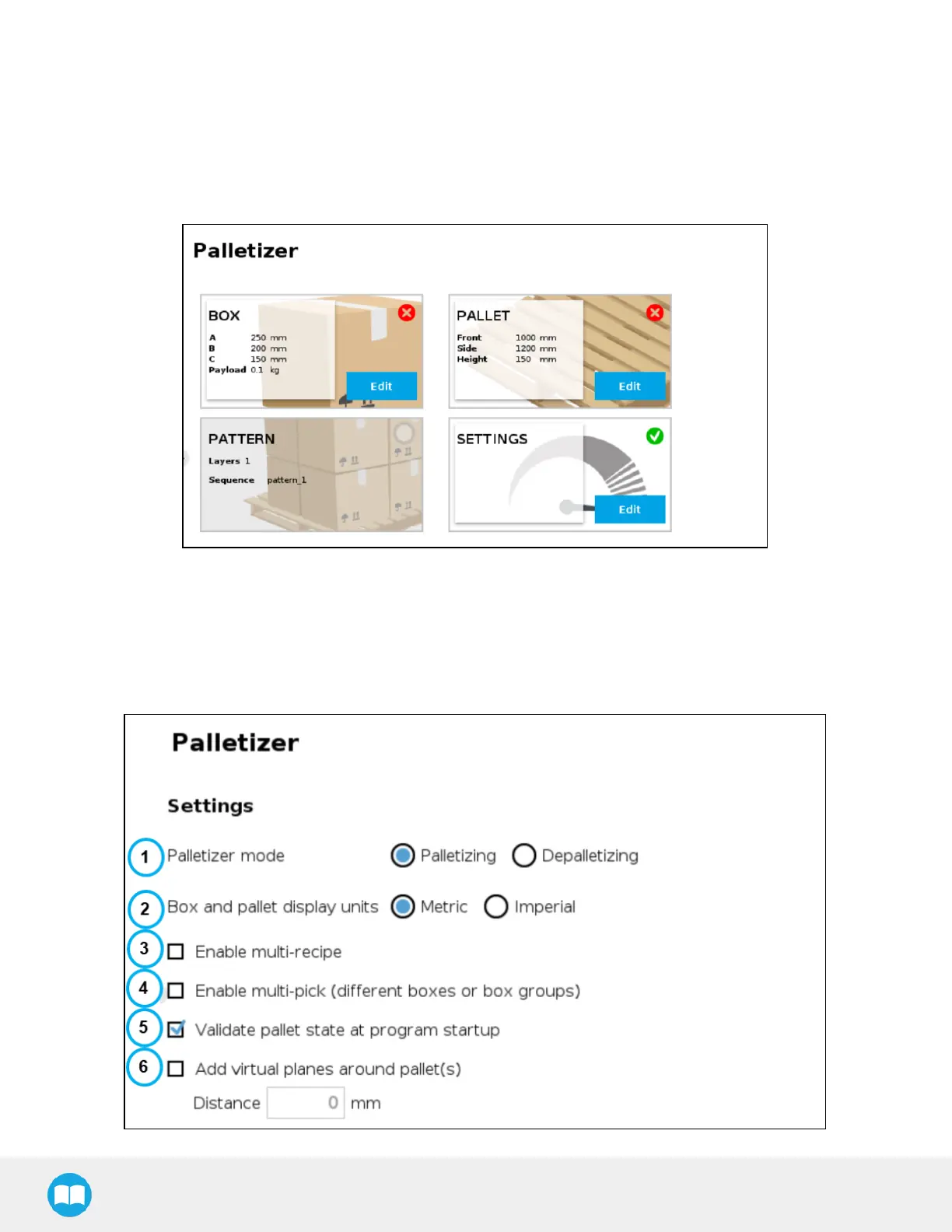
2. In the Command window, tap the Start button. The interface will display the Box, Pallet, Pattern and Settings blocks.
Fig. 5-4: Home View of a New Palletizer Node
3. Tap the Edit button in the Settings block.
Settings Block
Settings Menu
81



 To Next Page