AX10 Palletizing Solution
5.2. Copilot
CAUTION
To ensure the normal operation of the Solution, make sure the Copilot license dongle remains
connected at all times.
1. Connect the license dongle to the USB hub in the UR control box.
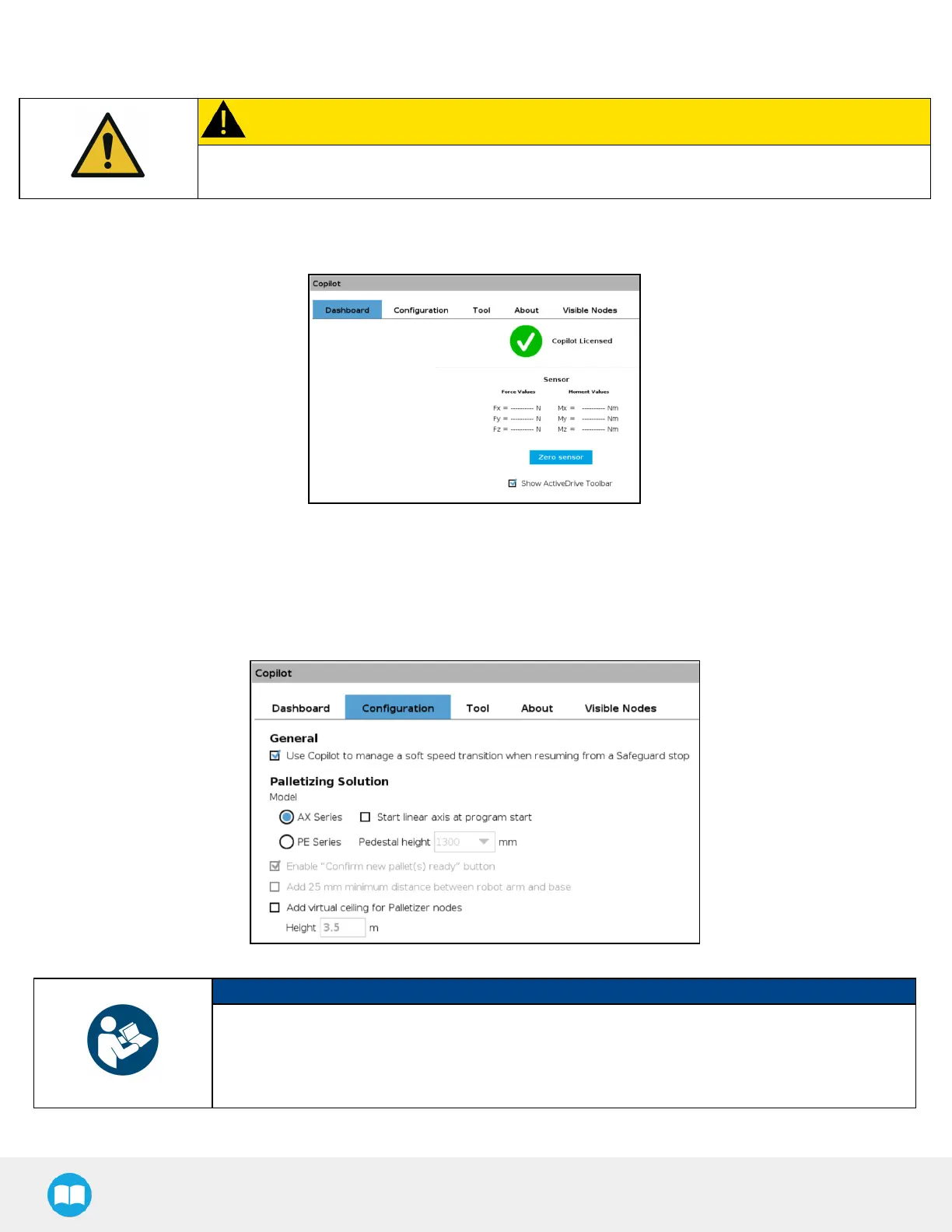
2. Go to Installation > URCaps > Copilot > Dashboard to ensure your Copilot license is activated.
Fig. 5-1: Copilot License
3. Select the Palletizer model:
Tap Installation > URCaps > Copilot > Configuration > AXSeries radio button.
Fig. 5-2: Copilot Configuration Tab in the Installation Menu
NOTICE- Speed Slider
Robotiq recommends to keep Copilot activated at all times.
However, if another URCap or PolyScope option (for instance, ProfiNETor Ethernet/IP) needs to
take control of the speed slider, the option Use Copilot to manage a soft speed transition when
resuming from a Safeguard position can be deactivated.
79



 To Next Page