Robustel R1520 User Guide
RT056_UG_R1520_v.1.0.3 Dec. 25, 2021 73/159
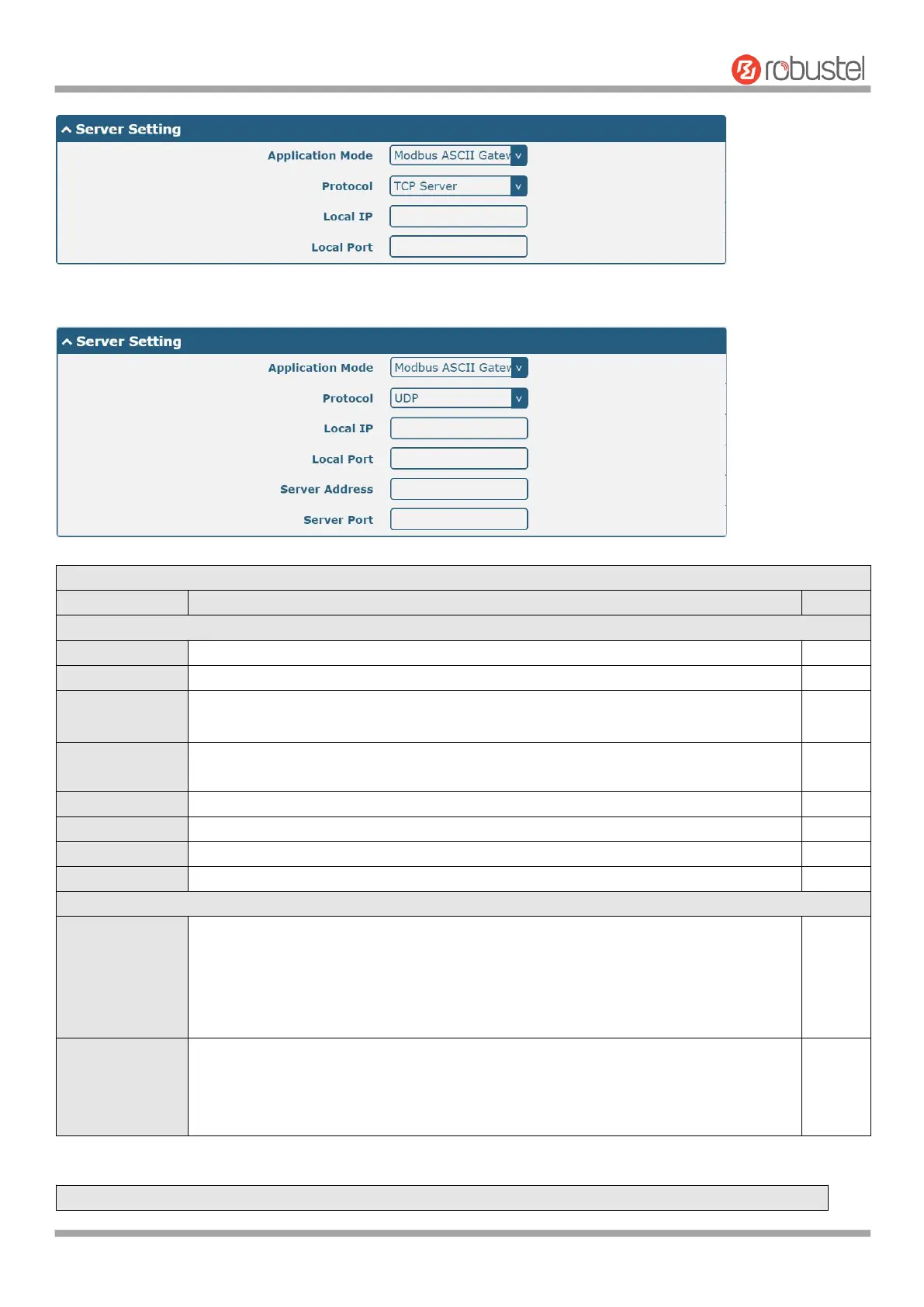
When selecting "ModBus ASCII Gateway" as the application mode and "UDP" as the protocol, the window is as
follows:
Serial Port Application Settings
Indicate the ordinal of the list.
Show the current serial’s name, read only.
Click the toggle button to enable/disable this serial port. When the status is OFF, the
serial port is not available.
Select from “300”, “600”, “1200”, “2400”, “4800”, “9600”, “19200”, “38400”, “57600”
or “115200”.
Select from “None”, “Odd” or “Even”.
Select from “None”, “Software” or “Hardware”.
Set the packing timeout. The serial port will queue the data in the buffer and send the
data to the Cellular WAN/Ethernet WAN when it reaches the Interval Timeout in the
field. The unit is milliseconds.
Note: Data will also be sent as specified by the packet length even when data is not
reaching the interval timeout in the field.
Set the packet length. The Packet length setting refers to the maximum amount of
data that is allowed to accumulate in the serial port buffer before sending. When a
packet length between 1 and 3000 bytes is specified, data in the buffer will be sent as
soon it reaches the specified length.


 To Next Page