A4US
US
A4
US A4
US
A4
A4 US
US
A4
US
A4
A4 US
IQ3 Full Configuration Manual – Section: Settings 25
2.3.2-7 Control – Remote – Pakscan
Remote Control
Analogue
Pakscan
Profibus
HART
Modbus
Extra I/O
Pakscan
Address 1
Baud Rate 1200
Position
Update Time (s) Disabled
Deviation Disabled
Torque
Update Time (m) 1
Deviation Disabled
Filter Manual Auto
Valve Travel Time 1000
1/8
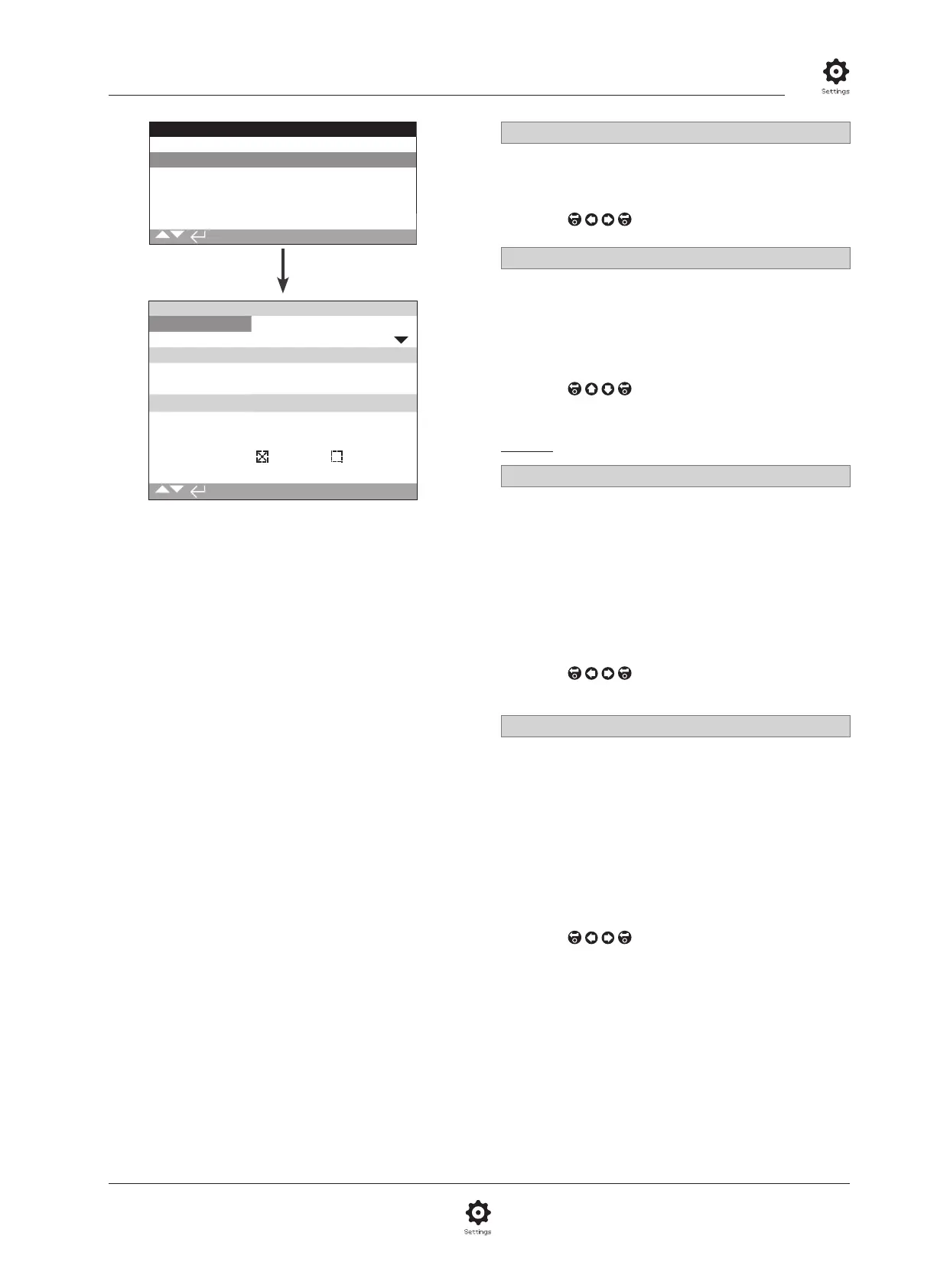
The Pakscan Control option settings page is shown above
with its default settings. Pakscan is a control option, refer
to wiring diagram.
Depending on the Pakscan control scheme, other related settings
may be required, refer also to:
2.3.2-4 Positioning
2.3.2-5 Auxiliary Mask
1/8 Address
The Pakscan Field Control Unit option must be allocated a unique
loop node address. Changes made to the address will take effect
immediately. The range of address is 1 – 240.
To change,
. The set address will be indicated.
2/8 Baud rate
The actuator Pakscan Field Control Unit option must be set
to the loop baud rate. For a Pakscan 2-wire control loop the
selected baud rate must be common in the master station and all
the field units included in the loop. Changes made to baud rate
will take effect immediately. The baud rate is selectable using the
drop down list box are 110, 300, 600, 1200, 2400.
To change,
. The drop down list will close and
the selected baud rate will be indicated.
Position
3/8 Update Time(s)
Range 0 (Disabled) to 255 seconds.
Set when mid-travel positioning control is required. Update Time
in seconds is the set period for updating the master station with
position data. Refer also to 4/8 Deviation. The valve position will
be reported at time intervals equating to the set Update Time. If
the FCU updates on deviation whilst the valve is moving then the
update time should be set to approximately 10 times the loop
scan time. If the actuator is not used for mid-travel positioning
(i.e. isolating duty), then the Update Time should be turned off
by setting it to zero (Disabled).
To change,
. The set Position Update time in
seconds will be indicated.
4/8 Deviation (%)
Range 5% to 99%. Setting below 5% will indicate
Disabled.
Set when mid-travel positioning control is required. Deviation is
the set amount of change that has to occur before the position
data is reported to the master station. Whilst the valve is in
motion, reports about its position will be made each time
the position changes by more than the Deviation setting. The
recommended value is 5% where positioning data is required. If
the actuator is not used for mid-travel positioning (i.e. isolating
duty), then the Deviation should be turned off by setting it to
zero (Disabled).
To change,
. The set Position Deviation % will
be indicated.



 To Next Page