A4US
US
A4
US A4
US
A4
A4 US
US
A4
US
A4
A4 US
46 IQ3 Full Configuration Manual – Section: Data Log
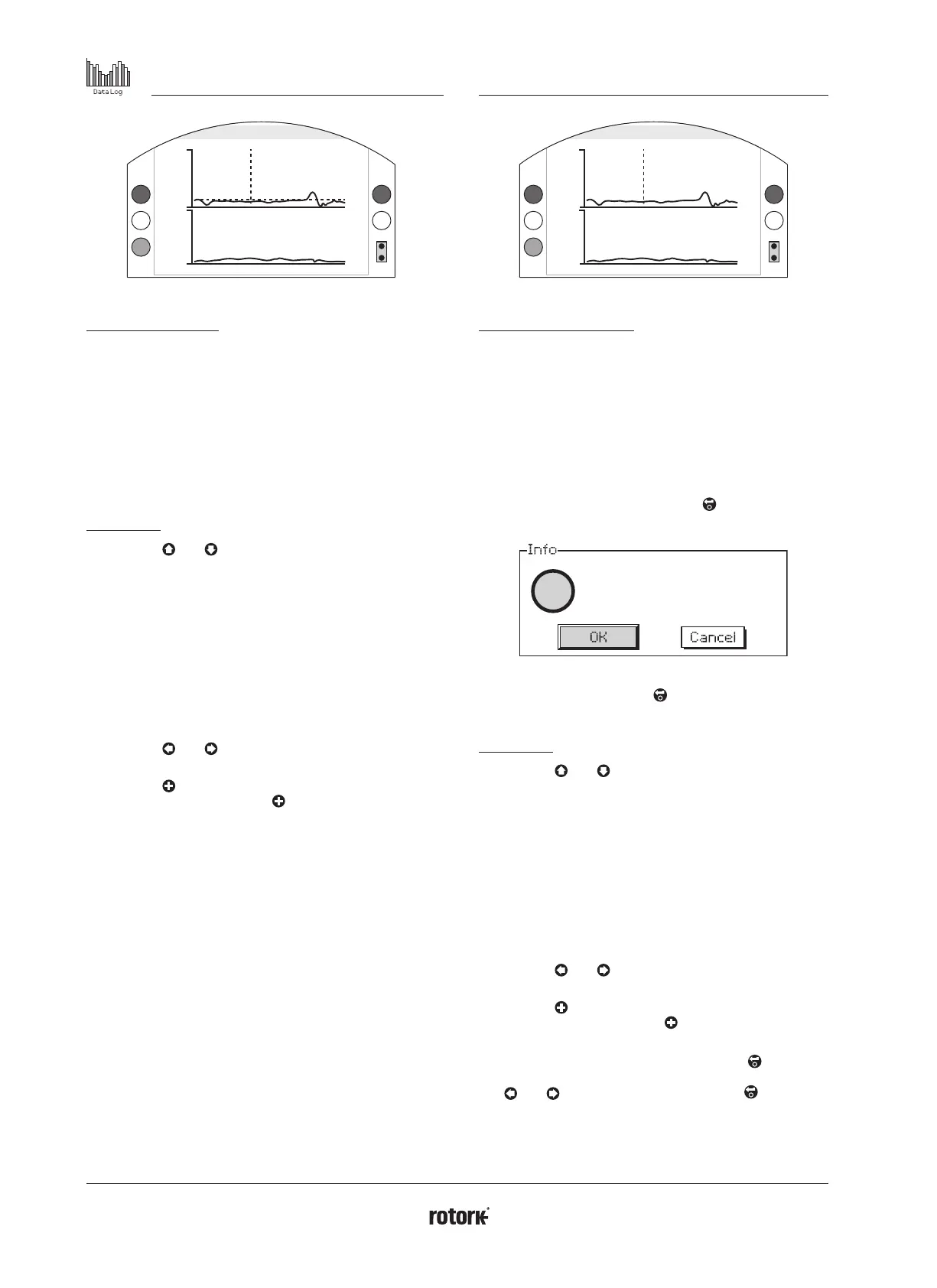
4.1.2 Torque Logs – Valve Torque Profile
Torque Profile
Close Ave.
100
100
%T
%T
0
0
0 100Position
Pos: 36 %T: 8
Pos = Position, T = Torque
Valve Torque Profile
The graph displays two torque profiles detailing the average
opening and closing torque as a percentage of rated torque by
valve position. The data is averaged from the beginning of the
log time to the last operation. It is overlaid with a torque graph
of the last operation (solid line) for comparison with the average
(shaded area).
The Torque Profile graph is useful when determining the amount
of torque required to operate the valve throughout stoke. Excess
valve torque and tight spots can be diagnosed using this graph
to allow for relevant action to be taken.
Key presses
Pressing the
and arrows cycles the cursor through
the following graphs:
• Open - Selects the percentage torque graph in the
open direction.
• Close - Selects the percentage torque graph in the
close direction.
• Open Ave. - Selects the average torque graph in the
open direction.
• Close Ave. - Selects the average torque graph in the
close direction.
Pressing the
and arrows moves the cursor along at
each 1% position increments.
Pressing the key allows you to zoom in on an area to
see further detail. Pressing the key cycles through: 0 –
100%, -14 – 10%, and 90 – 115% position views.
4.1.3 Torque Logs – Valve Torque Reference
Reference
Close Ref
100
100
%T
%T
0
0
0 100Position
Pos: 36 %T: 100
Pos = Position, T = Torque
Valve Torque Reference
The graph displays two torque profiles detailing the opening
and closing torque as a percentage of rated torque by valve
position. The data is derived from a previously saved valve torque
reference (shaded area) and is overlaid with the torque profile
(solid line) from the last operation for comparison.
To save a torque profile as a torque reference, first make sure
you commission the actuator and valve as per section 2.1. Once
commissioned and with full operating conditions present, stroke
the valve using either local or remote control through its full
limits to collect the data. Once this has been done, navigate
to the Torque Reference screen and press . The following
message will appear:
?
Save live log as
log reference?
If the reference is required press
when OK is selected.
The profile will now be stored.
Key presses
Pressing the
and arrows cycles through the
following:
• Open - Selects the percentage torque graph in the
open direction.
• Close - Selects the percentage torque graph in the
close direction.
• Open Ref - Selects the previously saved torque profile
graph in the open direction.
• Close Ref - Selects the previously saved torque profile
graph in the close direction.
Pressing the
and arrows moves the cursor along at
each 1% position increments.
Pressing the key allows you to zoom in on an area to
see further detail. Pressing the key cycles through: 0 –
100%, -14 – 10%, and 90 – 115% position views.
To save the valve torque reference, press the
key. A
prompt will appear asking to confirm OK / Cancel.
Use
and
to select a response and press .



 To Next Page