A4US
US
A4
US A4
US
A4
A4 US
US
A4
US
A4
A4 US
32 IQ3 Full Configuration Manual – Section: Settings
Settings
Limits
Indication
Control
ESD
Security
Defaults
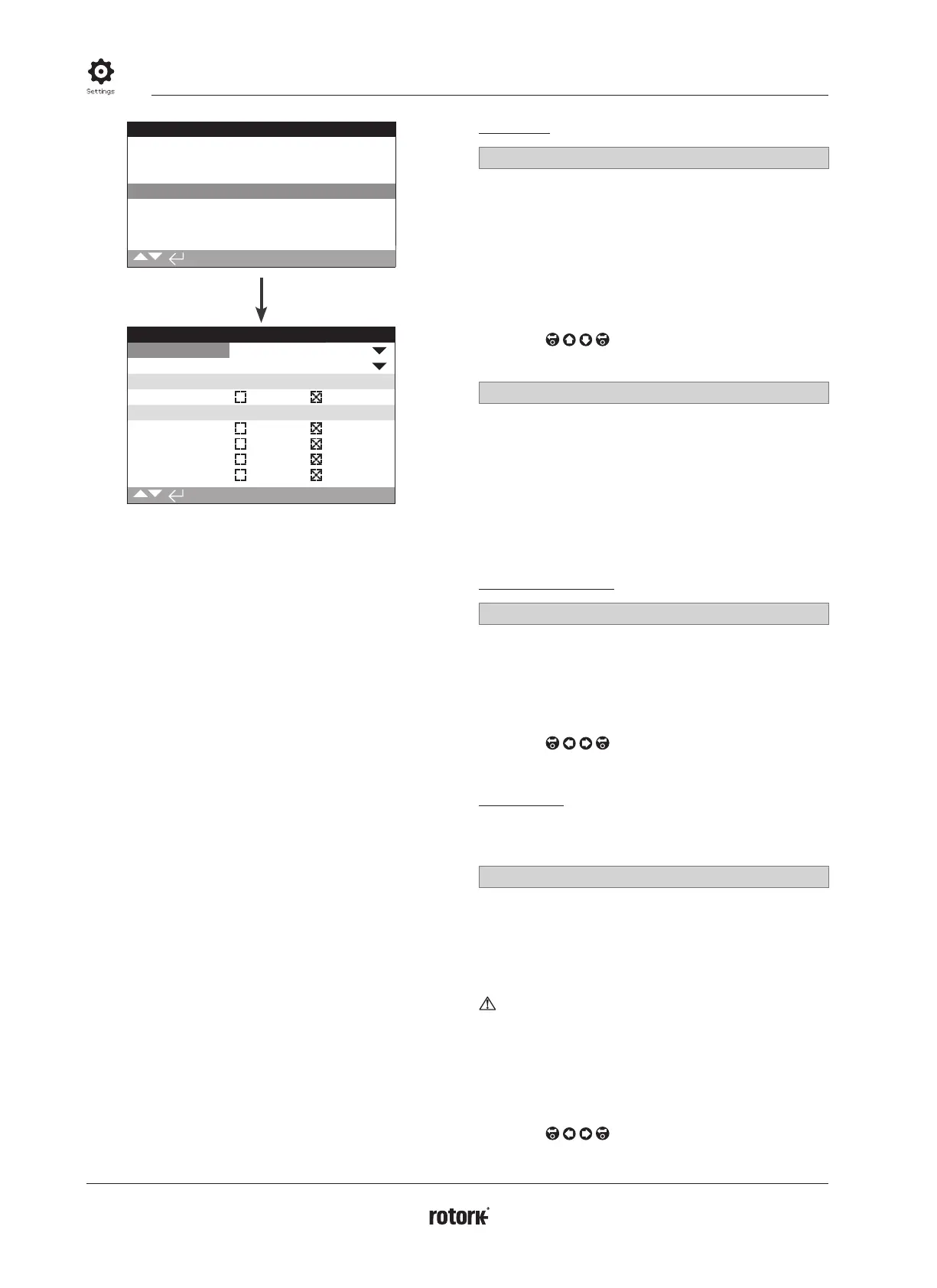
ESD Action
Direction Off
ESD when signal Applied
ESD Network Disable
Net Disable On Off
ESD Override
Stop Yes No
Interlocks Yes No
Timer Yes No
Thermostat Yes No
1/7
Emergency Shut Down (ESD) is a standard feature.
Refer to actuator wiring diagram.
Control under an ESD control signal has higher priority than local
or remote open/closed signals. For ESD, the control signal must be
maintained for the duration of the ESD action required.
ESD control will operate under both the Local and Remote control
selection. ESD can also be set to operate an actuator selected to
Local Stop, refer to ESD Override - 4/7.
ESD Action
1/7 Direction
Close – Under ESD control the actuator will close. It will not
respond to local or remote open or closed signals.
Stayput (default) – Under ESD control the actuator will Stop if
running or Stayput in its current position. It will not respond to
local or remote open or closed signals.
Open – Under ESD control the actuator will open. It will not
respond to local or remote open or closed signals.
Off – ESD input is disabled. ESD is not available
To change,
. The drop down list will close and
the selected ESD action will be indicated.
2/7 ESD when signal
Applied (default) – ESD will be active when the control signal is
applied to the ESD input – Normally Open (N/O) contact making.
Removed – ESD will be active when the signal is removed from
the ESD input - Normally Closed (N/C) contact breaking.
Note: If the analogue option and a Network option are
fitted and hardwired ESD control is required, ensure the
ESD when signal set matches that set for Auxiliary contact
4. Refer to 2.3.2-5.
ESD Network Disable
3/7 Net Disable
When a Network option is fitted, refer to 2.3.2, the ESD input can
be set to disable Network control. The Network option fitted will
report status only.
Off (default) – The ESD input is set for ESD control.
On – The ESD input is set for Network disable.
To change,
. The checkbox will indicate ESD/
Network Disable status.
ESD Override
ESD can be set to override Local Stop selection, Active Interlocks,
Interrupter Timer and Motor Thermostats.
4/7 Stop
ESD override Local Stop selection.
No (default) – ESD action is not available when the actuator is
selected to stop using the local/stop/remote selector.
Yes – ESD action is available when the actuator is selected to stop
on the local/stop/remote selector.
WARNING: In this mode, when under ESD control,
setting Stop on the red selector will not prevent operation
under ESD control. The valve and actuator can operate.
Consideration should be given to providing warning signs
and control system information. In all circumstances, Stop
selection cannot be considered as a safety lockout – always
isolate the electrical supply to the actuator during valve or
actuator maintenance.
To change,
. The checkbox will indicate ESD
override Local Stop status.
2.4 Settings – ESD



 To Next Page