A4US
US
A4
US A4
US
A4
A4 US
US
A4
US
A4
A4 US
IQ3 Full Configuration Manual – Section: Status 37
3.1.1 Control – Local
Control
Local
Remote Hardwired
Remote Source 1
Remote Source 2
Local
Open
Close
Stop
Local
Remote
Field Sense
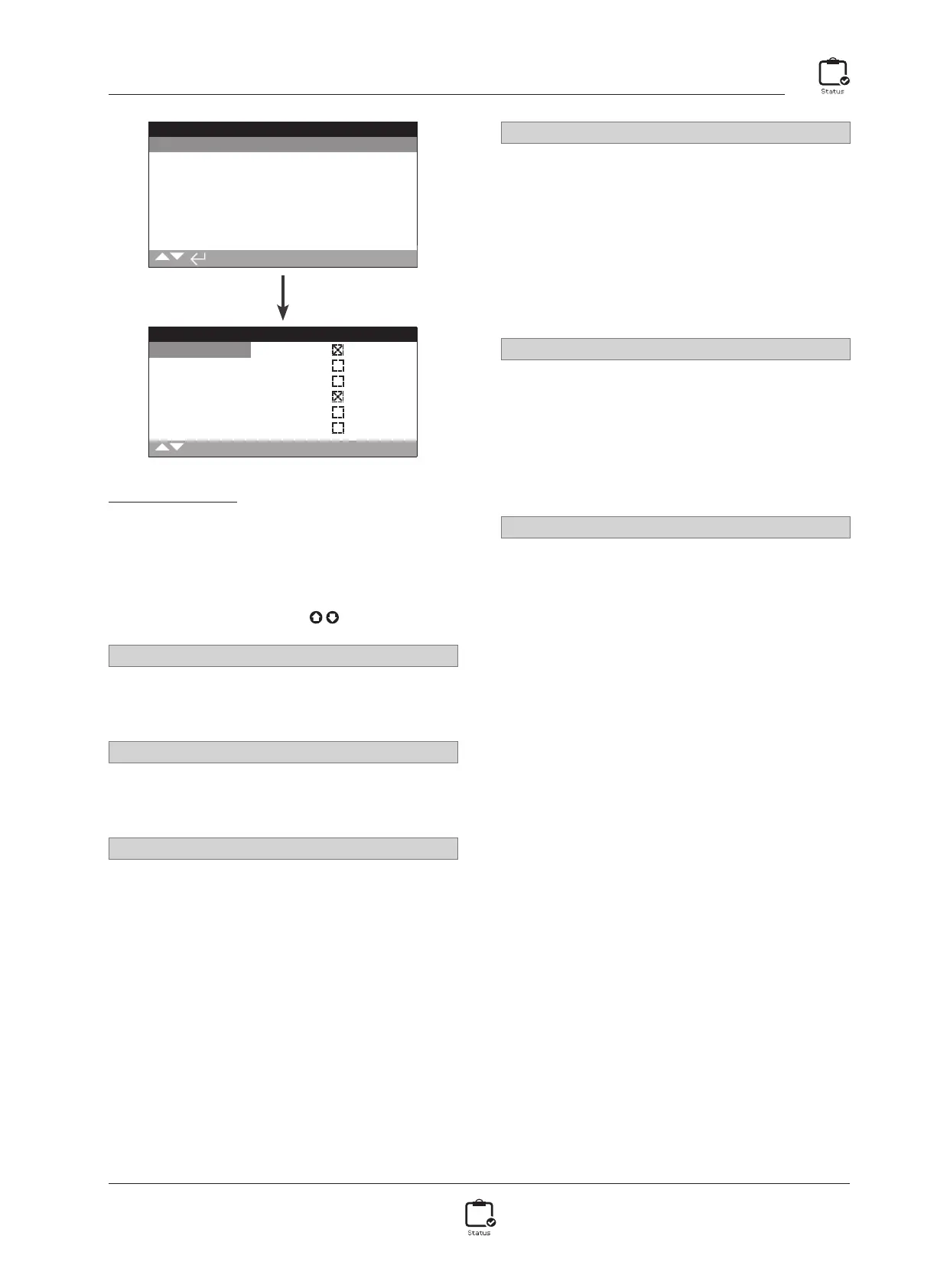
Local Control Status
This screen displays the signal statuses from each of the local
controls. As the local controls are operated the corresponding
signals are produced. The checkbox indicates a signal is being
received, which is useful in testing the operation of the local
controls. Movement may occur during testing of the local
controls. If this is not desired, select STOP on the local selectors.
To scroll through this information use
.
1/6 Open
Displays the current Local Open signal status. When active, this
indicates the local controls have been turned to open and a local
control open signal is being received.
2/6 Close
Displays the current Local Close signal status. When active, this
indicates the local controls have been turned to close and a local
control close signal is being received.
3/6 Stop
Displays the current Local Stop signal status. When active, this
indicates the local controls have been set to stop and a local
control stop signal is being received.
When the local controls have been set to stop, the actuator will
not move to position regardless of the local or remote control
signals it receives.
The ESD function has the ability to override Local Stop.
Refer to 2.4.
4/6 Local
Displays the current Local signal status. When active, this indicates
the local controls have been set to local and a local control signal
is being received.
When the local controls have been set to local the open/close
control will operate the actuator, which will run to its limits unless
interrupted by selecting Local Stop. Any remote control signals
received will not operate the actuator while the local controls are
set to local.
An ESD signal will still trigger the emergency shutdown action in
Local.
5/6 Remote
Displays the current Remote signal status. When active, this
indicates that the local controls have been set to remote and a
signal is being received.
When the local controls have been set to remote, the control
signals from remote hardwired controls and remote sources 1
and 2 will operate the actuator. Any local control signals received
will not operate the actuator while the local controls are set to
remote.
6/6 Field Sense
Field Sense is activated whenever an excessive magnetic field is
detected in addition to the control selector magnets. This could
indicate a high magnetic field in the near vicinity, which may
affect local control operation.



 To Next Page