23/05/2019Roundshot VR Drive Instruction Manual – Firmware Version 2.023 110
5.4 Roundshot Image Bundler (continued)
To use the image bundler, install the software corresponding to your operating system (Windows
or Mac) and follow the tutorial below:
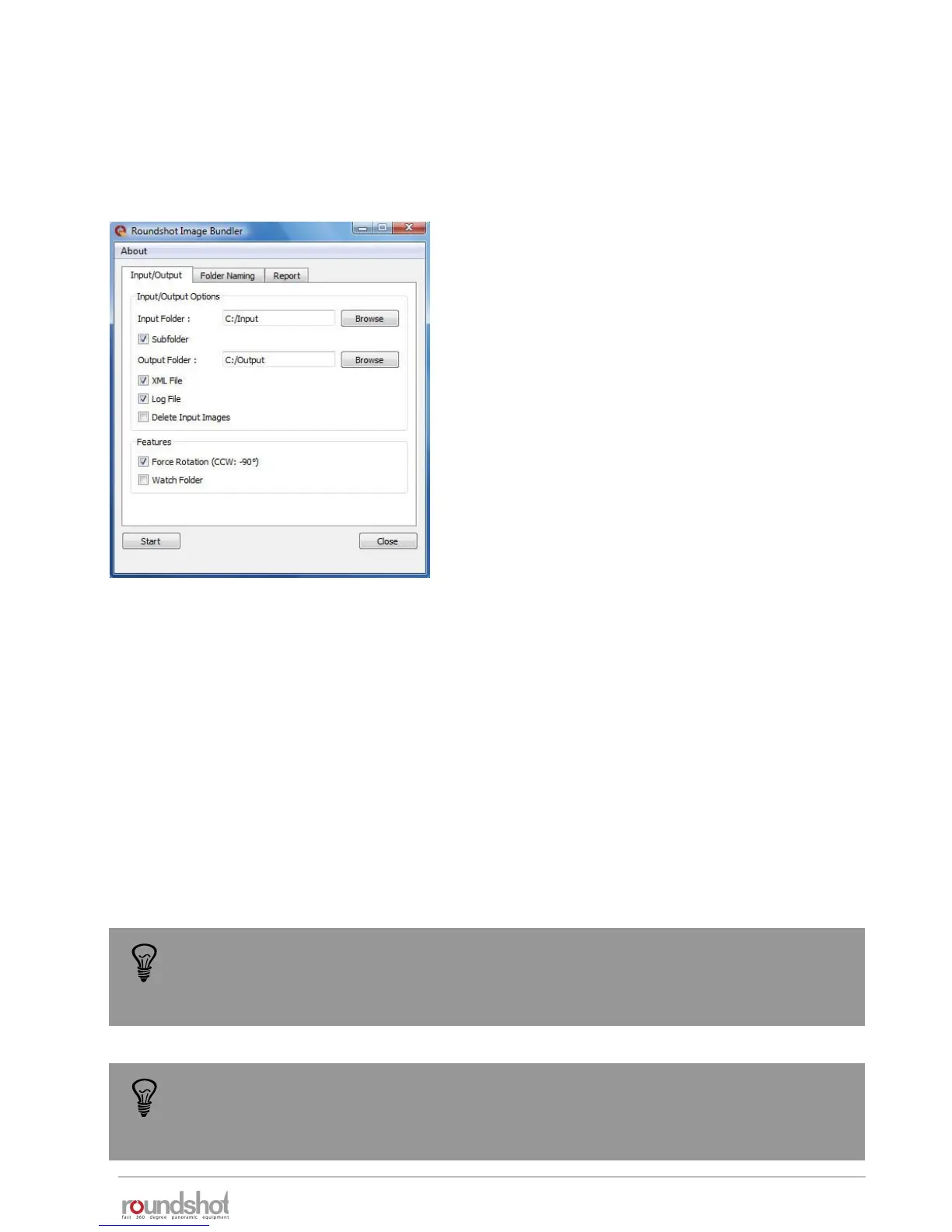
Start the Roundshot Image Bundler and set the following
parameters:
• Input folder: location of the images to be sorted
• Subfolder: activate this option to include all images
located in subfolders of “input”
• Output folder: location where the software will save
the sorted images
• XML file: if active the Papywizard XML file is generated
for every set of images and stored in the same folder
• Log file: if active a log file summarising the image
grouping process is generated for every set of images
and stored in the same folder. This file shows if there is
any missing or redundant images
• Delete input images: if active the images in the input folder will be moved to the output folder.
This option allows faster grouping and low memory usage.
• Force rotation (CCW:-90°): when active all images will be rotated 90° CCW to compensate for
the camera orientation.
• Watch folder: when active the image bundler will continuously search for images to be sorted in
the input folder. Any new copied image will be automatically sorted until the stop button is
pressed or the software is closed.
Most cameras are not able to define the correct camera orientation at the nadir and
zenith. It is therefore recommended to deactivate any automatic image rotation on
the camera. Then use the Force rotation function to rotate all image 90°CCW.
When the watch folder option is active it is not possible to keep the images in the
input folder. This folder is used as “hot folder” and any incoming new image will be
sorted and moved to the output folder.



 To Next Page