23/05/2019Roundshot VR Drive Instruction Manual – Firmware Version 2.023 111
5.4 Roundshot Image Bundler (continued)
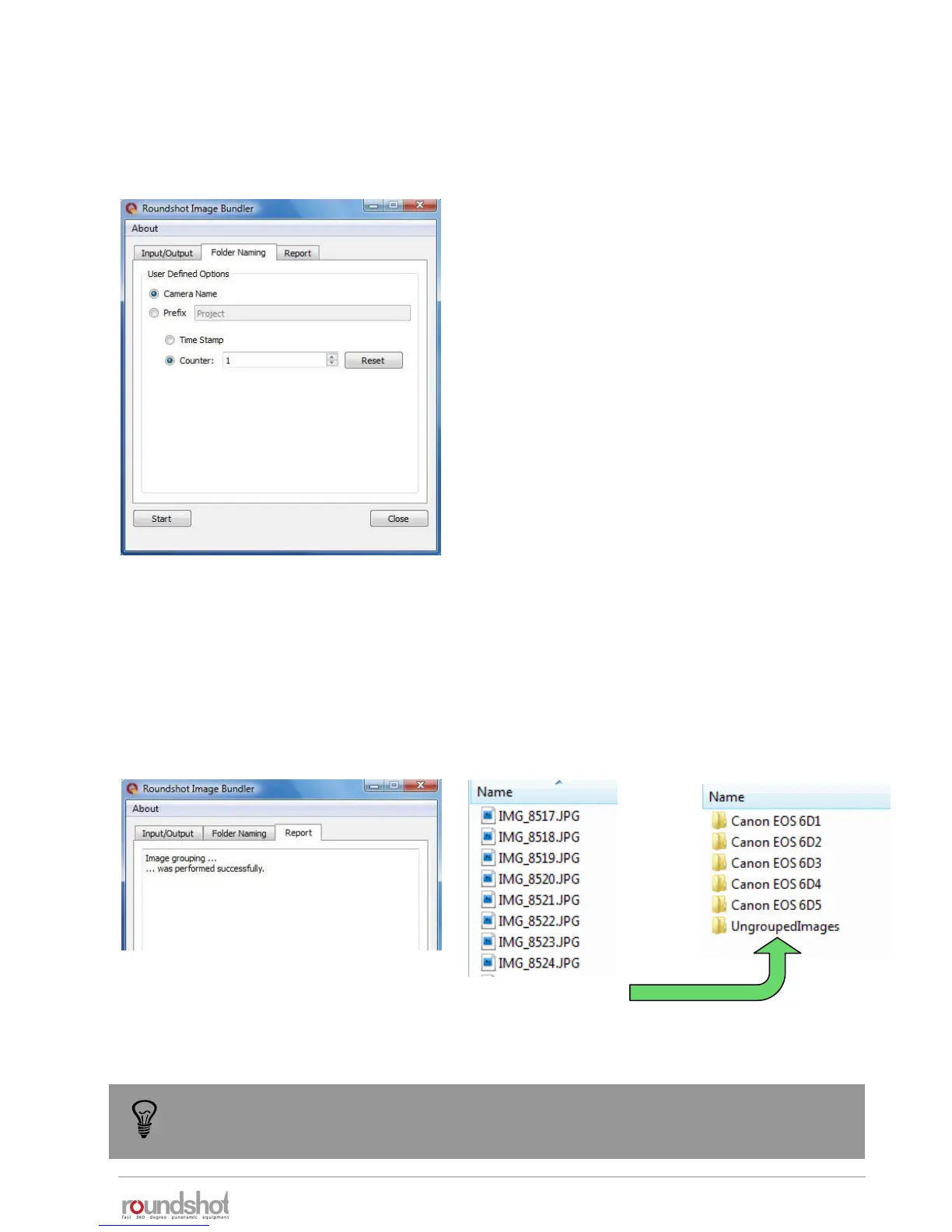
Before starting the image grouping process, it is possible to define the following folder naming
options:
Every folder name is composed by 2 elements.
The first element can be either the camera name or
a user defined prefix.
The second element can either be the project
timestamp or a simple counter.
It is possible to reset the counter when needed.
Once all parameters are set, press Start. The image grouping will start automatically and a short
report is generated in the Report tab.
An example of image grouping is shown below. Every folder contains 1 set of images as well as
the Papywizard xml file.
The “UngroupedImages” folder contains all images that could not be grouped (for example
images taken manually with your camera without VR Drive).
To make sure that the image grouping process works correctly, make sure to copy all
files on disc rather than selecting an external drive or flash card as input source.



 To Next Page