23/05/2019Roundshot VR Drive Instruction Manual – Firmware Version 2.023 114
5.6 Stitching workflow (continued)
The xml file significantly enhances consistency and efficiency for the stitching of the
final panorama. This is essential for images containing no natural featues such as
completely white walls or blue skies.
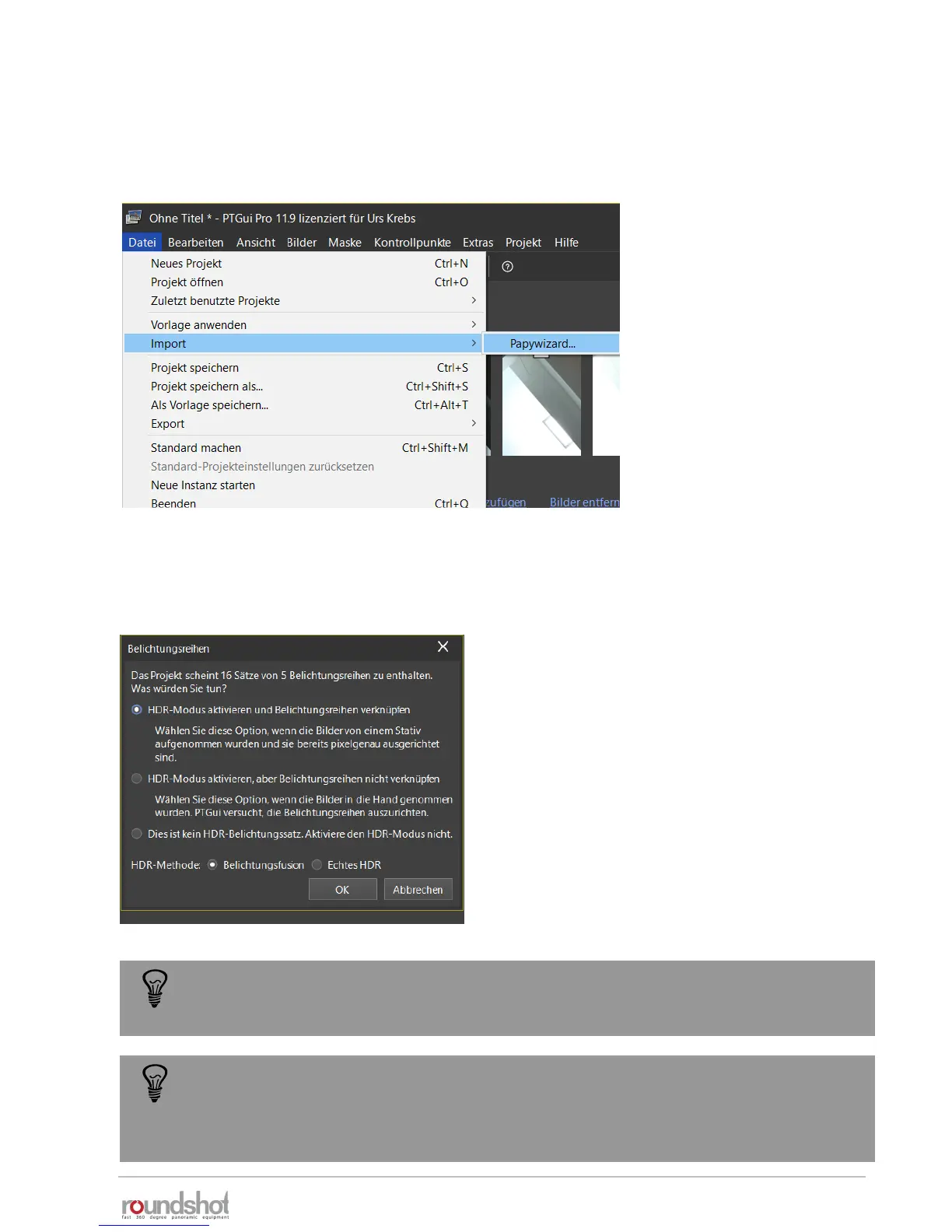
Step 3:
Add the xml (Papywizard) file through File/Import/Papywizard:
Step 4:
Activate the HDR mode if the project consists of bracketed images
To directly create tonemapped panoramas (for example for virtual tours), select
“activate HDR mode” and “exposure fusion”. When creating 32-bit HDR models
select “True HDR” as this will allow to output a 32-bit file using the .exr or .hdr
format.



 To Next Page