23/05/2019Roundshot VR Drive Instruction Manual – Firmware Version 2.023 19
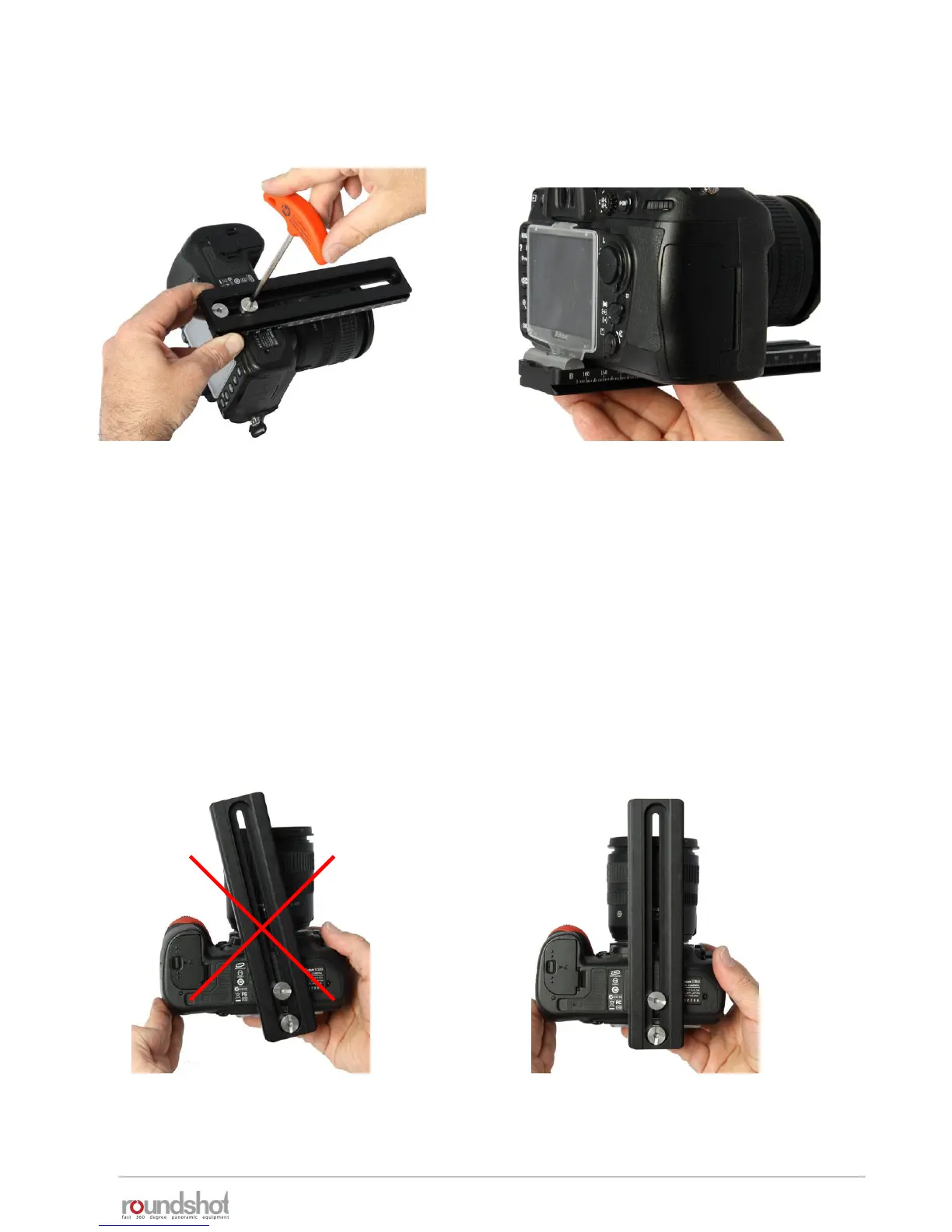
Attach your digital camera to the
nodal rail using the allen key.
Make sure that the camera is always attached at
the same position. We recommend sliding the
camera to the very rear (zero position). When
attaching the camera at different positions the
nodal points in the software will no longer be
correct.
If the nodal rail is not long enough (or longer
lenses) use a separate, longer nodal rail
(available on request).
Check that the rear of the camera is mounted straight at exactly 90° with the nodal rail:
wrong correct
2.1.1 Roundshot VR Drive “full” (continued)



 To Next Page