23/05/2019Roundshot VR Drive Instruction Manual – Firmware Version 2.023 32
Once the synchronisation process is complete, the red blinking LED turns off.
The radio sender and receiver are now set up for operation.
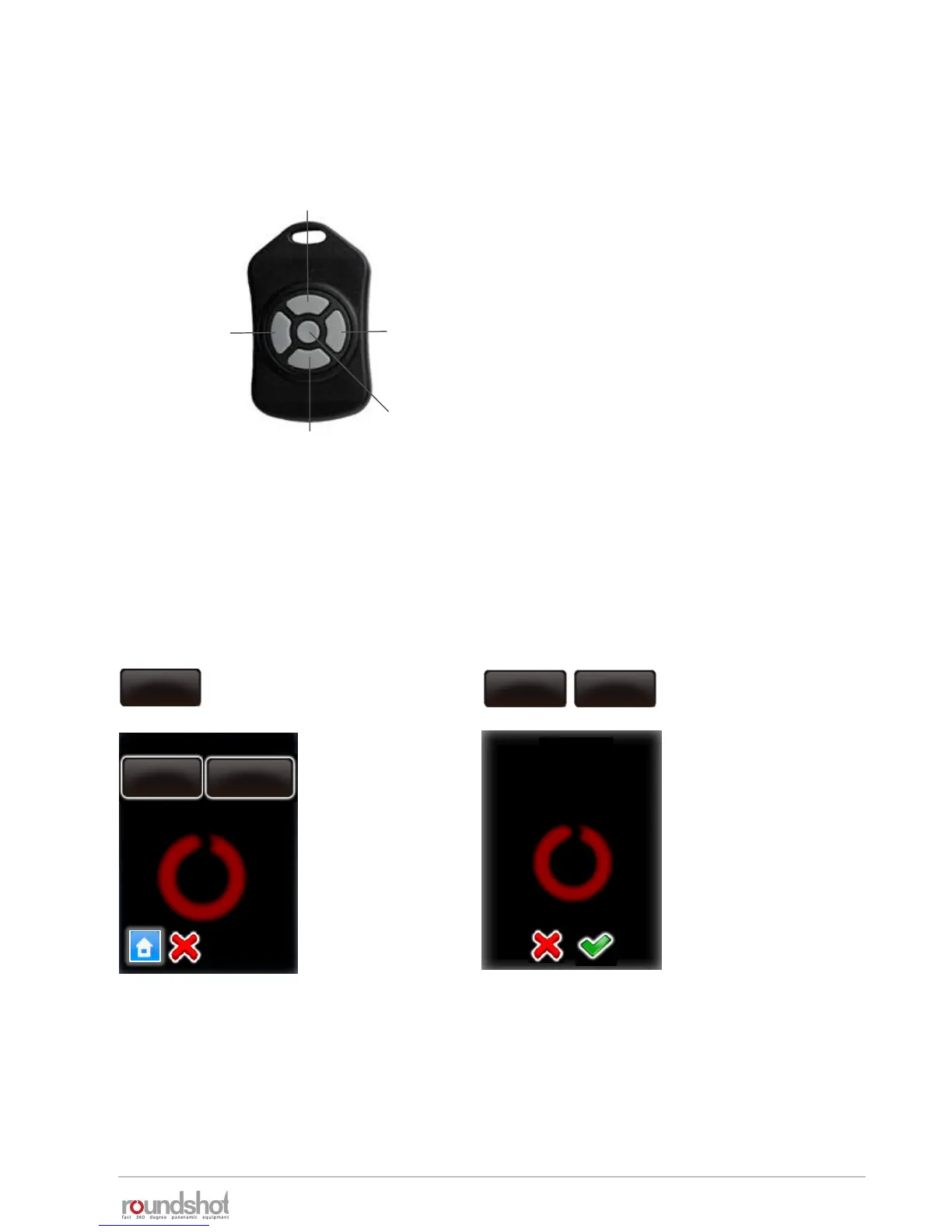
left right
down
up
OK
The red LED will turn on when a positioning command is received. The radio control unit
allows to bridge a distance of about 30 metres (100 feet).
Pressing a button continuously will accelerate the positioning speed.
The VR Drive software allows to set certain parameters for the radio control unit in the
settings/general menu:
speed
8/10s
manual movement
In the manual movement menu the
user can set the speed of rotation
and the acceleration preferences
when using the radio control unit.
Please consult the settings menu for further information on these two functions.
Position the VR Drive in the X and Y
dimension using the left/right/up/down
buttons.
“OK” will start the currently active VR Drive
program.
The VR Drive will start a new program from
the actual x-position set with the control
unit.
warning
The battery will
discharge faster when
using this option.
Continue anyway?
manual
movement
remote radio
off
remote radio
on
speed
8/10s
speed
8/10s
acceleration
50%
2.1.5 Radio control unit (continued)



 To Next Page