23/05/2019Roundshot VR Drive Instruction Manual – Firmware Version 2.023 40
2.4 Navigation (continued)
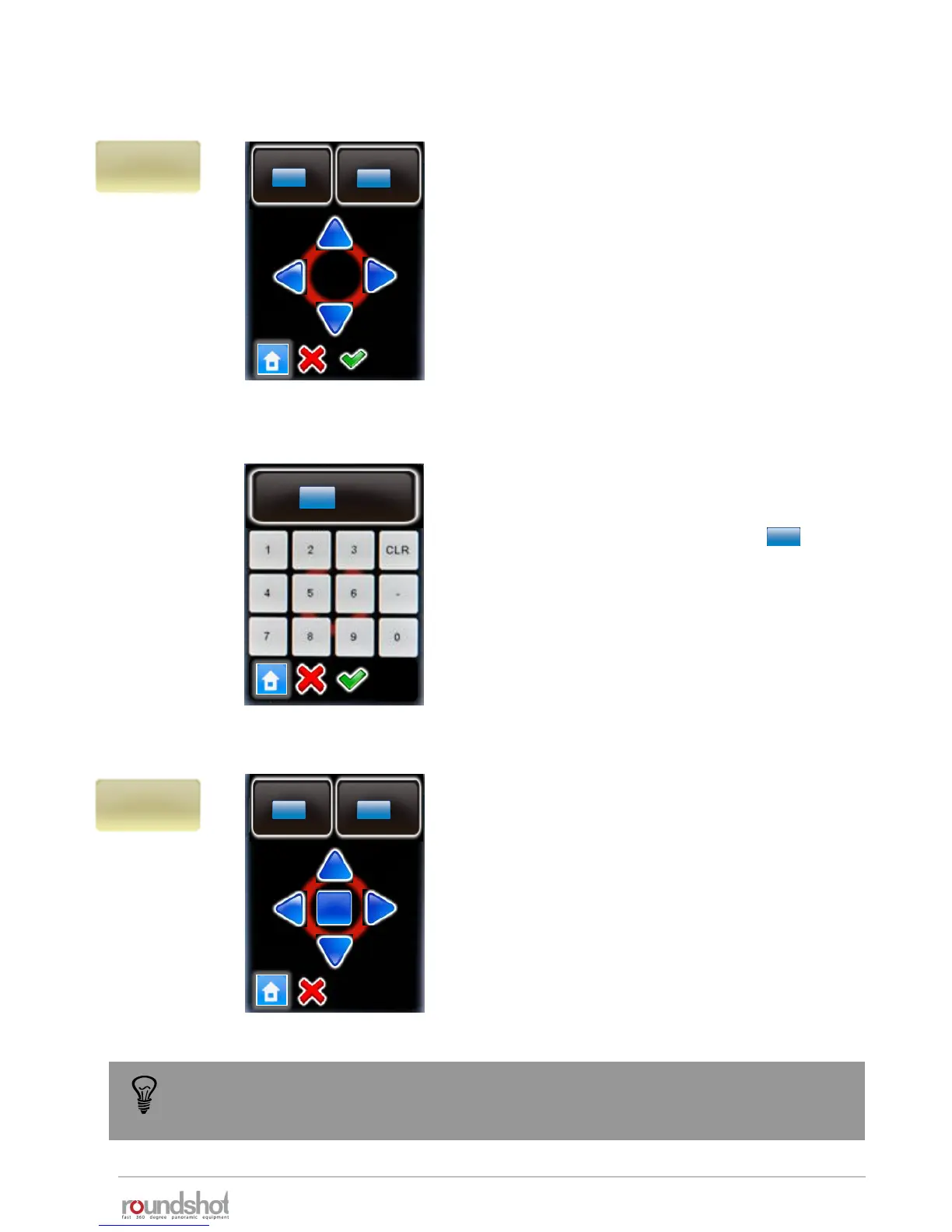
“x/y position” sets the starting or “zero”
position for the VR Drive.
“X” sets the angle in horizontal, “Y” the angle
in vertical direction.
Position the VR Drive to the desired position by
using the arrows up/down/left right.
For example, for image sequences which
always start with the sky (zenith) shot, it is
possible to define the starting position as X= 0°
and Y=90°.
Confirm with the green tick mark or exit by
selecting “home” or “X”.
°
X
°
[1-999.9..999.9]
Y
[-90..+90]
0.0
°
0.0
x/y
position
°
x/y
release
X
°
[1-999.9..999.9]
Y
[-90..+90]
0.0
°
0.0
Rel.
“x/y release” allows to trigger an image from
any position in the x/y space – unrelated to a
VR Drive program.
“X” sets the angle in horizontal, “Y” the angle
in vertical direction.
Release the image by pressing “Rel.” or exit by
selecting “home” or “X”.
Releasing images in the x/y space is only possible with the electronic release cable,
not with the USB cable.
X
°
0.0
[1.0..999.9]
Clicking on the blue degree field
(X or Y) opens a number pad to
enter the desired angle using
numbers and decimals.
0.0
0.0



 To Next Page