23/05/2019Roundshot VR Drive Instruction Manual – Firmware Version 2.023 72
4.3 Editing in HDR mode (continued)
Click on “move”.
The function “shift average exposure” will shift the
center exposure of the HDR table.
The values are given in aperture (f-stops).
Confirm with “OK”.
move
edit
shift average exposure
-10..8
0
exposure reference type
fastest
slowest
average
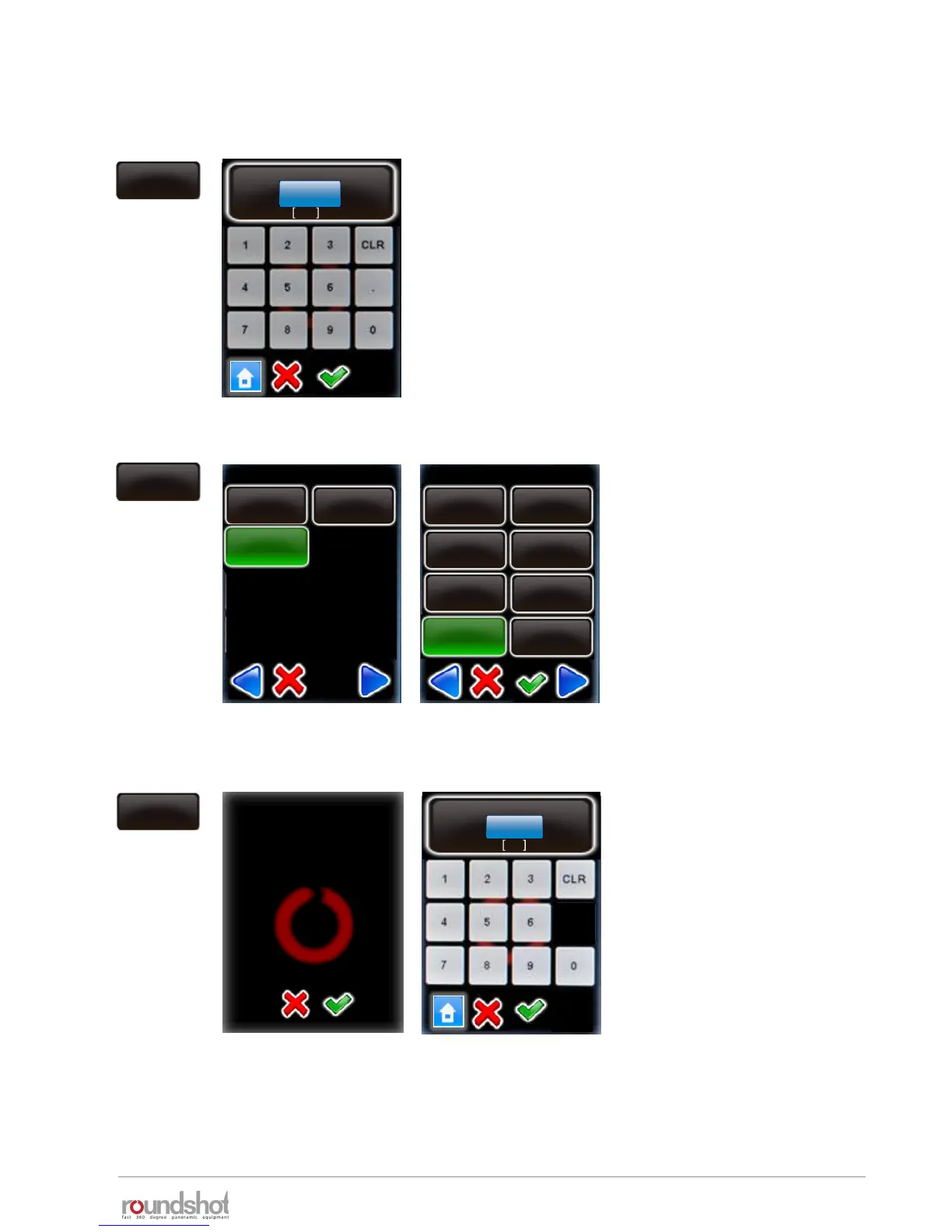
Click on “edit”.
Select the exposure reference type
to be defined (fastest, slowest or
average)
Select the exposure speed, on
which the HDR bracketing will be
built.
Confirm with “OK”.
number of
pictures
By changing this value
you will overwrite the
HDR steps. Continue
anyway?
aperture steps
number of pictures
1..94
5
Click on “number of pictures”.
Enter the number of bracketed
images per position.
For example, with 5 images the VR
Drive will release one image at
average exposure speed, 2
underexposed and 2 overexposed
images.
Confirm with “OK”.
Ø exposure speed / page 4
1/8s
1/10s
1/15s
1/20s
1/25s
1/30s
1/40s
1/13



 To Next Page