23/05/2019Roundshot VR Drive Instruction Manual – Firmware Version 2.023 7
1.1 Hardware components + accessories (continued)
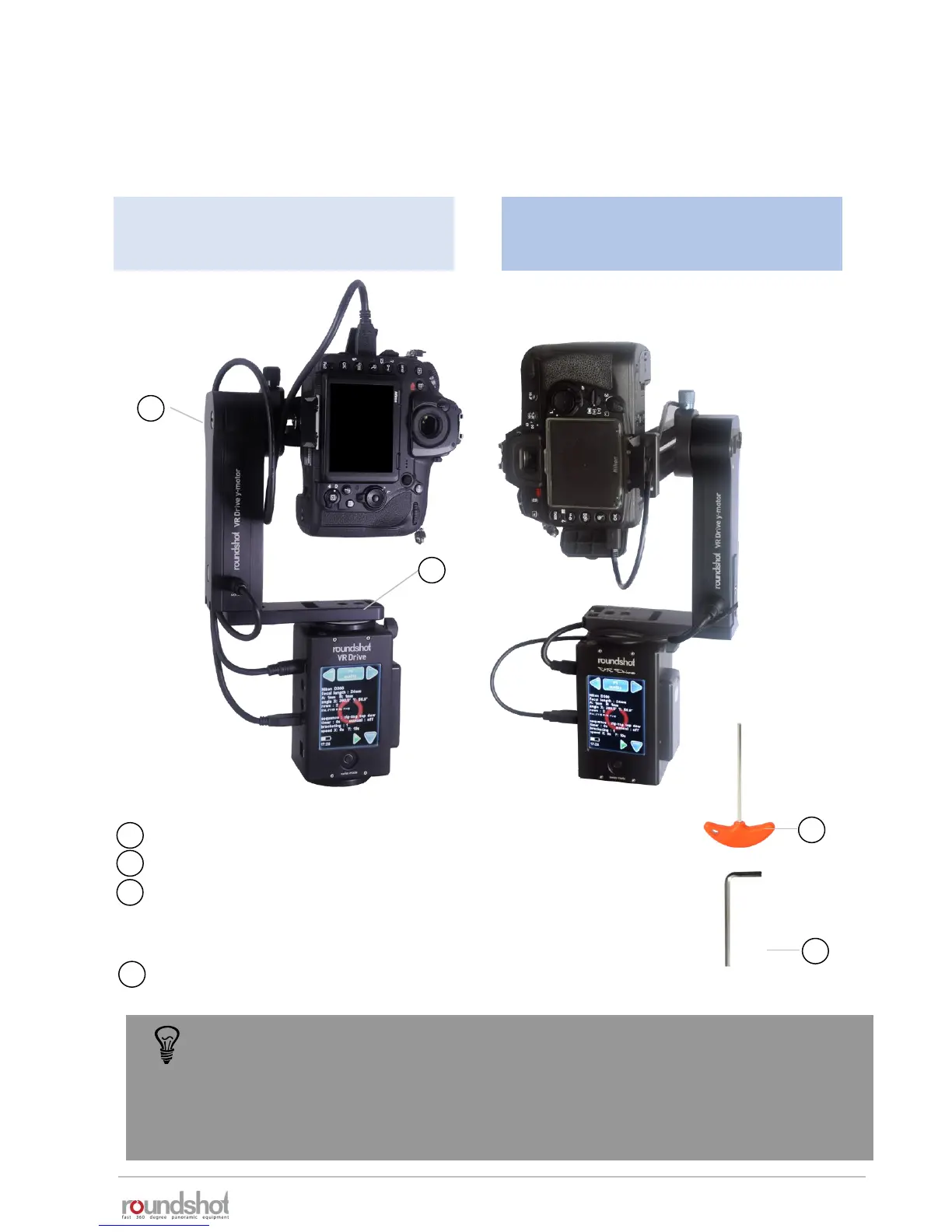
Roundshot VR Drive “full” – with bottom plate for fixed centre point (adjustable)
25
24
Side cover to protect cables
VR bottom plate – adjustable 32-70mm – for fixed centre point
Allen key 4mm for attaching/removing camera to nodal rail,
attaching/removing y-motor to VR bracket, locking/releasing VR
Drive x-motor on tripod
Allen key 3/16’’ for removing/attaching or fine-tuning y-motor
26
25
26
27
24
27
In this set-up with special bottom plate, the y-motor is inverted (at the Seitz factory)
so that it can be attached on the left-hand side rather than on the right. This has the
advantage that all cables can be secured under the side cover and do not pass over
the motor. This is a practical set-up for single camera situations where the center
point will always be identical.
VR Drive with bottom plate, inverted y-
motor (on left) and with slide cover to
protect cables
VR Drive with bottom plate, standard
VR holder and with standard y-motor
(on right)



 To Next Page