23/05/2019Roundshot VR Drive Instruction Manual – Firmware Version 2.023 90
4.6.1 Settings/general (continued)
Click on “simplified gui” to activate / deactivate the simplified gui
screen on the VR Drive
If active, the simplified screen will allow the user only to select a
program and to start it. No editing or new program creation is
possible
simplified gui
on
simplified gui
off
(Press to view settings)
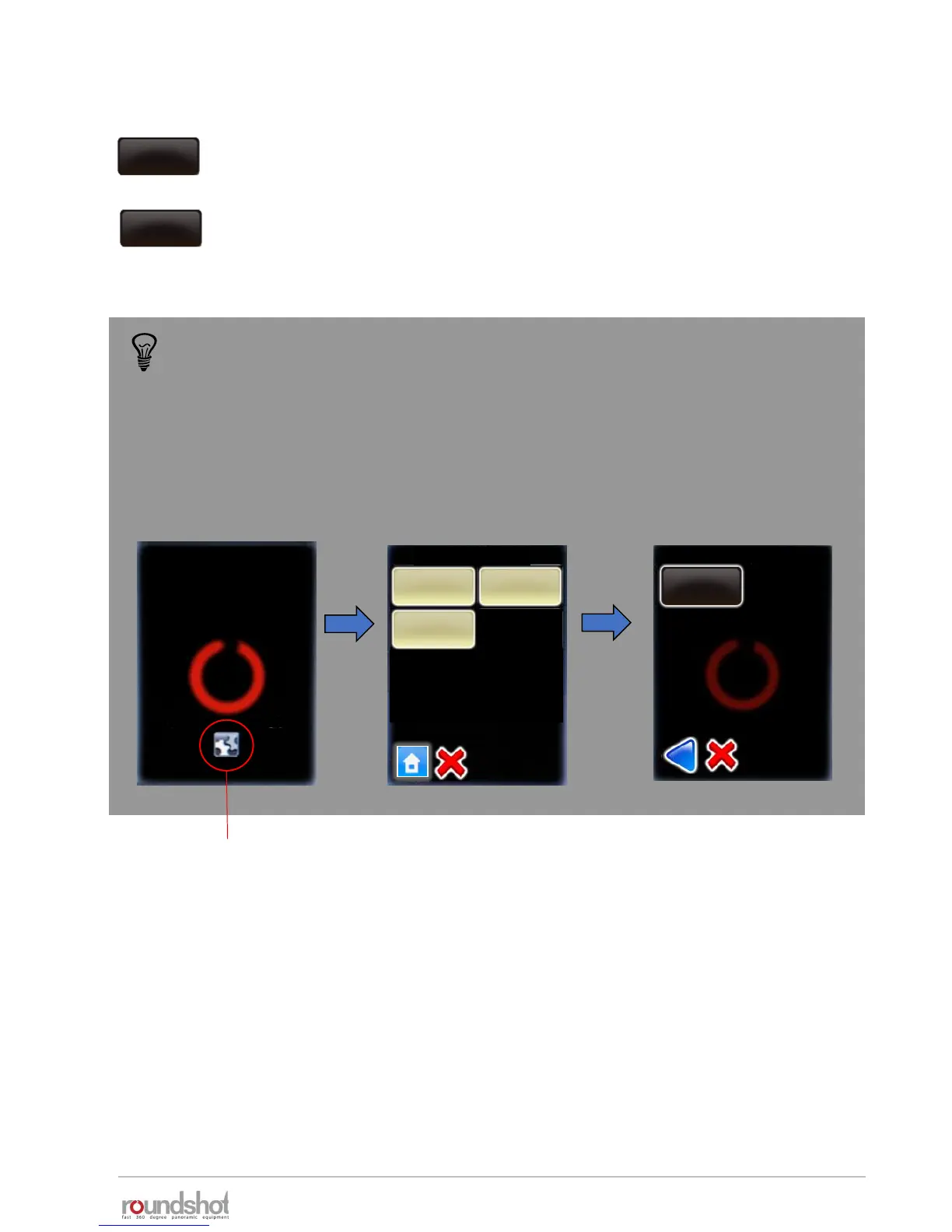
When the simplified gui is active it is not possible to access the edit menu to
deactivate it. It is necessary to follow the procedure below:
Restart the VR Drive and
click on the “Press to
view settings section”
during start up.
settings
general
service menu
database
Press “general” and
browse the parameter
“simplified gui”
Press “simplified gui” to
turn it “off”
VR Drive
press
manual
movement
Simplified gui
off
general



 To Next Page