Alpha5000ML owner’s manual 20
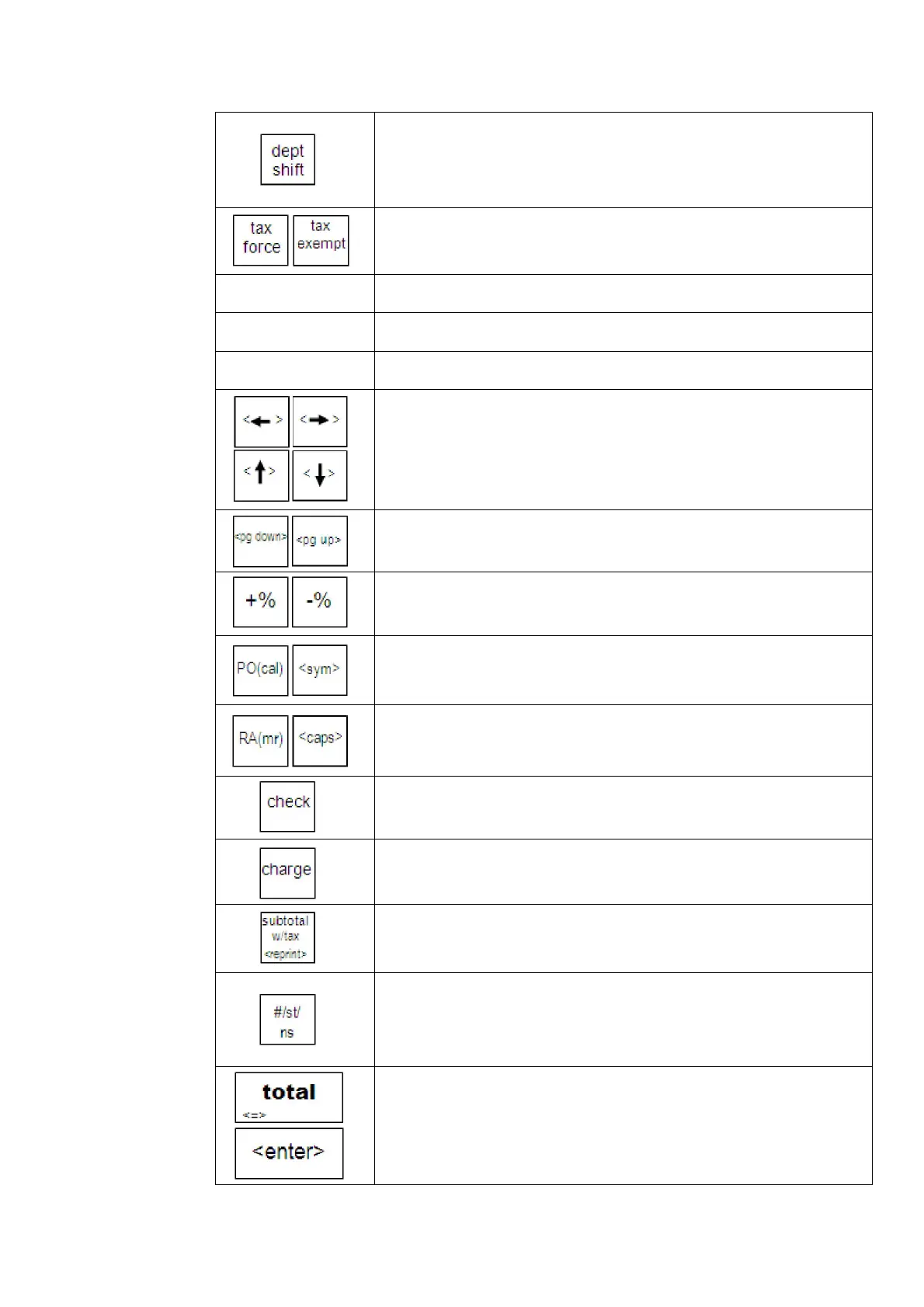
--shift between departments or letters on the department keys
--manually override a department tax rate or add
--exempt tax for an individual item entry
Department keys
(normal)
--enter a department entry during sales registration
Department keys
(Alpha)
--program a department, PLU or other text
Calculator keys
(x, +, -,÷,=)
--process a calculation when using calculator mode
--navigate the programming options
--move the active cursor while programming
--move forward/ back pages in the programming menus
--enter manual or preset add-on and discount percentages
--register a Paid-Out(PO) value during a sales transaction
--(cal) enter/exit calculator mode in register mode
--<sym> toggle caps lock ON/OFF while programming text
--register a Received-On-Account(RA) value
--(mr) recall a calculated value from calculator mode
--<caps> toggle caps lock ON/OFF while programming text
--finalize a transaction as a check sale
--finalize a transaction as a charge(credit card) sale
there are 3 charge keys preprogrammed on the 5000ML
--display the subtotal with tax of the current transaction
--reprint the last transactions receipt
--display and print the subtotal(without tax) of the current
transaction
--open the cash drawer and print a No-Sale transaction
--enter a descriptive or reference number during a sale, such as an
invoice number or production serial number
--process a sale as a cash transaction
--finalize a computation in calculator mode
--enter a PLU, Department, or setting value while programming



 To Next Page