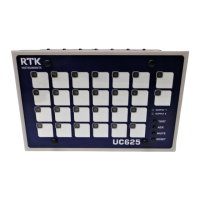
RTK Series 725 Annunciator
30
10. Sequence Configuration and Tables
Each pair of alarm channels can be configured to suit the operating sequence required, as listed in
the ISA publication "Annunciator sequences and specifications" S18.1 1979.(R2004). Systems can
be configured with different features on each individual channel and there is no need to switch the
power off when making these changes. Different operating modes can be selected using the integral
Pushbutton/Programming module as described later in this manual. The following tables show the
most commonly used examples.
10.1 ISA-Sequence M - Manual Reset
SEQUENCE TABLE
LINE
PROCESS
CONDITION
PUSHBUTTON
OPERATION
SEQUENCE STATE
VISUAL
DISPLAY
AUDIBLE
DEVICE
REMARKS
1 NORMAL NORMAL OFF SILENT
2 ABNORMAL ALARM FLASHING AUDIBLE LOCK-IN
3
ABNORMAL
OR NORMAL
ACKNOWLEDGE ACKNOWLEDGED ON SILENT
MANUAL
RESET
REQUIRED
4A ABNORMAL RESET TO LINE 3
4B NORMAL RESET NORMAL OFF SILENT
MANUAL
RESET
SEQUENCE FEATURES
1. ACKNOWLEDGE, RESET AND TEST PUSHBUTTONS
2. ALARM AUDIBLE DEVICE
3. LOCK-IN OF MOMENTARY ALARMS UNTIL ACKNOWLEDGED
4. THE AUDIBLE DEVICE IS SILENCED AND FLASHING STOPS WHEN ACKNOWLEDGED
5. MANUAL RESET OF ACKNOWLEDGED ALARM INDICATIONS AFTER PROCESS CONDITIONS
RETURN TO NORMAL
6. OPERATION TEST
NORMAL
OFF
NORMAL
SILENT
SEQUENCE DIAGRAM
SEQUENCE ISA M
(MANUAL RESET)
VISUAL
PROCESS
VISUAL
AUDIBLE
ON
SILENT
ACKNOWLEDGED
ACKNOWLEDGE
RESET
WHILE NORMAL
AUDIBLE
PROCESS
ABNORMAL
PROCESS
VISUAL
AUDIBLE
FLASHING
AUDIBLE
ALARM
TO
ABNORMAL
OR NORMAL
ABNORMAL
OR NORMAL
SEQUENCE
SEQUENCESEQUENCE



 To Next Page