5
Introducing the ZoneFlex Access Point
Getting to Know the Access Point Features
Rear Panel Features
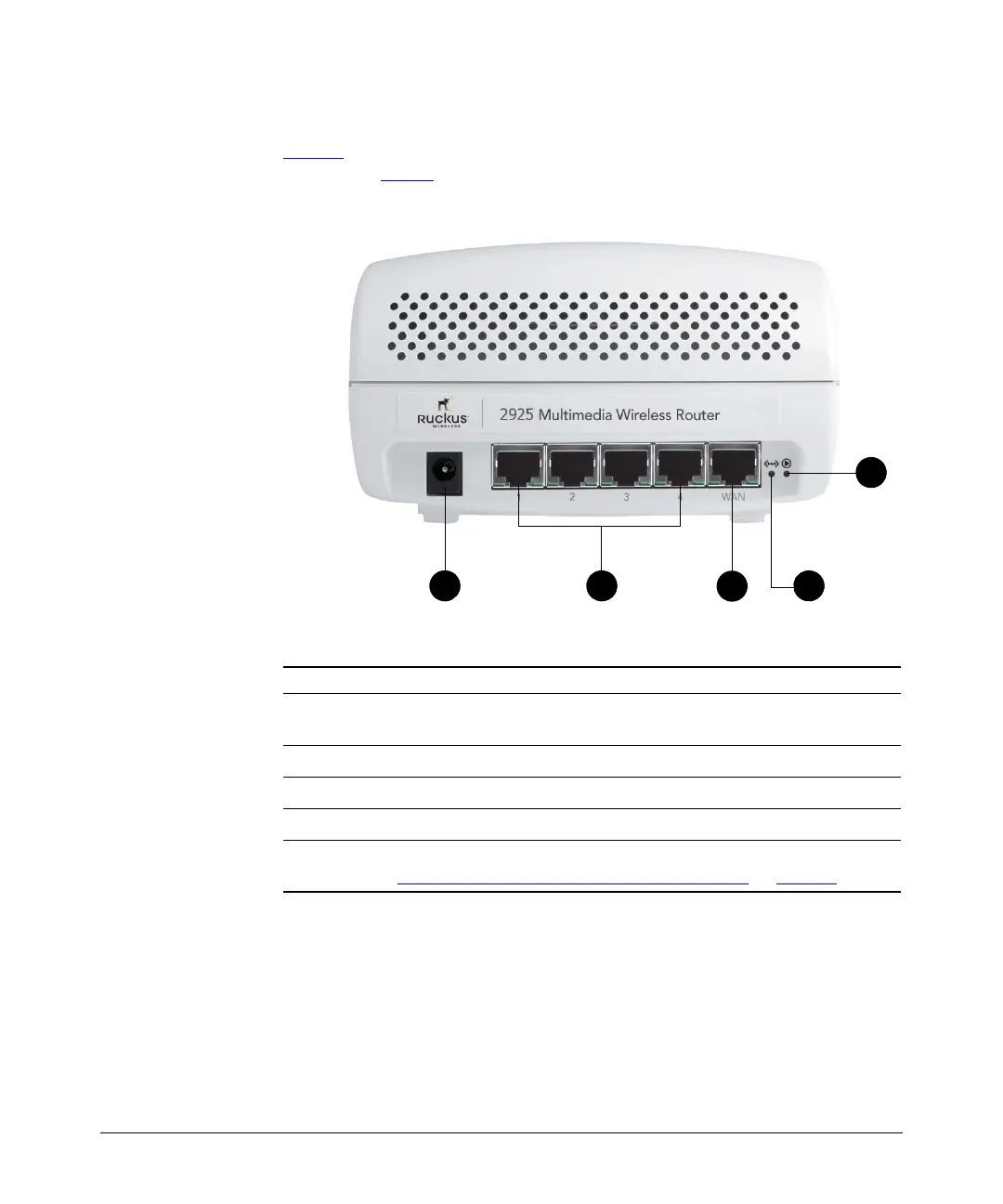
Figure 2 shows the rear panel of ZoneFlex 2925. For a description of each rear panel
part, refer to Tab le 4
.
Figure 2. ZoneFlex 2925 rear panel
Table 4. ZoneFlex 2925 rear panel ports, buttons, and connector
Number Description
1
Connect the power adapter to this socket (Input 12V 1.0A DC or 5V 2.0A
DC)
2
Four RJ-45 ports, supporting 10/100Mbps connections
3
One RJ-45 port, dedicated to ISP/broadband source connection
4
OTA (Over the Air) button. Not active in this model at this time.
5
Use to reset AP to “factory default” state. For more information, refer
to “Resetting the Access Point to Factory Default”
on page 81.













 To Next Page