RDC6432G control system user manual V1.1
SHENZHEN RUIDA TECHNOLOGY
3. After setting, press [Enter] to save the modified parameters, and press [ESC] to exit the interface.
8.3 Power Setting
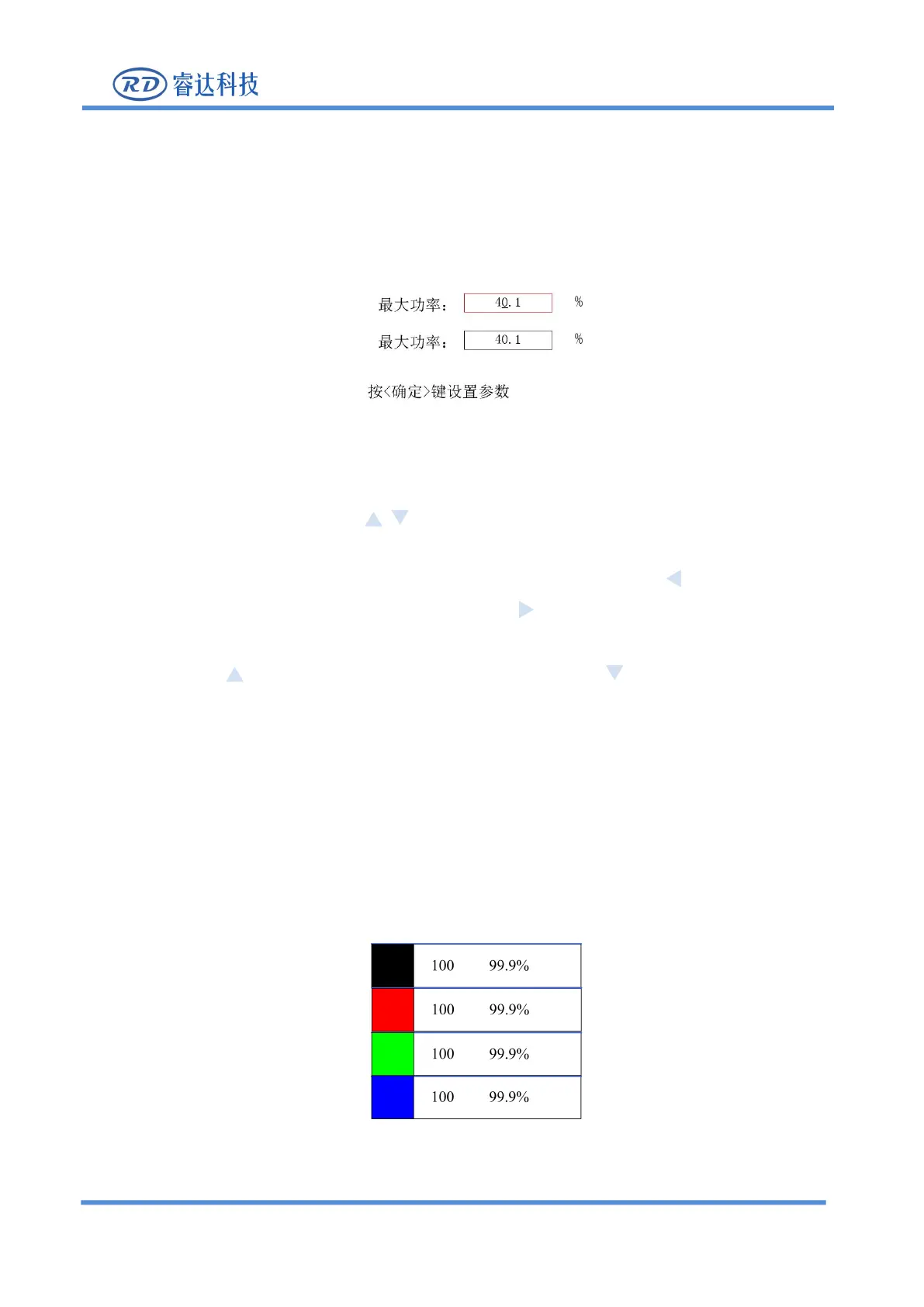
Press [Power] key in the main interface, the following interface will pop up:
Figure 8.3-1
1. As shown in the figure above, press on the panel to select the input box parameters which
need to be modified. The selected input box will change from black to red.
2. After selecting, press [Enter] key to modify the underlined number. Press the key on the panel to
move the underline of the value to the left, and press the key on the panel to move the underline of
3. Press the key on the panel, the value becomes larger, press the key on the panel, the value
becomes smaller (the "0" is selected in the figure above, and only "0" can be modified at this time)
4. After setting, press [Enter] to save the modified parameters.
5. If you need to set other input box parameters, repeat step 1, and press [ESC] to exit this interface.
8.4 Layer function
When the systems is completed / idle in the main interface, if there is layer information in the layer
parameter area, as shown below:
Figure 8.4-1
Press [ENT] to enter the parameter area. Use the up and down arrow keys to select the layer parameter



 To Next Page