RDC6432G control system user manual V1.1
SHENZHEN RUIDA TECHNOLOGY
8.6.2 Array information
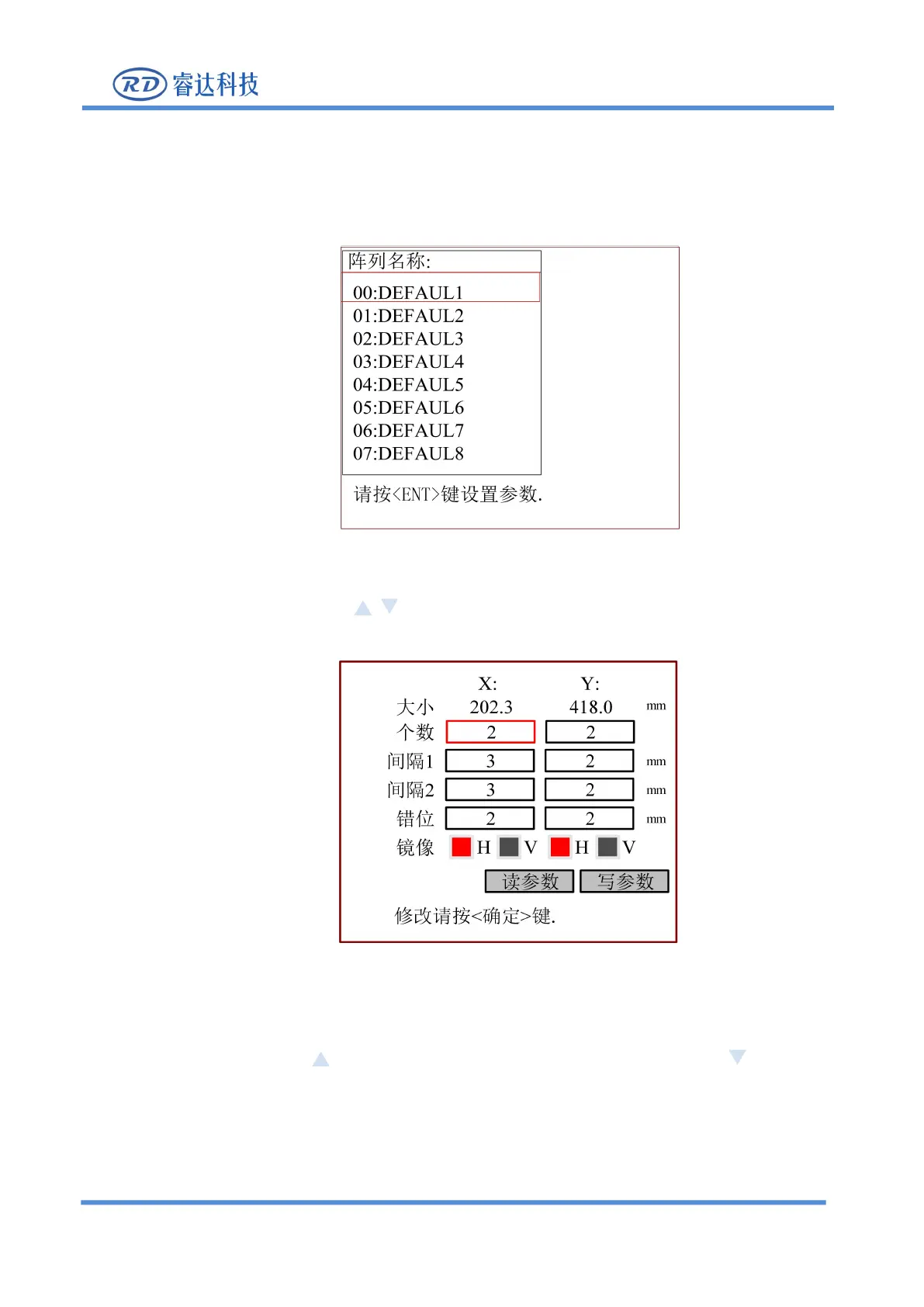
1. In the above interface, select the "Array Information" item and press [Enter] key, then the pop-up menu
is shown in the following figure:
Figure 8.6.2-1
2. Then in the above interface, press keys to select the item, press [Enter] key, the pop-up menu
Figure 8.7.2-2
3.Press the arrow keys to select [Read Parameters], and press the [Enter] .
4. Press the arrow keys to move the red box, press [Enter] to confirm the setting of the parameters of the
current red box, press the key to increase the value of the underline, and press the key to reduce
the value of the underline.
5. After modification, press [Enter] to save the current parameter settings.
6. Press
【
ESC
】
key to cancel the modified parameter and return to the previous interface.



 To Next Page