RDC6432G control system user manual V1.1
SHENZHEN RUIDA TECHNOLOGY
stops on the item, press the up and down keys to select the item and press [ENT] to select the item.
Press [Esc] to return to the main interface.
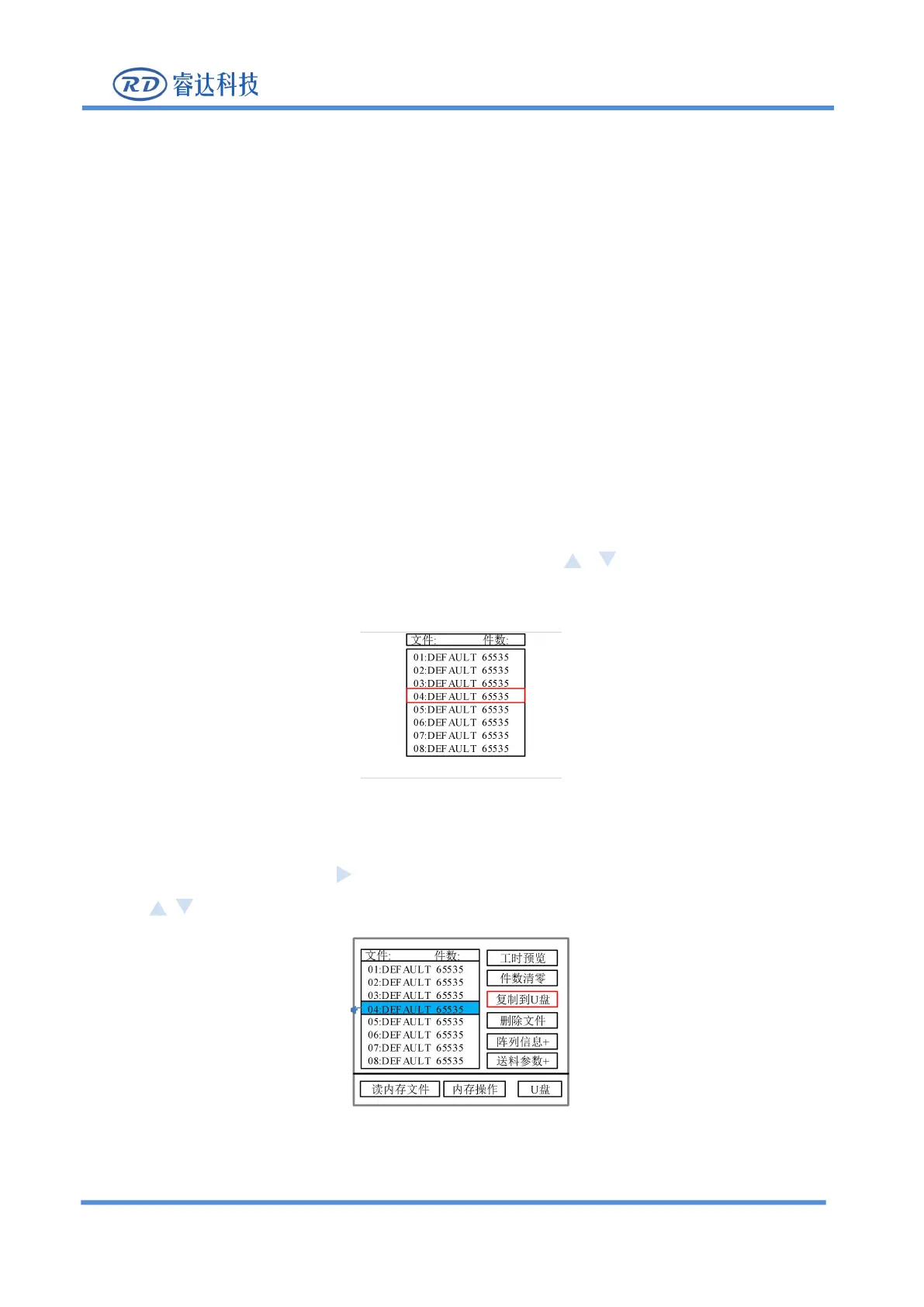
The contents of the entries on the right and bottom are as follows:
Work time check: The total processing time of the file is predicted, and the difference between the
predicted time and the actual running time is only milliseconds.
Clear processed copies: Clear the number of processed pieces of the selected file.
Copy to U disk: Copy the selected file to U disk.
Delete file: delete the selected file.
Feeding parameter: enter the feeding parameter setting.
Array information: enter the array information parameter setting.
Read memory file: read the memory file list.
Memory operation: Enter the lower-level menu of memory operation.
U disk: U disk file menu.
1. Press
【
File
】
to enter the main file interface, and use keys to select the file to be
Figure 8.6.1-1
2. After selecting, press the key to make the selection box to the editing area on the right, and
press keys to select operation, as shown in the figure below :
Figure 8.6.1-2
After selecting, press [Enter].



 To Next Page