RDC6432G control system user manual V1.1
SHENZHEN RUIDA TECHNOLOGY
5. After all modifications are completed. Select the item [write], press [Enter] to save the parameter
settings, and press [ESC] to return to the previous menu interface.
8.5.15 Permission Management
The product should be authorized if users are the first time to choose RUIDA
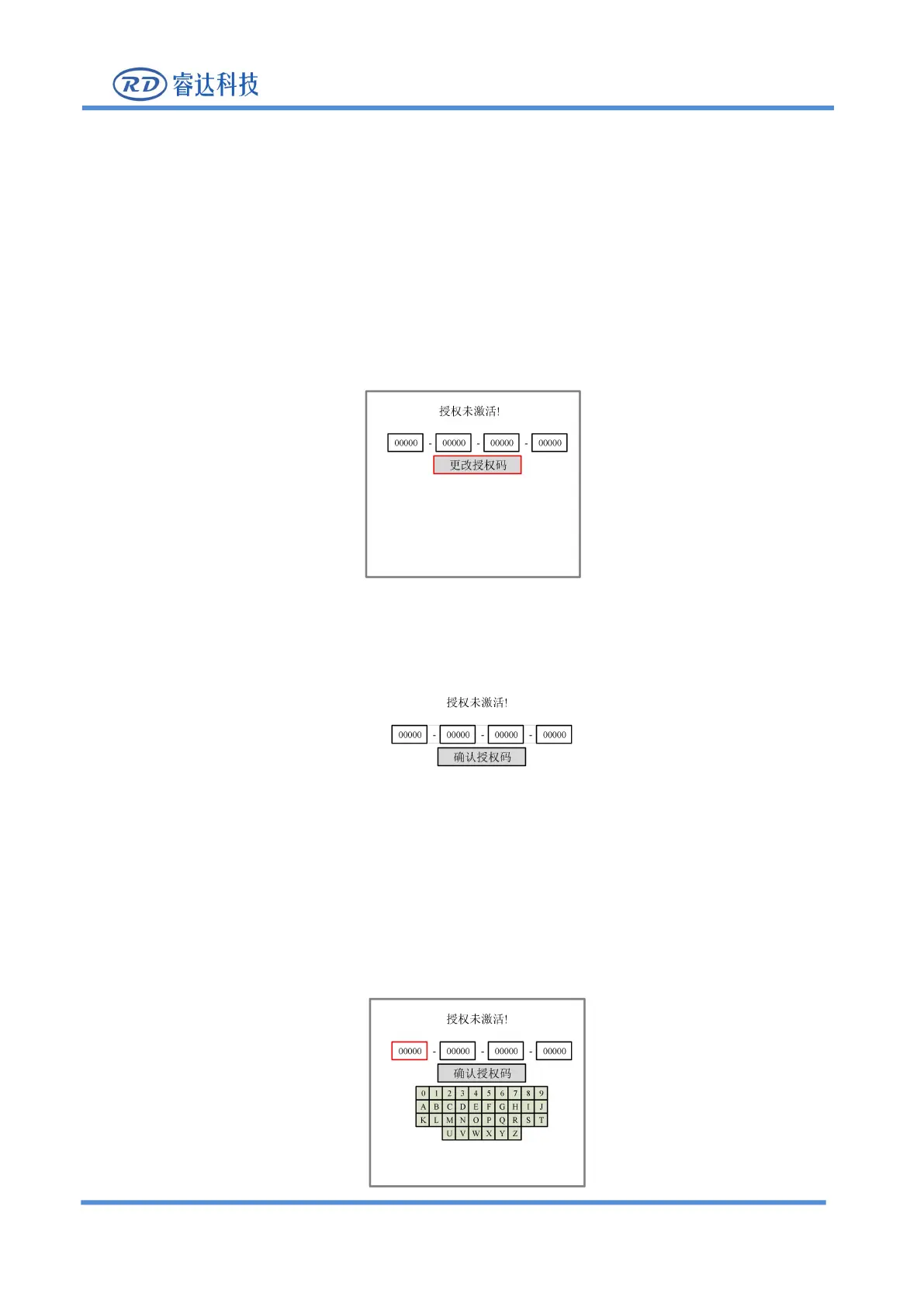
If the current product is not authorized, choose the option of
“
Permission
”
, press [ENT] and the following
Figure 8.5.12-1
2. Select [Change Authorization Code] in the red selection box and press [Enter] to enter the following
Figure 8.5.12-2
3. The red selection box selects the first parameter box, and then press [Enter] again to display the soft
keyboard, as shown in the figure below:



 To Next Page