Model 2010D Calibration Setup Page 6-
Defining Calibration Sequences", on page 6-8.
[2] In order to remotely activate a point, the sequence
containing the point must have a unique Sequence Start
Pattern assigned to it. The Sequence Start Pattern is used
in conjunction with the Point Start Pattern to uniquely
identify a point to activate. If not already done, assign
a Sequence Start Pattern as described on page 6-24.
[3] Select Sequences under the main menu and press the Enter
button. A pop-up menu will appear.
[4] Select Remote Activation from the menu. Another pop-up
menu will appear.
[5] Select Point Start and press the Enter button. A list of
sequences will be presented.
[6] Select the name of the sequence whose points you want to
assign Point Start Patterns to. The Point Start Remote
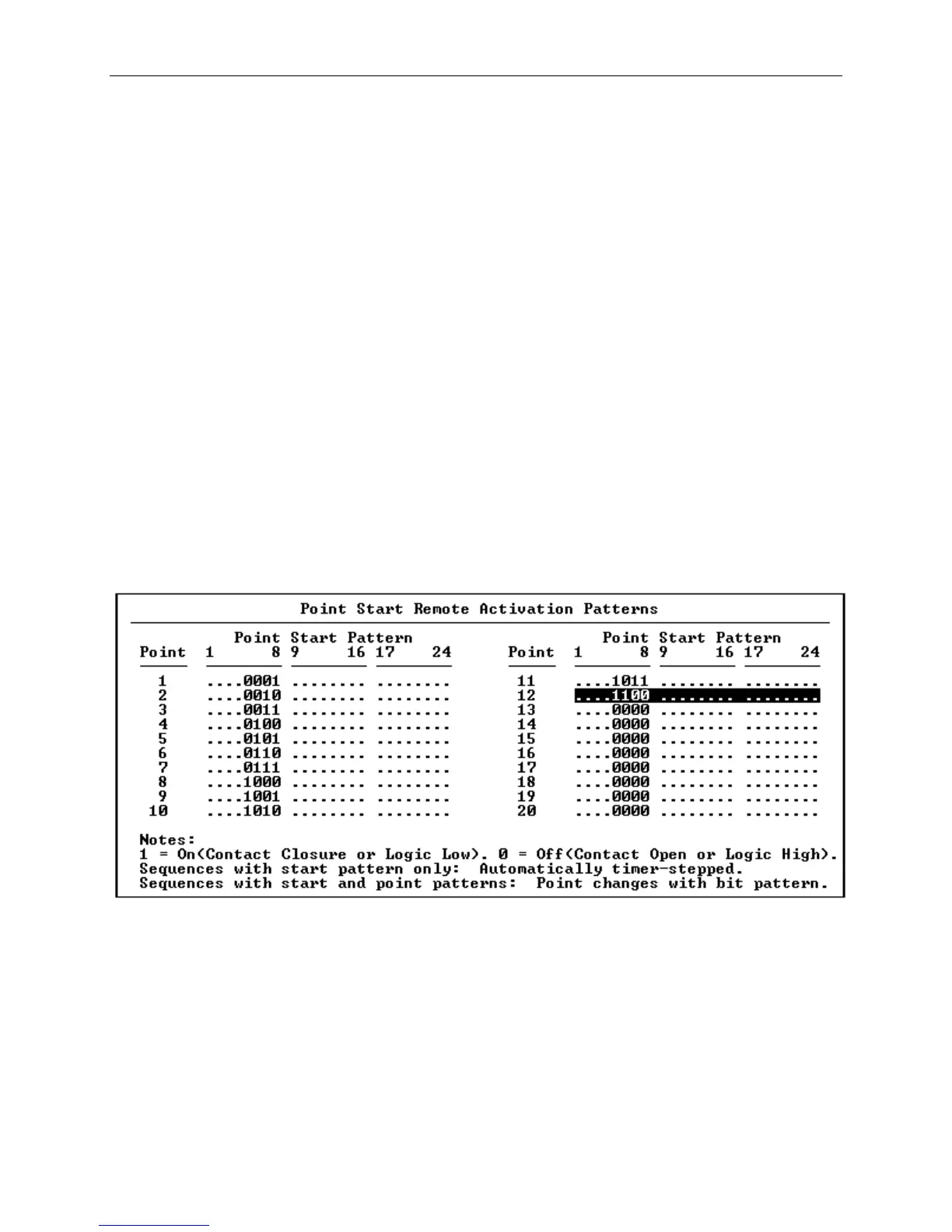
Activation Patterns screen shown in Figure 6-11 will appear.
Figure 6-11 Point Start Remote Activation Patterns Screen
Notice that some of the bits are set to either "0" or "1" and
the rest are indicated by decimal points. The bits indicated
by "0" or "1" have previously been assigned as Point Control
Inputs and may be used for entering bit patterns. If all the
bits are indicated by decimal points, then set up the Point
Control Input group as described on page 6-21 in the section
Digital I/O Group Set-up.



 To Next Page