Internal Calibrations Page 8-
Performing an Interactive Calibration
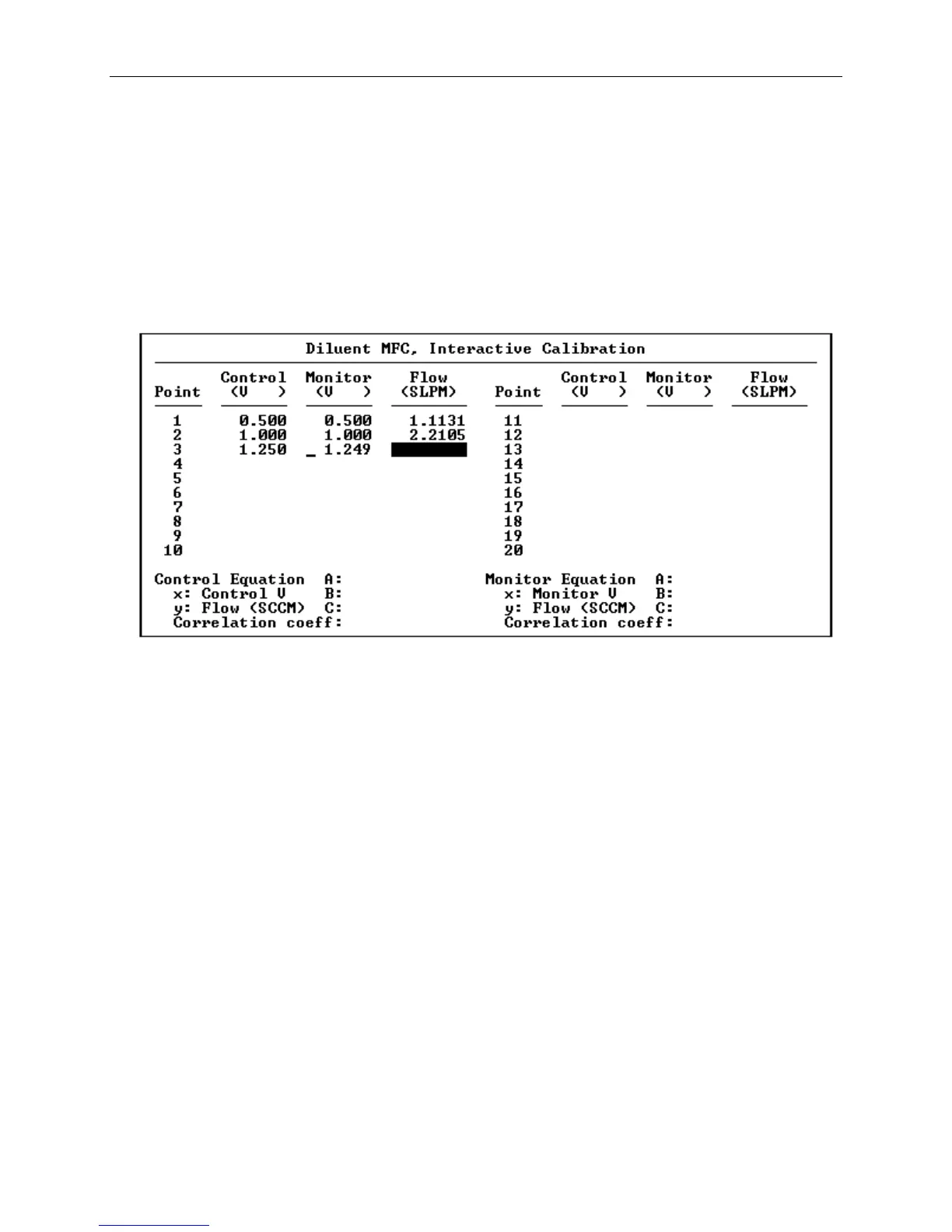
By selecting Interactive from the calibration menu, a lookup
table can be generated by means of an interactive procedure.
This procedure allows the user to enter a series of setpoint
voltages, which are applied to the device, and then prompts for
the value measured by the external reference to be entered.
Figure 8-5 Interactive Calibration
Following is a description of the Interactive Calibration screen.
The columns of data presented in the screen are:
Control This column of numbers represents the
control voltage to the mass flow
controller. This voltage is entered by
the user for each setpoint and causes
the voltage to be generated by the 2010D
for the device being calibrated.
Monitor This column displays the measured
voltage output from the device. The
monitor voltage will normally be close
to the control voltage. A large
discrepancy may indicate a problem with
the test setup.



 To Next Page