Internal UV Ozone Photometer Page 9-
After determining what mode of operation is to be used, the mode
should be selected by clicking the appropriate checkboxes in the
Photometer Parameters screen, as described on Page 12. Other
than customizing the analog outputs for a specific application,
the operating mode is the only setup function that is normally
necessary to operate the 2010D's Photometer.
Unless Continuous Mode is selected (in which case the Photometer
is always active), the 2010D will automatically activate the
Photometer any time that an ozone point or sequence begins. The
Photometer will not be activated, however, during GPT
calibrations.
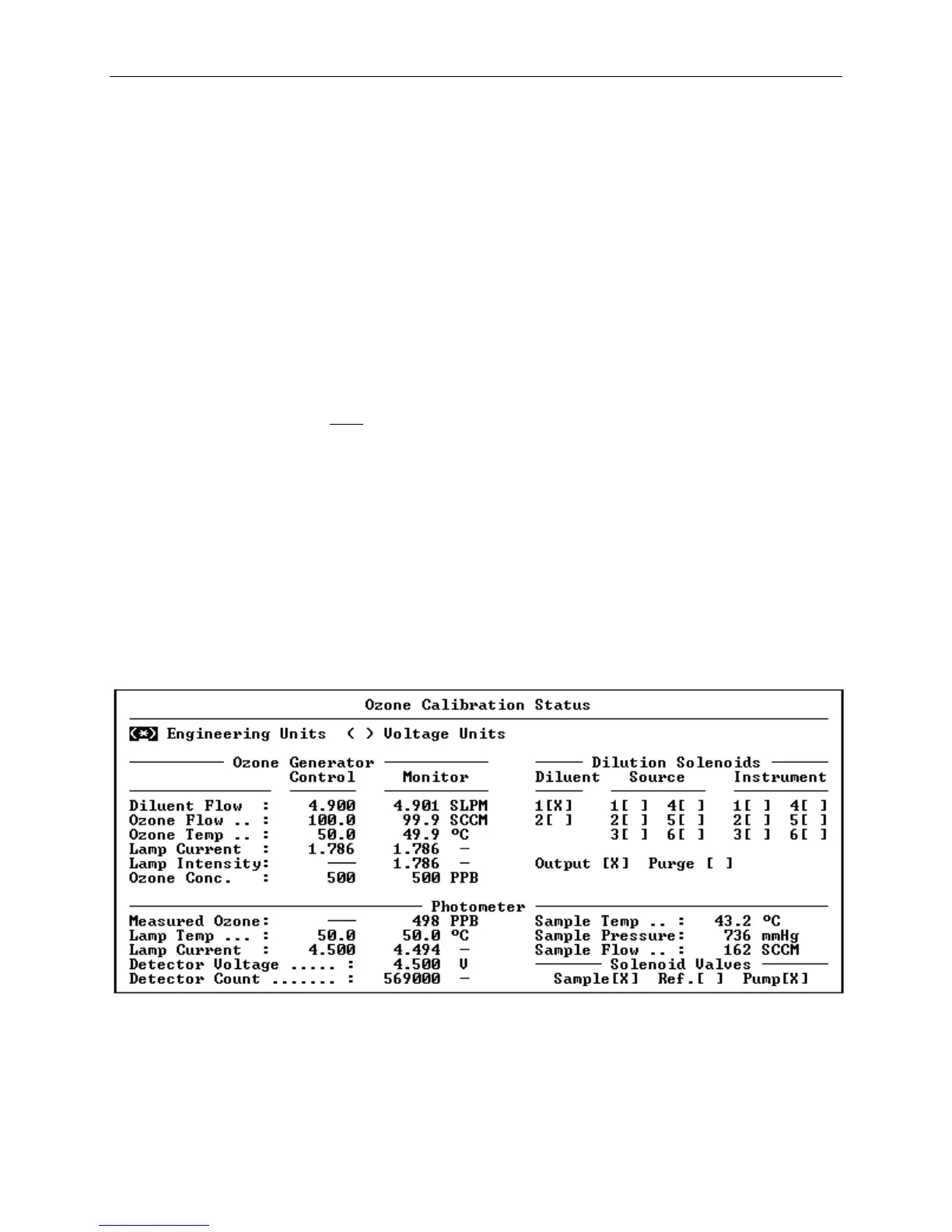
The ozone value, as measured by the Photometer, will be
transmitted from the three analog outputs and will also be
presented as the "Measured Ozone" value in the Photometer section
of the Ozone Calibration Status screen (see Figure 9-). This
section of the status screen (which may also be called up by
selecting "Photometer Status from the "Status" menu) not only
presents the current ozone concentration, but also provides the
current readings of the various sensors and solenoid valves
associated with the Photometer.
Figure 9-3 The Ozone Status Screen



 To Next Page