Model 2010D Calibration Setup Page 6-
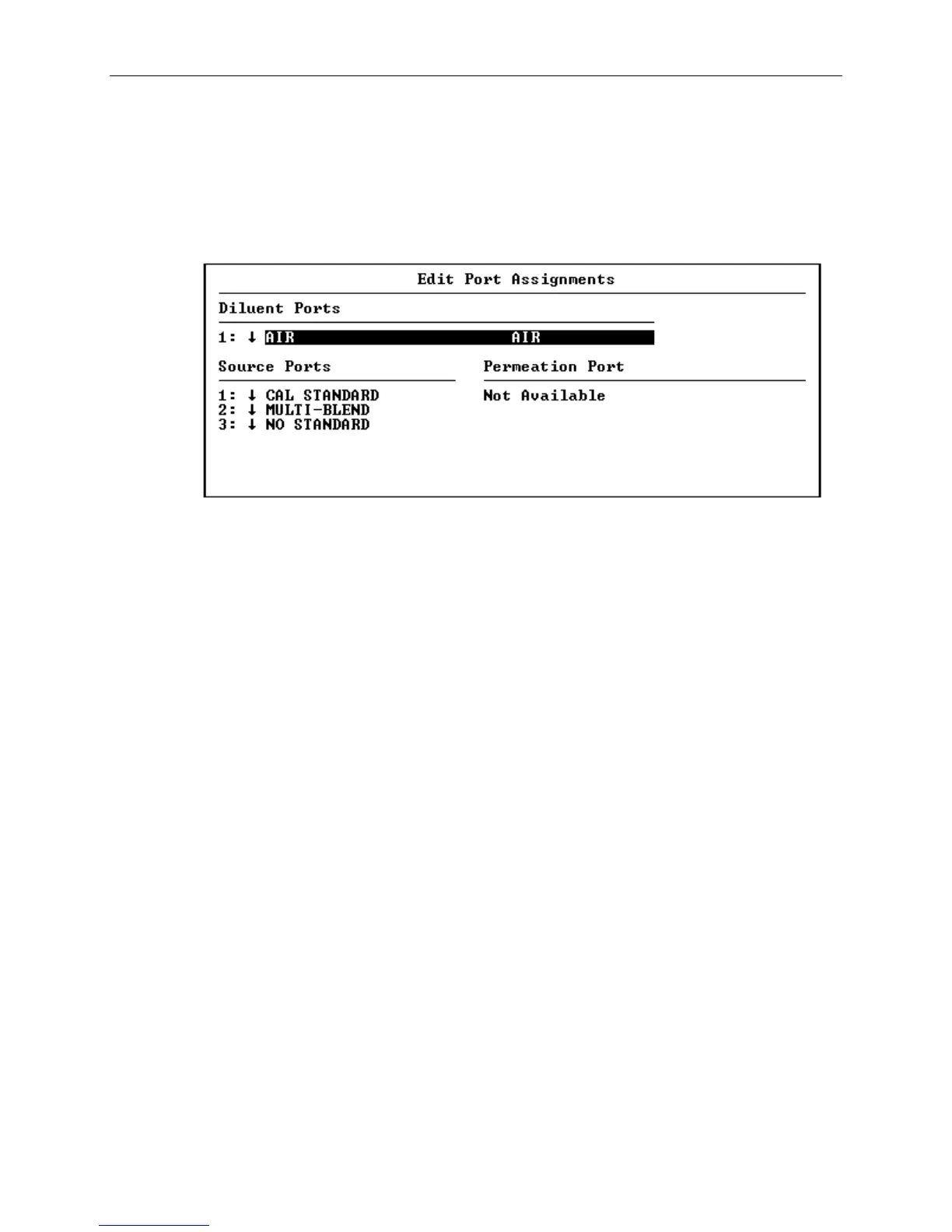
[3] Select Edit and press the Enter button. The Edit Port
Assignments screen shown in Figure 6-3 will appear. This
screen lists all the diluent ports and source ports
installed in the unit (the standard 2010D has one diluent
and three source ports). For each port, a drop-down
selection box is available for selecting a gas or Gas
Standard that is to be associated with that port.
Figure 6-3 Edit Port Assignments Screen
[4] For each diluent port that will be used, select a diluent
gas by positioning the cursor over the port's selection box
and pressing Enter. A drop-down list will appear with your
choices for the diluent gas. The diluent is usually air if
a zero air generator is used for providing the diluent.
Nitrogen or other cylinder gas may also be used, however if
ozone or GPT calibrations are to be performed, the diluent
must be air with the normal percentage of oxygen.
If the needed diluent gas is not listed, it may be added by
performing the steps described in the "Set up Gases"
section on page 6-2.
[5] For each Source Port that will be used, select a Gas
Standard by positioning the cursor over the Source Port's
selection box and pressing Enter. A drop-down list will
appear with a list of Gas Standards. If the Gas Standard
is not present in the drop-down list, it may be added by
performing the steps described in the "Set up Gas
Standards" section on page 6-3.
[6] To save the Port Assignments, press the End Sequence button
and answer yes to the confirming dialog box.
[7] To return to the main menu, press the End Sequence button
until only the main menu appears on the screen.



 To Next Page