Internal UV Ozone Photometer Page 9-
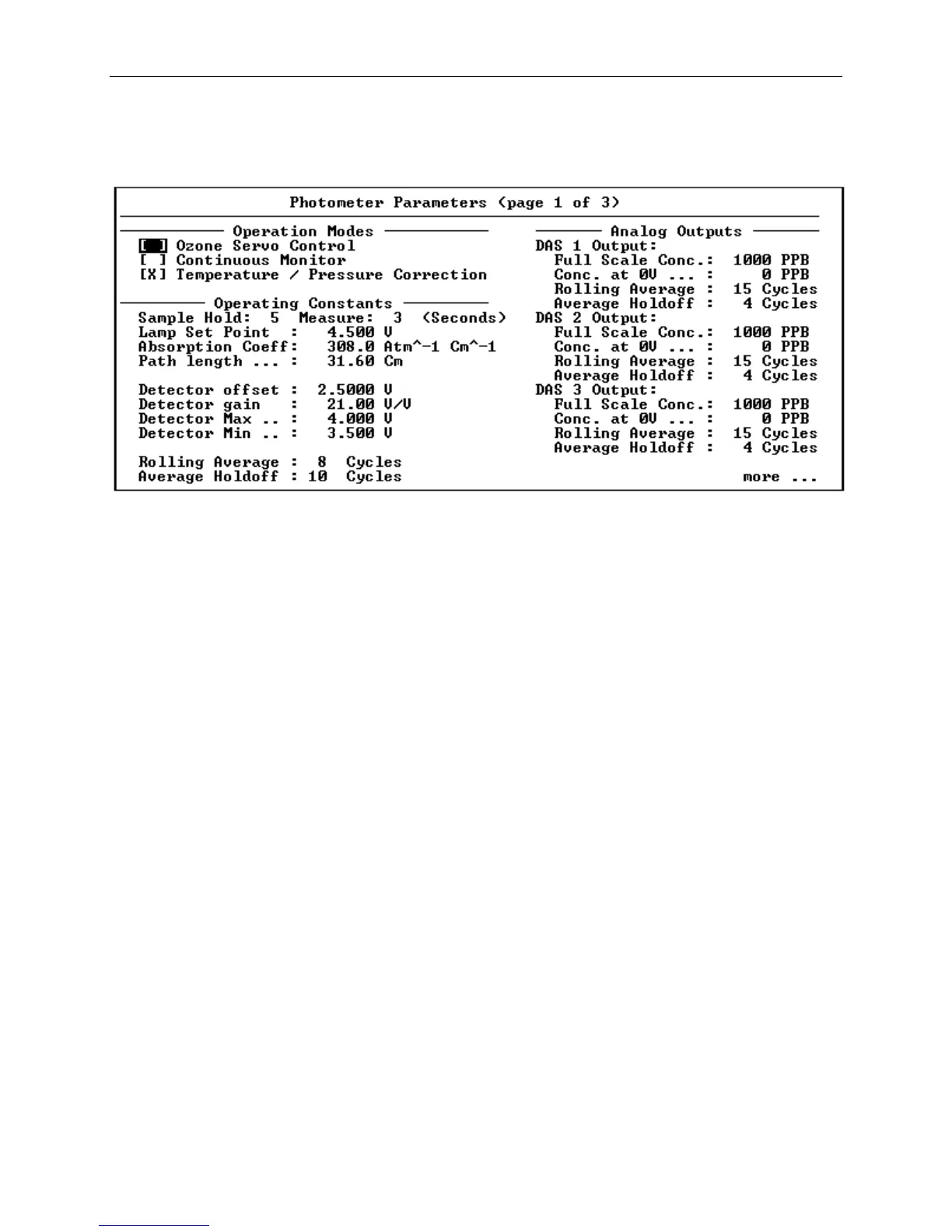
Figure 9-6 Photometer Parameters, Page 1 of 3
In the upper left corner of the Photometer Parameters screen, the
operating mode of the Photometer can be changed by clicking the
following checkboxes:
Ozone Servo Control When this box is checked, the ozone
measured by the Photometer will be used
to automatically adjust the 2010D's
ozone generator while an ozone
calibration is being performed.
Continuous Monitor By checking this box, the Photometer
will remain active continuously while
power is applied to the 2010D.
Temp. / Pressure Correction The Photometer is normally operated with
temperature/pressure correction enabled,
however under certain circumstances,
such as when comparing the 2010D's
Photometer with an external ozone
monitor that does not support
temperature/pressure correction, it may
be desirable to temporarily disable this
feature by unchecking this box.



 To Next Page