Model 2010D Calibration Setup Page 6-
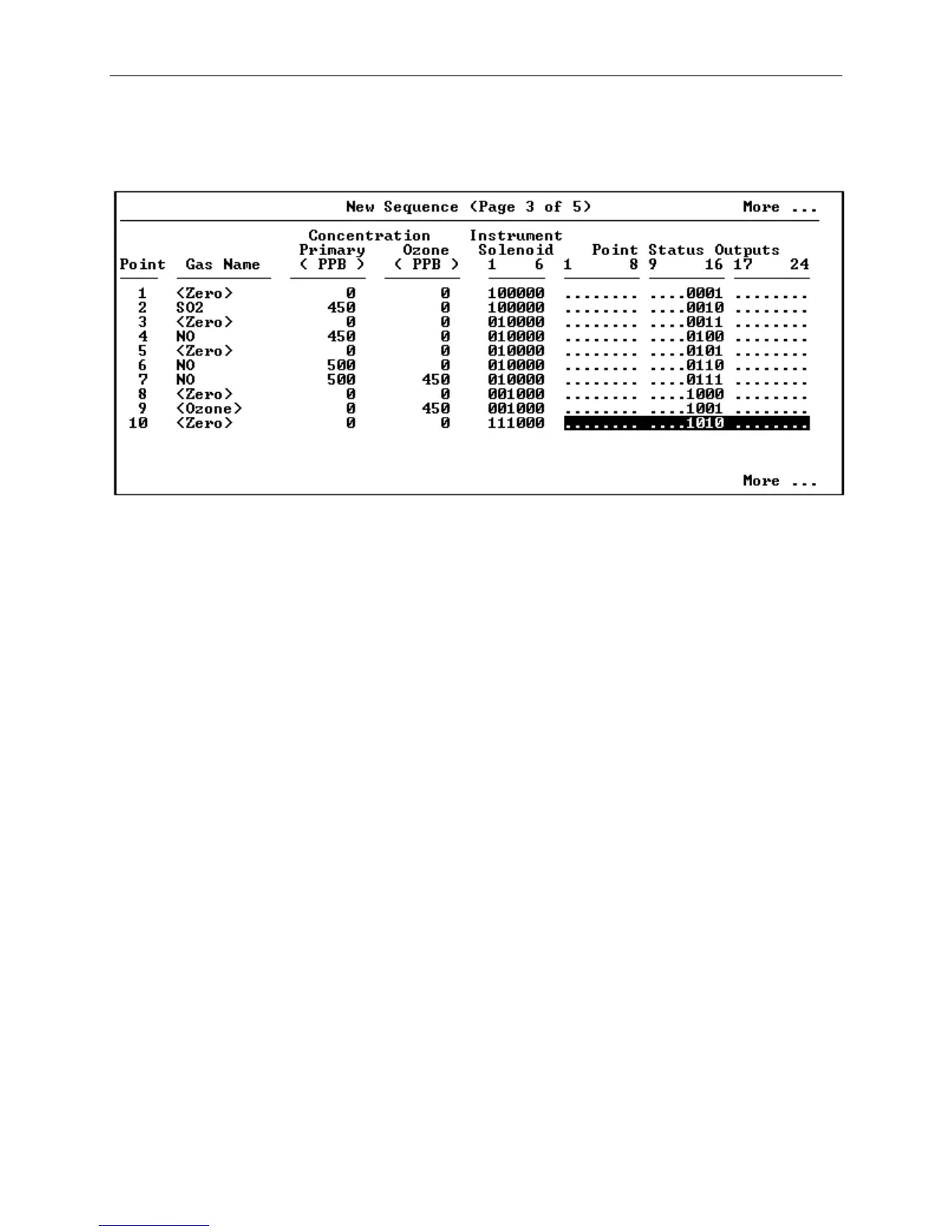
[21] Figure 6-7 shows page 3 of a multi-gas sequence. Pages 3 and
5 contain only two editable fields for each point; the Gas
Names and the Primary and Ozone concentrations are presented
only for reference.
Figure 6-7 New Sequence Screen (Multi-gas, Page 3 of 5)
Initially, the cursor will be positioned on the first
Instrument Solenoid field. Rather than using check-boxes, as
in page one of single-gas sequences, multi-gas instrument
solenoids are entered like digital I/O's, where a "1" means
"on" and "0" means "off". After you have finished entering a
"1" for each instrument that is to be activated for this
point, press Enter to proceed to the next field.
[22] If you have previously assigned User Digital I/O Bits to Point
Status Outputs you will be prompted to select which status
outputs are associated with this particular calibration point.
Bit positions indicated by a 1 or a 0 have been reserved for
Point Status Outputs and are available to signal an external
device when this calibration point is active. Bit positions
indicated by a decimal point have been assigned to other
purposes and may not be changed here. If all the bits are
indicated by decimal points and this feature is needed, then
Sequence Status Output bits must be assigned in the Digital
I/O Group Assignments screen under the Remote Activation menu
(see Page 6-21).
A 1 or a 0 can be inserted in each bit location that is not
indicated by a decimal point. When this point is subsequently
activated, the pattern of 1's and 0's will be presented on the
User Digital I/O Bits as lows (0V) and highs (5V),
respectively. After you have inserted your bit pattern, press
the Enter button. You will be moved to Instrument Solenoid
field for the next point.



 To Next Page