Internal Calibrations Page 8-
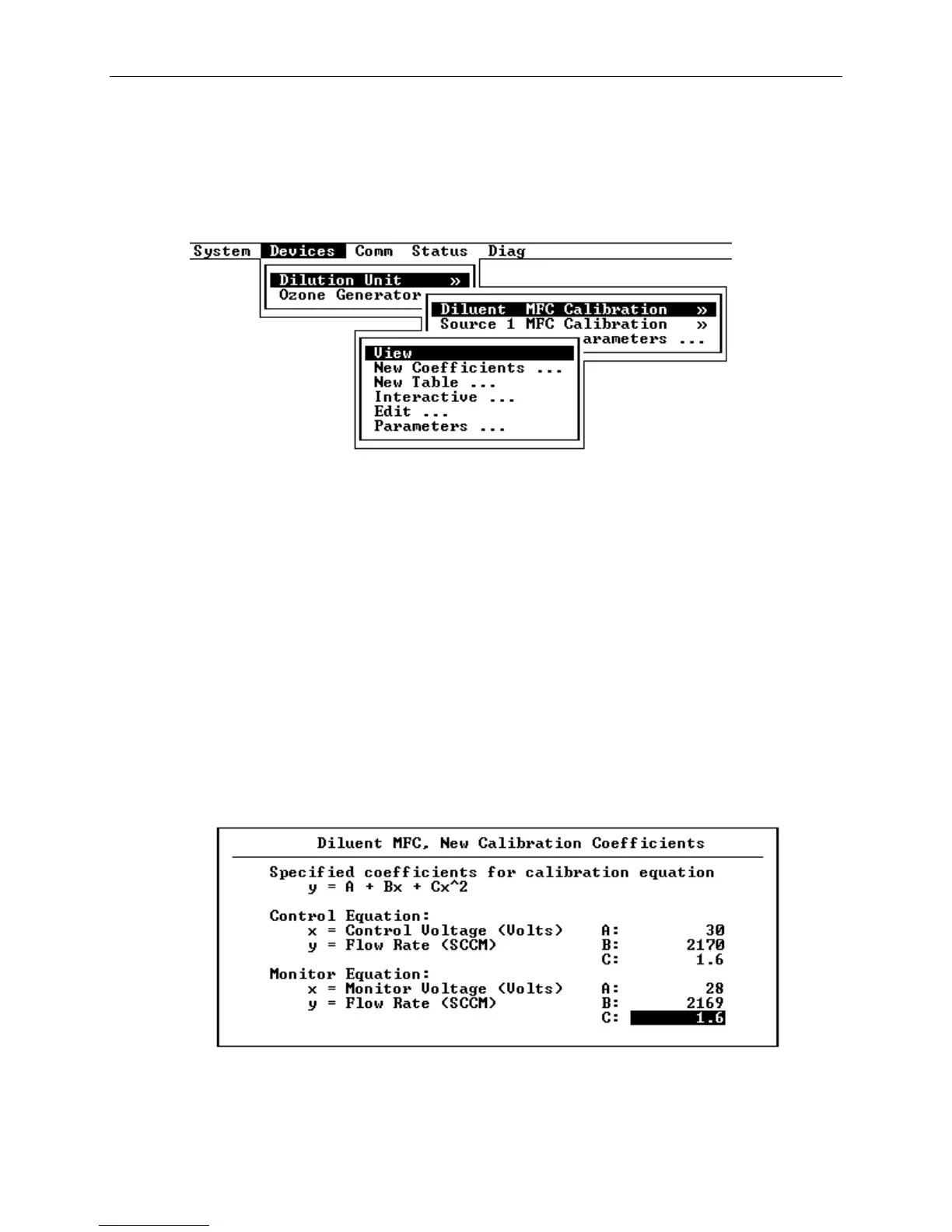
Calibration Menu
For each device that can be calibrated, a selection is available
under the Devices menu. Selecting the calibration item for a
device pops up its Calibration Menu.
Figure 8-2 Calibration Menu
Viewing Calibration Data
Selecting View from the calibration menu will allow the most
recently entered calibration data to be viewed. If the data was
entered as coefficients, the coefficients will be displayed; if
the data was entered as a table or via the interactive
calibration procedure, the lookup table data will be displayed.
Manually Entering Polynomial Coefficients
If polynomial coefficients have previously been calculated for a
mass flow controller, they can be entered directly by selecting
New Coefficients from the flow controller’s calibration menu.
Figure 8-3 New Calibration Coefficients
If the coefficients are not known for a device, for example a
mass flow controller, and it is desirable to establish the
relationship between voltage and flow rate, relying on the MFC



 To Next Page