Model 2010D Calibration Setup Page 6-
Defining Calibration Sequences", on page 6-8.
[2] If necessary, set the time and date to the correct local
time as described on page 6-27.
[3] From the main menu select Sequences and press the Enter
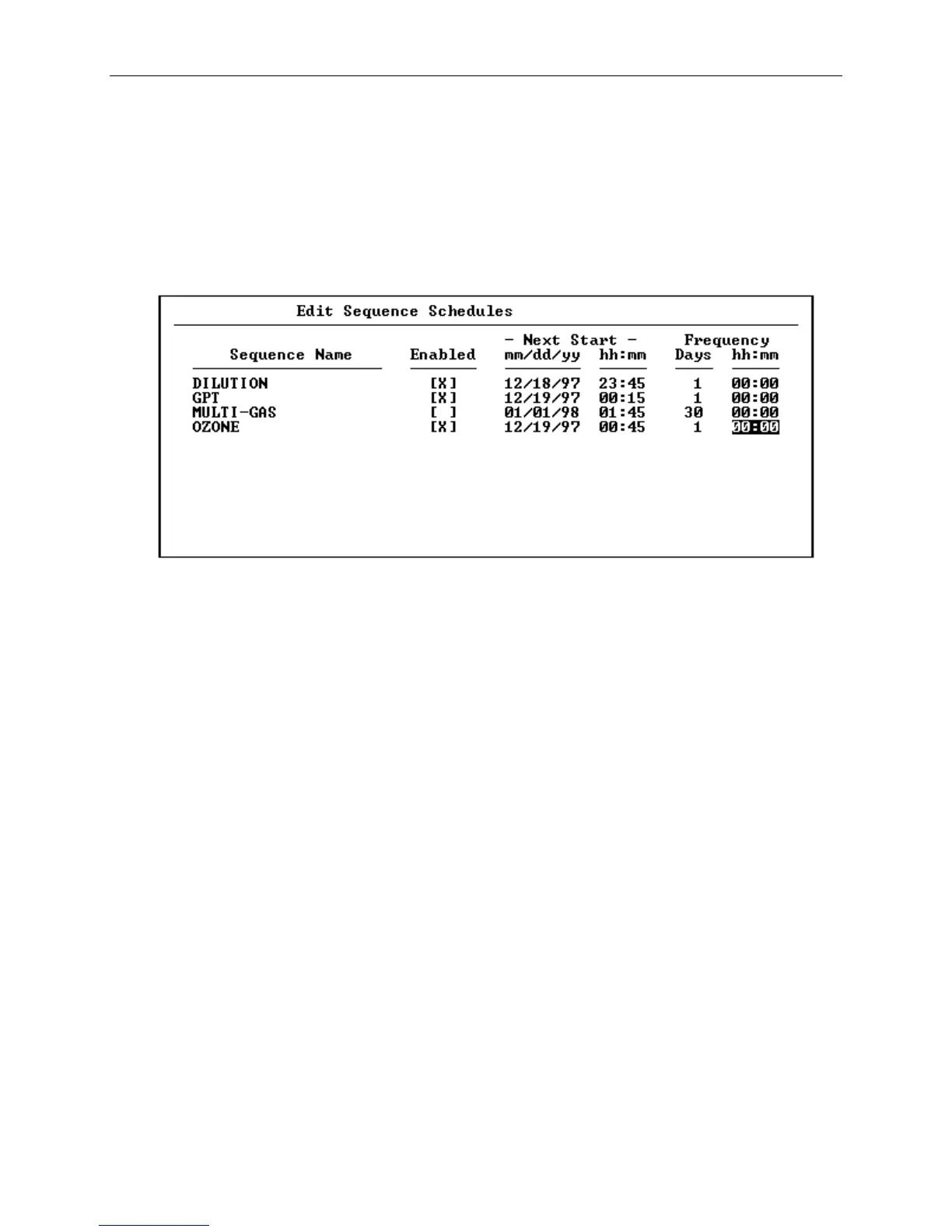
button. A pop-up menu will appear. Select Schedule and
press the Enter button. The Edit Sequence Schedules screen
will appear, as shown in Figure 6-8.
Figure 6-8 The Edit Sequence Schedules Screen
[4] From the Edit Sequence Schedules screen, arrow down to the
sequence you want to schedule. Note: All sequences that
have been initialized in the 2010D will be listed in the
Edit Sequence Schedules Screen under the Sequence Name.
Place an X in the Enabled area of the screen to activate the
scheduling for that sequence.
[5] Next fill in the day, month, year, hour and minute under
Next Start, for the time and date you wish the sequence to
be activated. Note that when the screen is saved, if any
of the Next Start times that were entered are found to be
in the past, they will be automatically advanced by the
Frequency until they are in the future. Also, any time a
scheduled sequence is automatically activated, the Next
Start time will be updated by adding the Frequency.



 To Next Page