Model 2010D Calibration Setup Page 6-
Defining Calibration Sequences
Calibration sequences are defined in a multi-page dialog box
that is 3 pages long for most sequence types and 5 pages for
Multi-gas sequences. The page down and page up keys (F5 and F4,
respectively) may be used to switch from page to page. The
first page contains information common to all calibration
points. Pages 2 through 3 (or 5) contain the information for
the individual calibration points.
To set up page 1 of a calibration sequence, perform the
following steps:
[1] From the main menu, select Sequences, and press the Enter
button. A pop-up menu will appear.
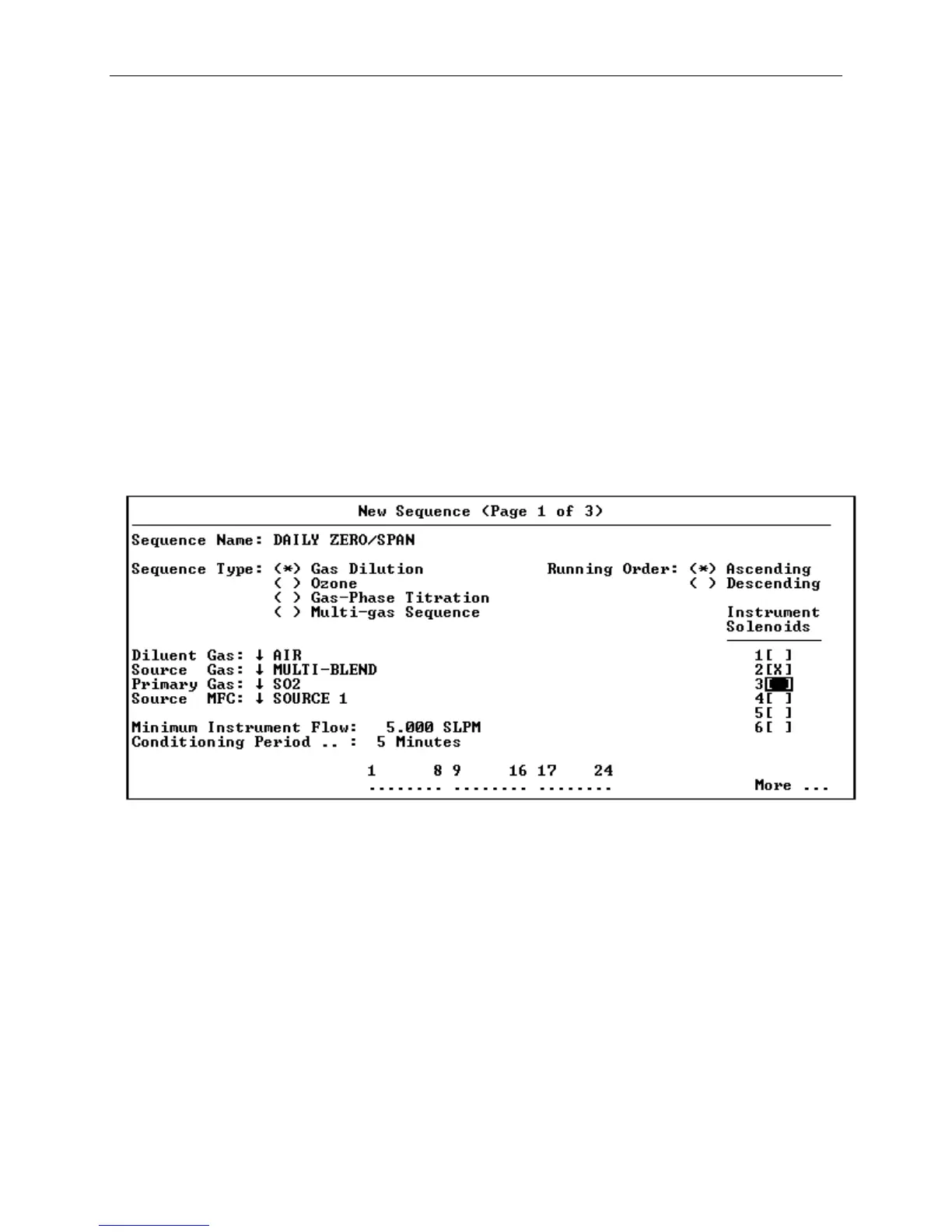
[2] Select New and press the Enter button. The pop-up screen,
New Sequence (Page 1 of 3) will appear.
Figure 6-4 New Sequence Screen, Page 1
[3] Enter a unique name for the sequence. Up to 20 characters
may be used. Press the Enter button when the full name has
been entered. This moves you to the area called Sequence
Type.
[4] Select the appropriate sequence type. Choices are Gas
Dilution, Ozone, Gas Phase Titration and Multi-gas
Sequence. If the 2010D includes a Permeation Oven option, a
Permeation choice will also be available. Select your
choice and press the Enter button. This moves you to the
area called Running Order. Note that data entry fields
that are irrelevant for the selected sequence type will
disappear.



 To Next Page