Operation Page 5-
Predefined Operator Stepped Manual Calibration
To perform a manual calibration using predefined or programmed
sequences, perform the following steps:
[1] From the Main Menu screen, select Sequences and press the
Enter button. A pop-up menu will appear.
[2] Select Run, and press the Enter button. Another pop-up
menu will appear that allows the choice of which type of
manual calibration you wish to use.
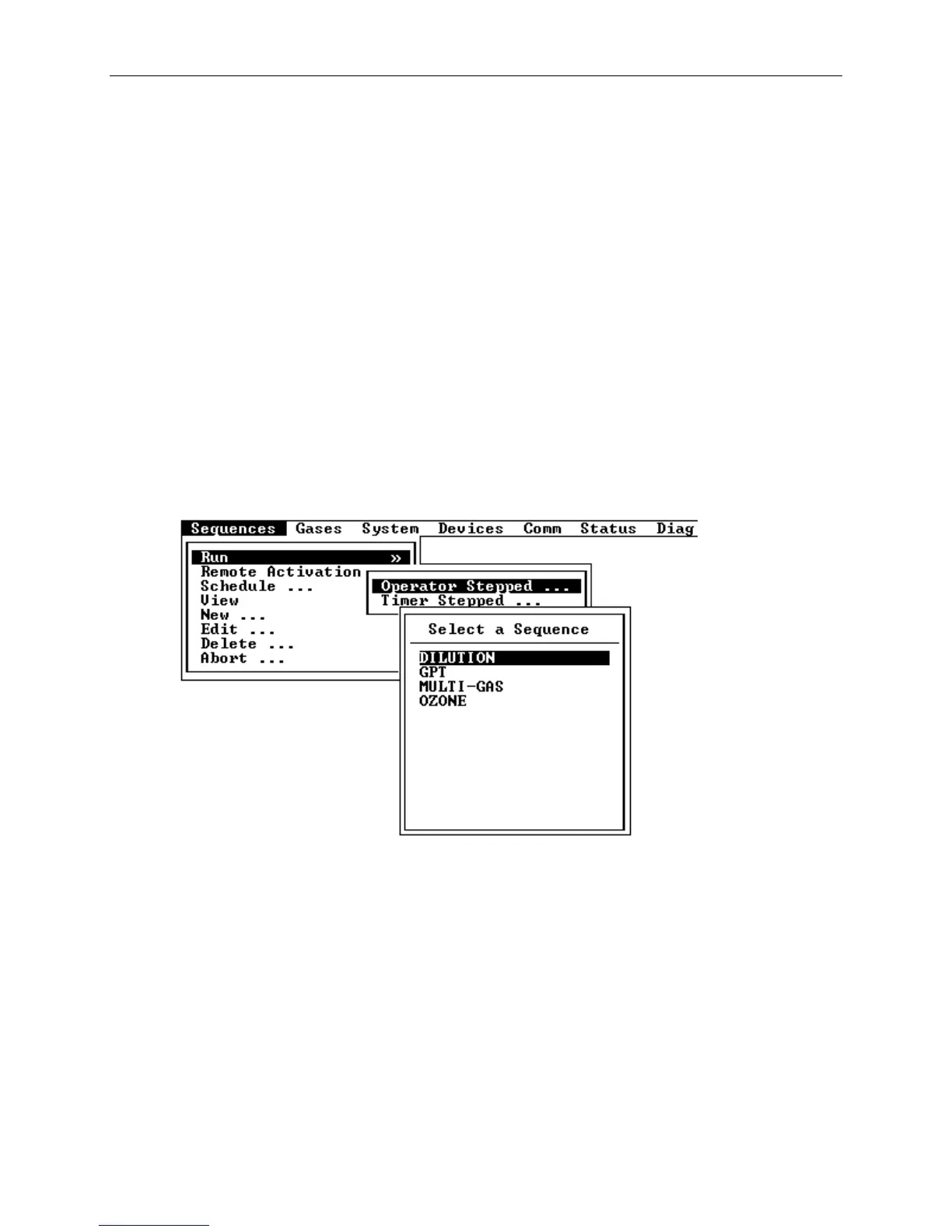
[3] Select Operator Stepped from the menu and press the Enter
button. A list of sequences that have been predefined or
programmed will appear (see Figure 5-1).
Figure 5-1 Manual Sequence Selection Menu
[4] Select the sequence containing the point you want to run.
The "Select a Point to Run" screen shown in Figure 5-2 will
appear, displaying the Sequence Name and Type, the Primary
Gas Name and concentrations for each point in the sequence
and a box entitled "Run Point Number", which will allow the
user to select a calibration point to run.



 To Next Page