Model 2010D Calibration Setup Page 6-
Defining Calibration Sequences" beginning on page 6-8 and ending
on page 6-10. The steps that follow assume the user has not
chosen "Multi-gas Sequence" as the sequence type.
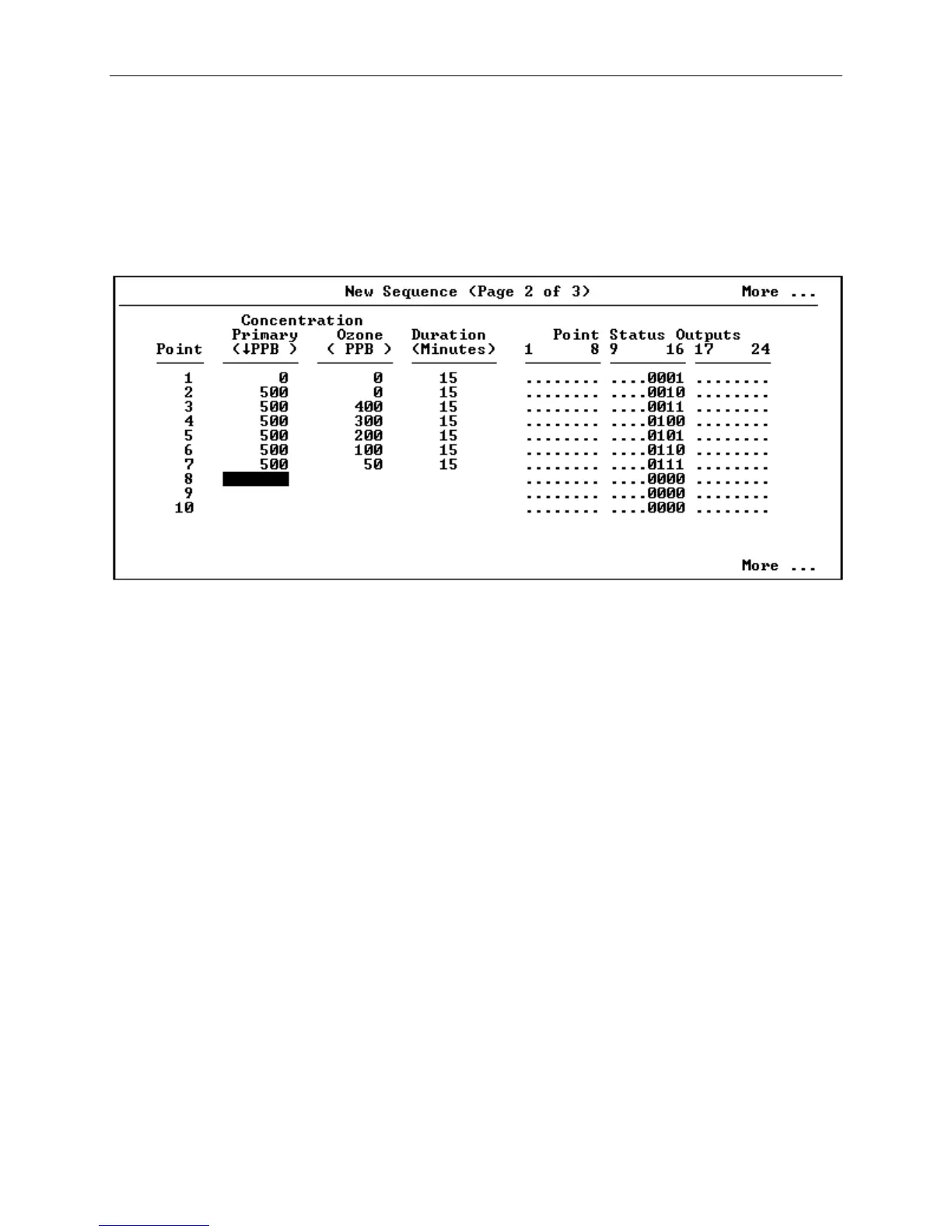
[14] After pressing the F5 key to move to Page 2 of the Sequence
setup, the screen shown in Figure 6-5 will appear.
Figure 6-5 New Sequence Screen (Single Gas, Page 2 of 3)
The cursor will initially be in the units field for the
primary gas concentration. By pressing Enter or the down
arrow while the cursor is in the units field, the preferred
engineering units for concentrations in this sequence may be
selected from a drop-down list (%, PPM, PPB, or PPT). All
primary gas and ozone concentrations in this sequence will be
expressed in the selected units. Pressing the Enter key or F3
will proceed to the next field.
[15] After exiting the units selection field, the cursor will be
moved to a field for entering either the Primary or Ozone
concentration for point 1, depending upon the Sequence Type
that was selected on Page 1. If Gas Dilution, Gas Phase
Titration or Permeation was selected, you will be in the
column for entering the Primary concentration. If Ozone was
selected, the column of fields for entering primary gas
concentrations will be disabled and you will be moved directly
to the column for entering the Ozone concentration.



 To Next Page