5 - Information / Configuration
F@st™ 2804v2 Reference Manual - 253329475-A
Sagemcom document. Reproduction and disclosure prohibited Page 5-65
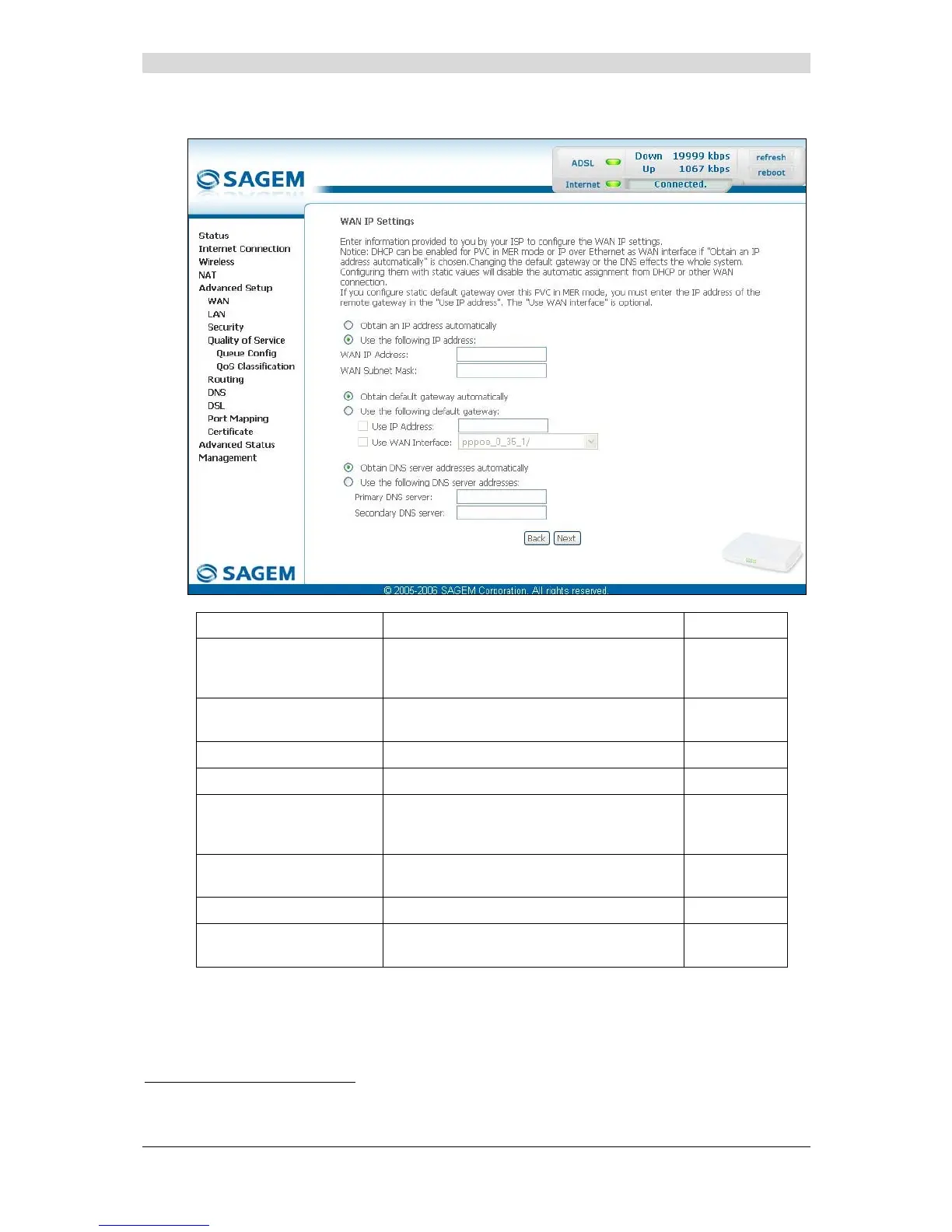
MAC Encapsulation Routing (MER)
Field Action Default
Obtain an IP address
automatically
Check the box to obtain an IP address
automatically from your router's DHCP
server.
Box
Not checked
Use the following IP
address:
If you check this box, you must enter a static
IP address and the dedicated subnet mask.
Box checked
WAN IP Address
6
Enter the static IP address.
0.0.0.0
WAN Subnet Mask:
6
Enter the subnet mask.
0.0.0.0
Obtain default gateway
automatically
Check the box to obtain the gateway IP
address automatically from your router's
DHCP server.
Box checked
Use the following default
gateway:
If you check this box, you must enter the
default gateway address.
_
Use IP Address
7
Enter the default gateway address.
_
Use WAN Interface:
7
Select the WAN interface of your choice
from the scroll down list (optional)
_
6
This field only appears when the "Use the following IP address:" field is activated (box checked).
7
This field only appears when the "Use the following default gateway:" field is activated (box checked).



 To Next Page