5 - Information / Configuration
F@st™ 2804v2 Reference Manual - 253329475-A
Sagemcom document. Reproduction and disclosure prohibited Page 5-17
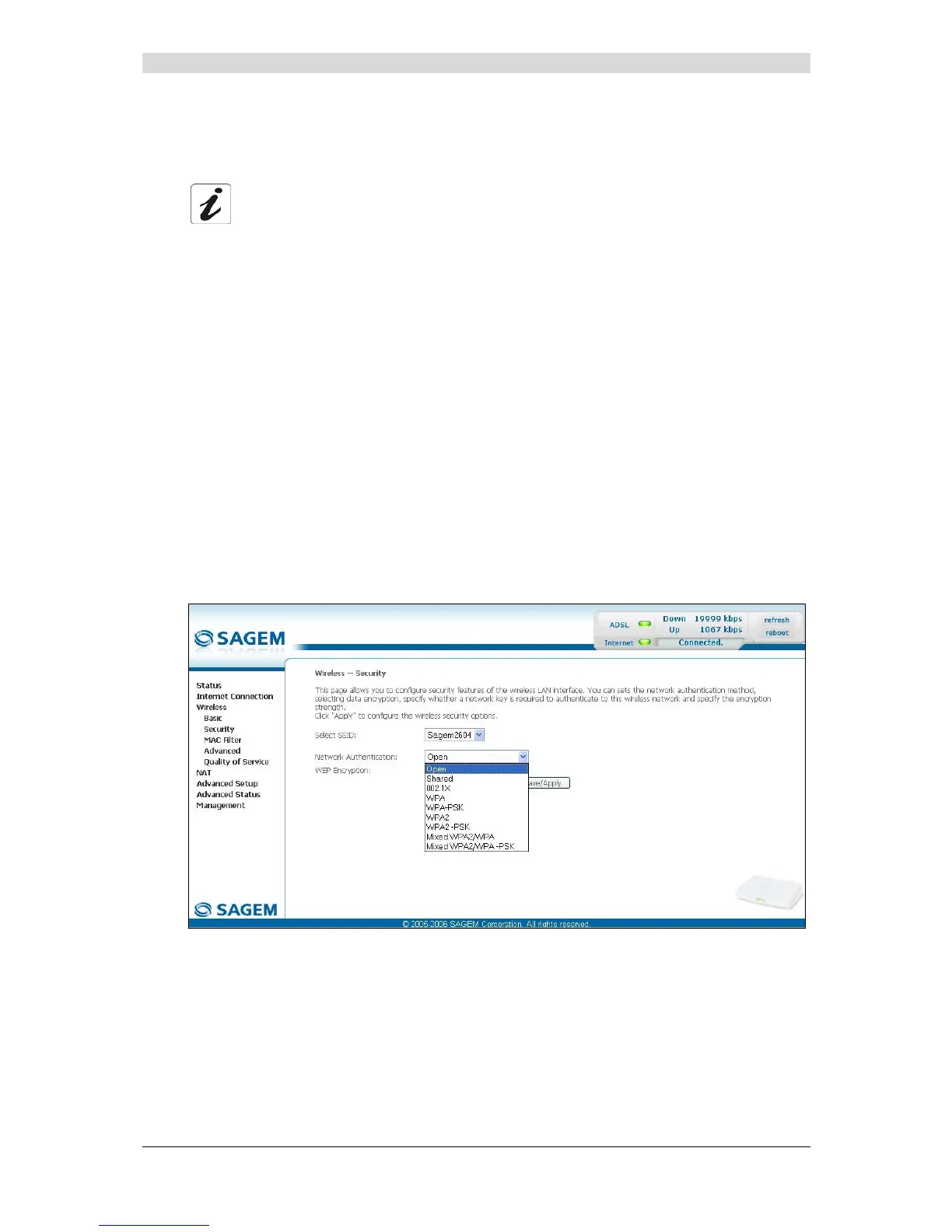
5.7.2.1 Network Authentication
The scroll down list in the "Network Authentication" field shows 9 possible
authentication types:
• Open,
• Shared,
• 802.1x,
• WPA,
• WPA-PSK,
• WPA2,
• WPA2-PSK,
• Mixed WPA2/WPA,
• Mixed WPA2/WPA-PSK.
A different screen appears for each authentication type.
Open
Object: The "Open System" authentication enables all users of the Wi-Fi network to
authenticate themselves with the router. No restrictions concerning security are
demanded.
In this authentication mode, only the WEP key may be used to encrypt data.



 To Next Page