5 - Information / Configuration
F@st™ 2804v2 Reference Manual - 253329475-A
Page 5-52 Sagemcom document. Reproduction and disclosure prohibited
5.9 Advanced Setup
Object: This menu is used to configure the specific parameters for your router.
This menu must only be used by experienced users.
This section contains the following nine menus:
• WAN (see subsection 5.9.1),
• LAN (see subsection 5.9.2),
• Security (see subsection 5.9.3),
• Quality of Service (see subsection 5.9.4)(see note),
• Routing see subsection 5.9.5),
• DNS (see subsection 5.9.6),
• DSL (see subsection 5.9.7),
• Port Mapping (see subsection 5.9.8),
• Certificate (see subsection 5.9.9).
Note: This menu only appears if you checked the "Enable Quality Of Service" box in the
WAN interface configuration screen (see Advanced Setup/WAN –
subsection 5.9.1/Add).
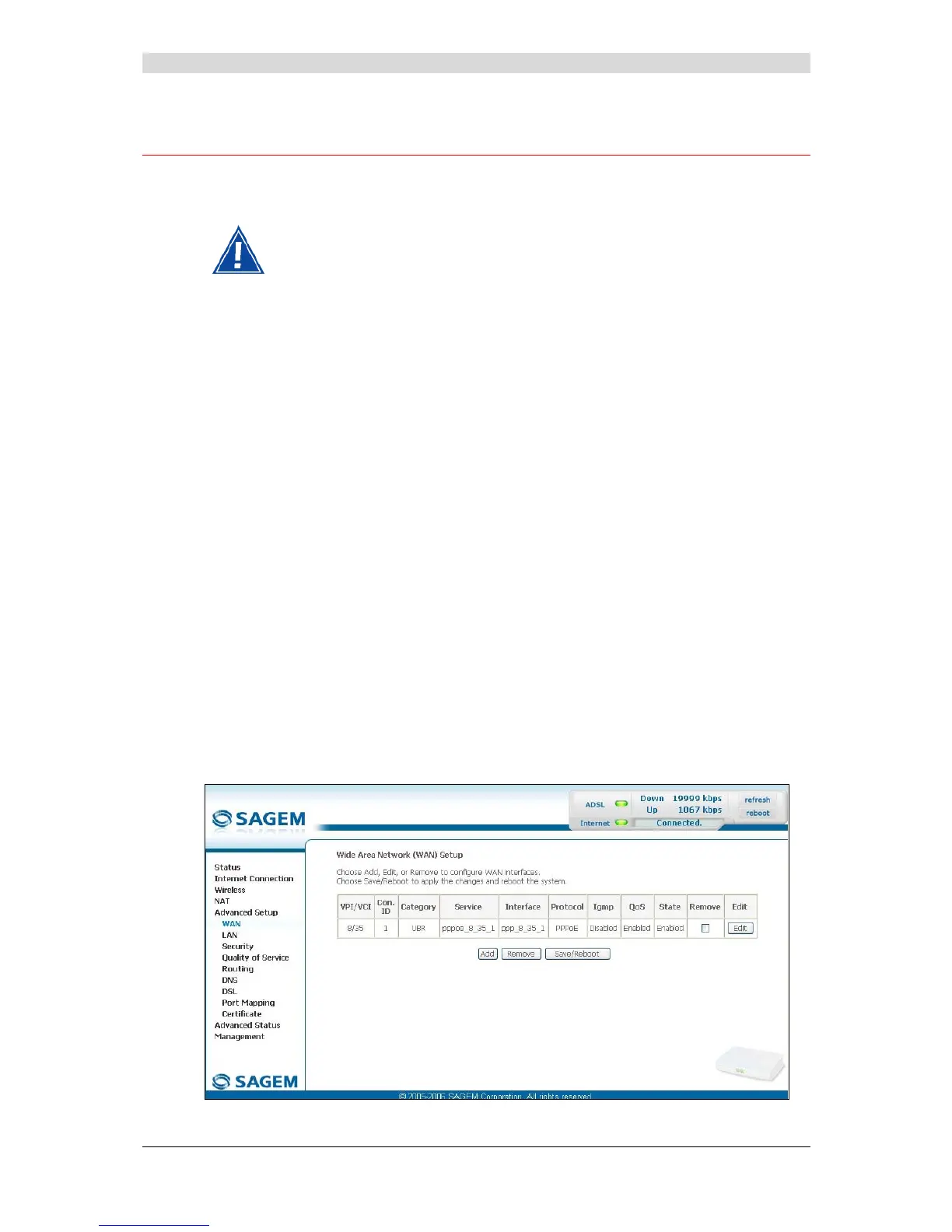
5.9.1 WAN
Object: This menu is associated with the remote network. It is used to display the list of all the
configured PVCs, to add PVCs or remove them.
• Select the WAN menu in the Advanced Setup section to display the following screen:



 To Next Page