5 - Information / Configuration
F@st™ 2804v2 Reference Manual - 253329475-A
Page 5-100 Sagemcom document. Reproduction and disclosure prohibited
Add
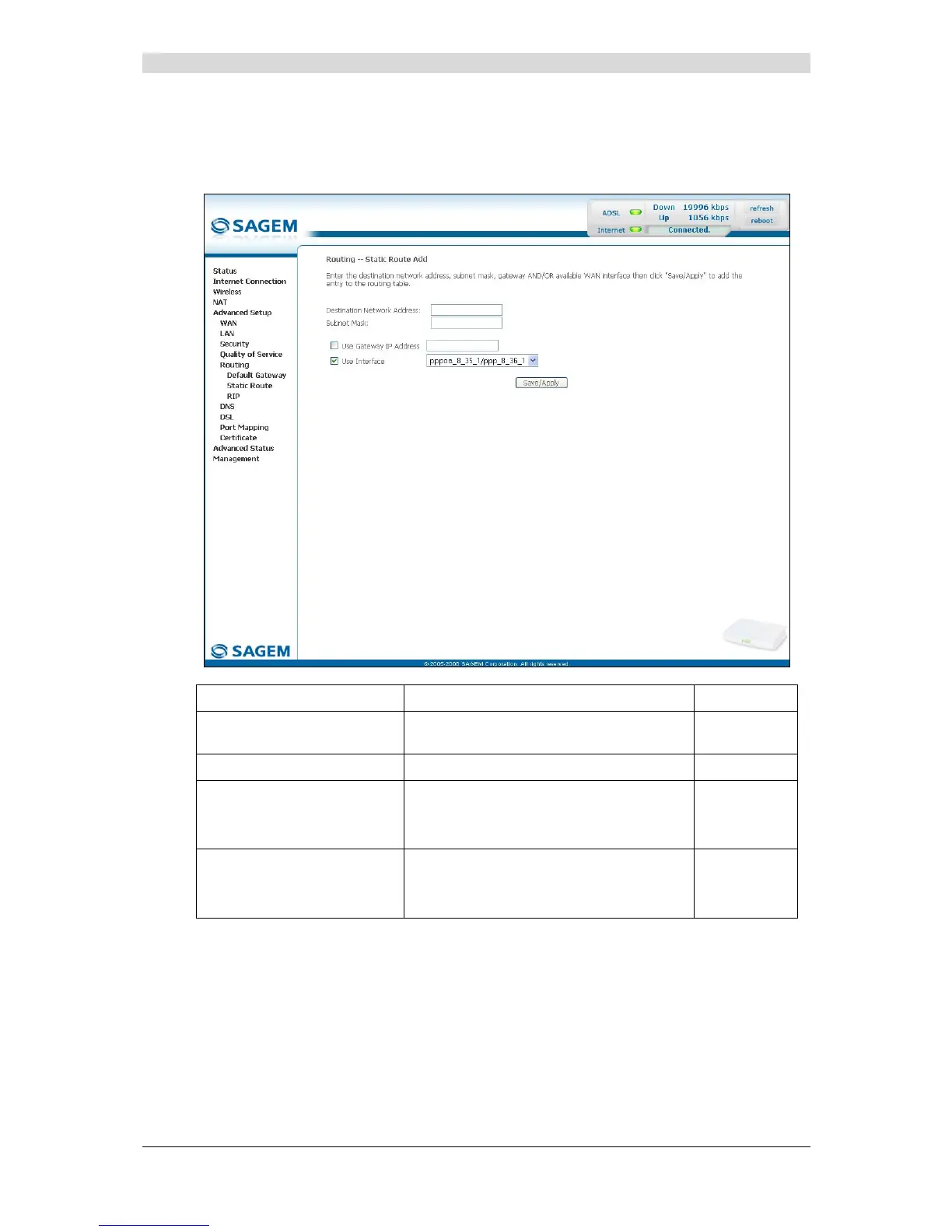
• Click on the Add button to display the following screen:
Field Action Default
Destination Network
Address
Enter the IP address of the remote
network.
Empty
Subnet Mask
Enter the remote subnet mask.
Empty
Use Gateway IP Address
Check the appropriate box then enter the
IP address of the gateway.
Box
not checked
Empty
Use Interface
Select the interface you want to use from
the scroll down list (pppoa_8_35_1 for
example).
Box checked
Interface
used



 To Next Page