5 - Information / Configuration
F@st™ 2804v2 Reference Manual - 253329475-A
Sagemcom document. Reproduction and disclosure prohibited Page 5-3
3
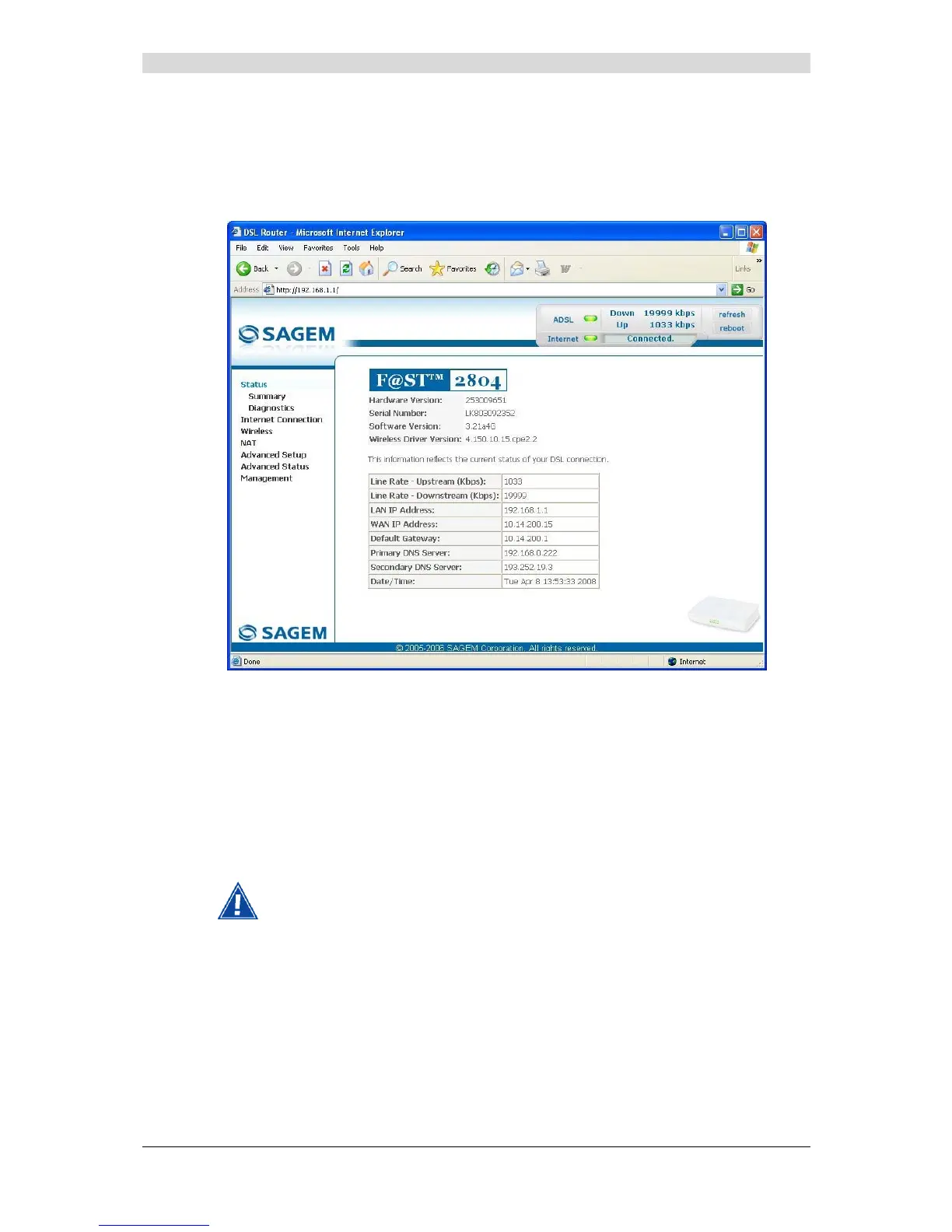
Your computer's Web browser opens and displays the router's welcome screen.
The equipment's name is displayed in title (F@st
TM
2804v2).
Equipment configuration sections appear in the left hand side of the welcome
screen.
This screen displays:
) in the centre, an area which shows the current ADSL connection status (see
subsection 5.3).
) in the top right, a display box which lets you know the status of the ADSL line, lets you
refresh the window displayed and restart your router at any time (see subsection 5.4).
) to the left, a list of 7 sections (see subsection 5.5 to 5.11) made up of menus and sub-
menus. These let you view and configure your router's parameters.
You can modify the password to access your router's configurer to optimise the
safety of your network.



 To Next Page