5 - Information / Configuration
F@st™ 2804v2 Reference Manual - 253329475-A
Sagemcom document. Reproduction and disclosure prohibited Page 5-31
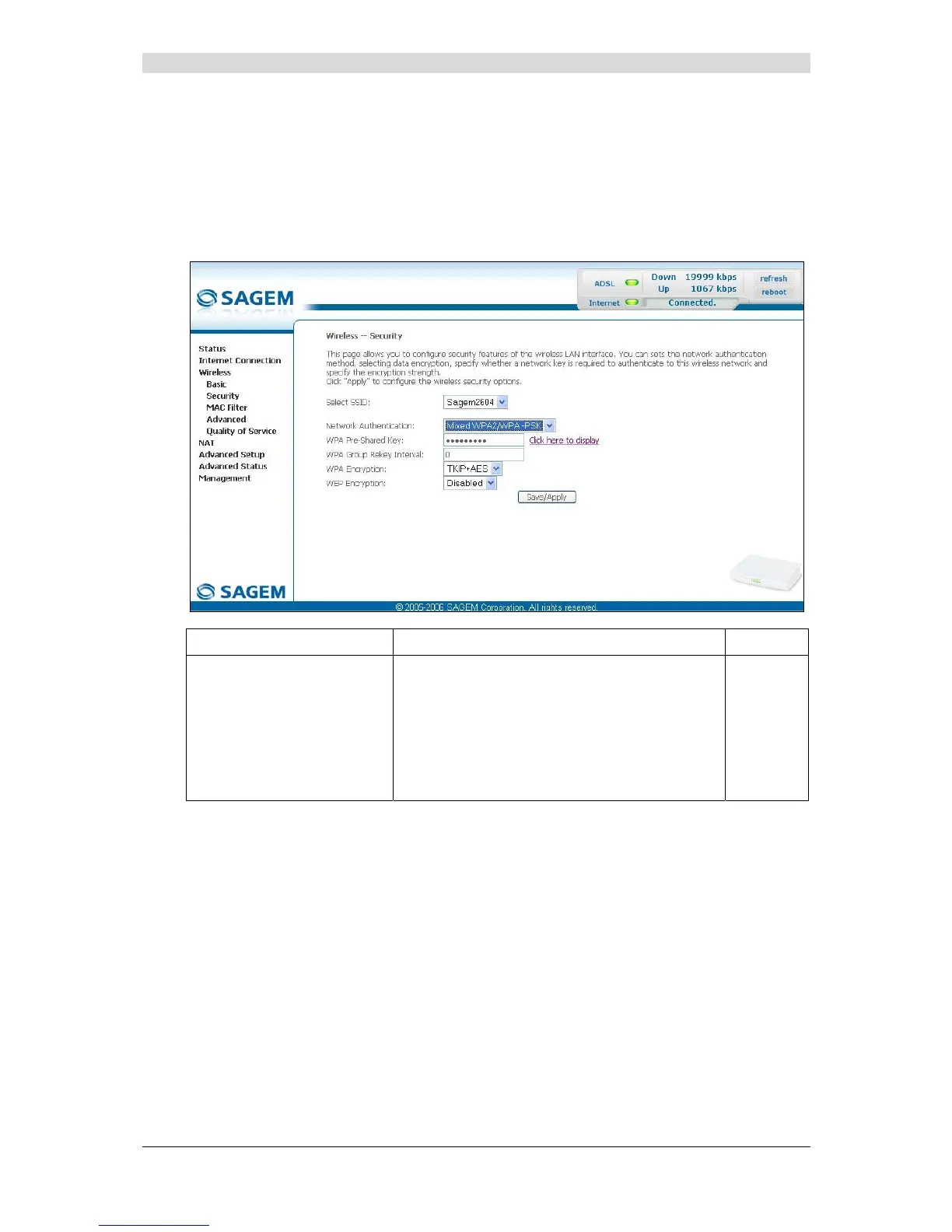
Mixed WPA2/WPA-PSK
Object: This encryption mode applies the functionalities of the WPA2-PSK and WPA-PSK
protocols. It does not need a "RADIUS" authentication server.
• Select the "Mixed WPA2 /WPA-PSK" security from the scroll down list; the following screen
appears:
Field Action Default
WPA Pre-Shared Key
Enter a secret phrase. This may contain 8 to
63 ASCII characters or 64 hexadecimal symbols
(256 bits).
Click on the "Save/Apply" button to validate the
entry.
Note: You may display your secret phrase by
clicking on "Click here to display".
Empty



 To Next Page