Via Pro User’s Guide – TouchChat 35
Deleting a Vocabulary File
You can only delete custom vocabulary files.
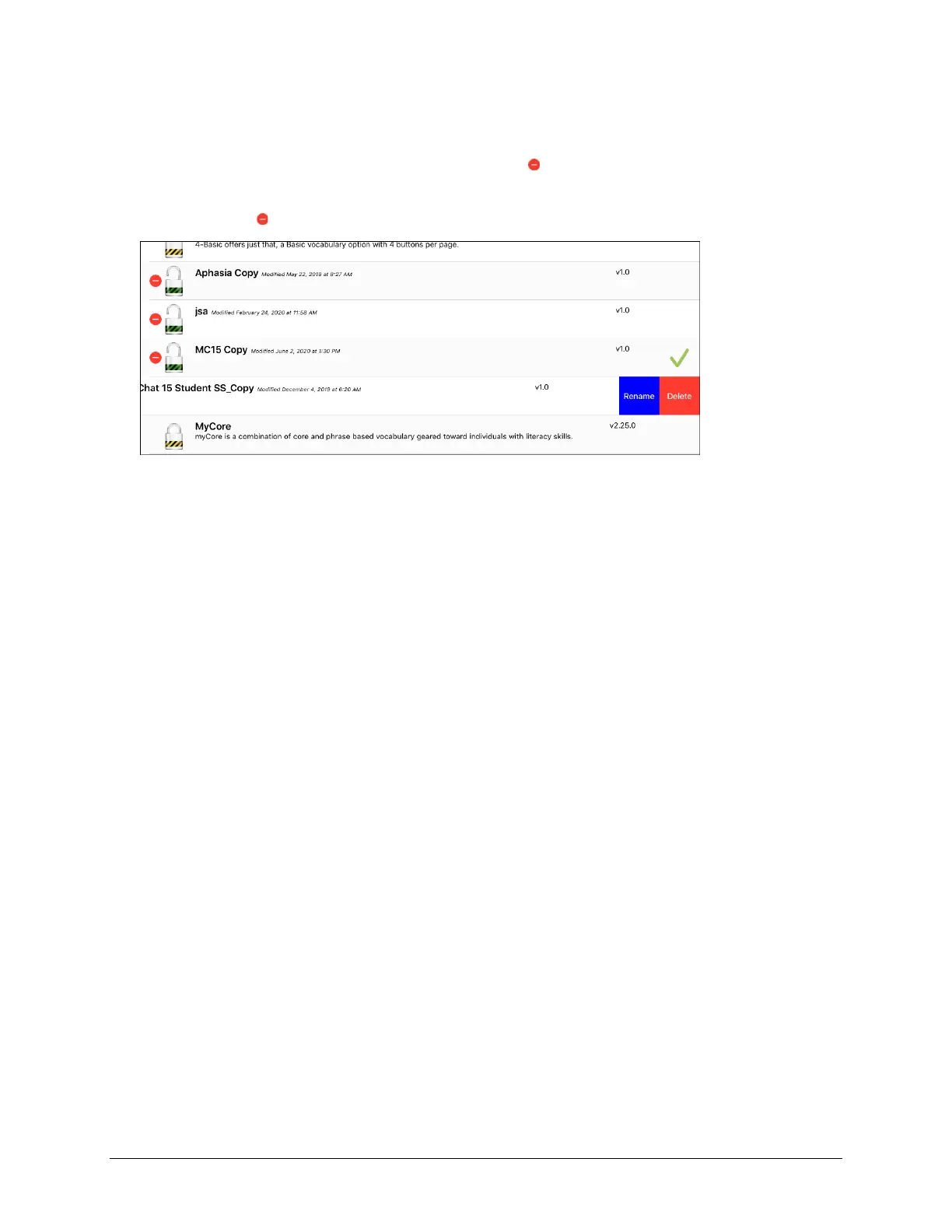
1. Tap Vocab and tap Choose New Vocab. A page will list the available vocabulary files.
2. Tap Edit in the upper left corner of the page. A red icon will be displayed for each custom
vocabulary file.
3. Tap the red icon next to the file you want to delete. Rename and Delete buttons will appear.
4. Tap Delete and tap Done.



 To Next Page