Via Pro User’s Guide – TouchChat 59
Adding an Image to a Button: Import
1. Tap Menu and select Edit Page.
2. Tap the button and select Edit This Button.
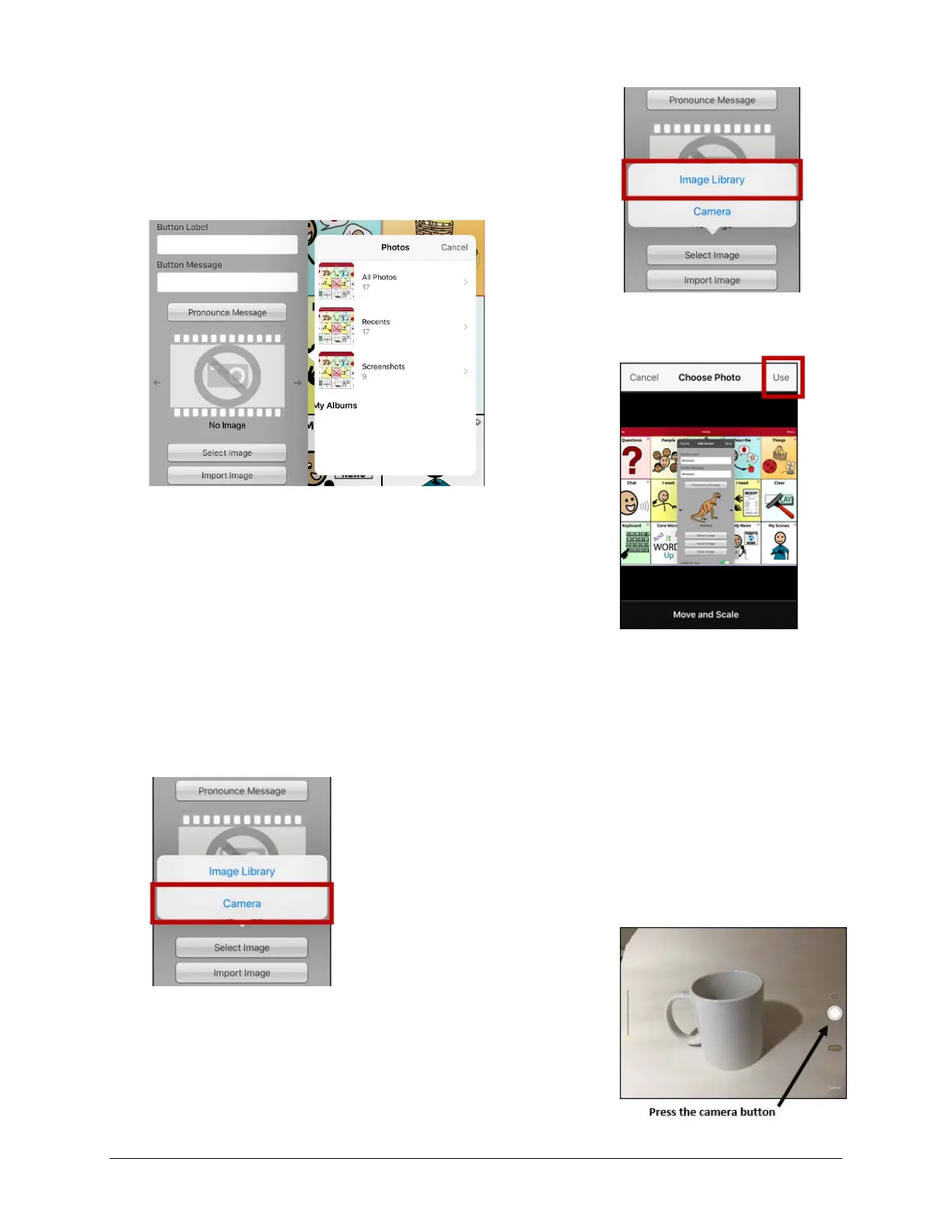
3. Tap Import Image. A small menu will open.
4. Tap Image Library. Collections of images will be listed.
5. Tap a collection. Preview images will be displayed.
6. Tap the image you want and tap Use.
7. Enter a name for the image and tap Done.
8. Tap Save. Tap Done to exit edit mode.
Adding an Image to a Button: Take a Picture
1. Tap Menu and tap Edit Page.
2. Tap the button and select Edit This Button.
3. Tap Import Image. A small menu will open.
4. Tap Camera.
5. Press the camera button.
6. Tap Use Photo and enter a name for the image.
7. Tap Done and tap Save. Tap Done to exit edit mode.



 To Next Page